POWER METER
4
Once the Power Meter has
opened, you will see two rubber
tabs at each end of the meter.
The proper placement of the
meter is up on the shaft, almost
where the grip starts. (But not on
the grip!)
Now simply slide your golf shaft
in-between the rubber tabs, then
close the meter around the
shaft. Gently close the locking
tabs and you’re ready to go!
Note that you shouldn’t need to
force the locking tabs closed. If
it feels too tight, then you might
want to look and make sure the
shaft is between the rubber tabs.
If it is, then simply move the
meter down the shaft slightly.
Be careful to observe the proper
orientation of the PowerMeter.
The topside of the meter (the
side that goes towards the grip)
is marked “grip”. Orienting the
meter incorrectly will prevent it
from working properly.
Configuring Your
Medicus PowerMeter
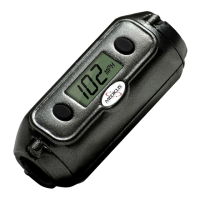
The Medicus PowerMeter™ is a
precision instrument, and can be
used to track your “swing power”
on almost any club you want to
use. However, first we need to
tell it a few things about you.
To turn on the PowerMeter™,
push and hold down the left
button for one second and the
meter will spring to life.
When first started up, the meter
needs to know whether you want
to view your numbers in MPH, or
Kilometers. Pushing the right
button will allow you to “toggle’


 To Next Page