EasyManua.ls Logo

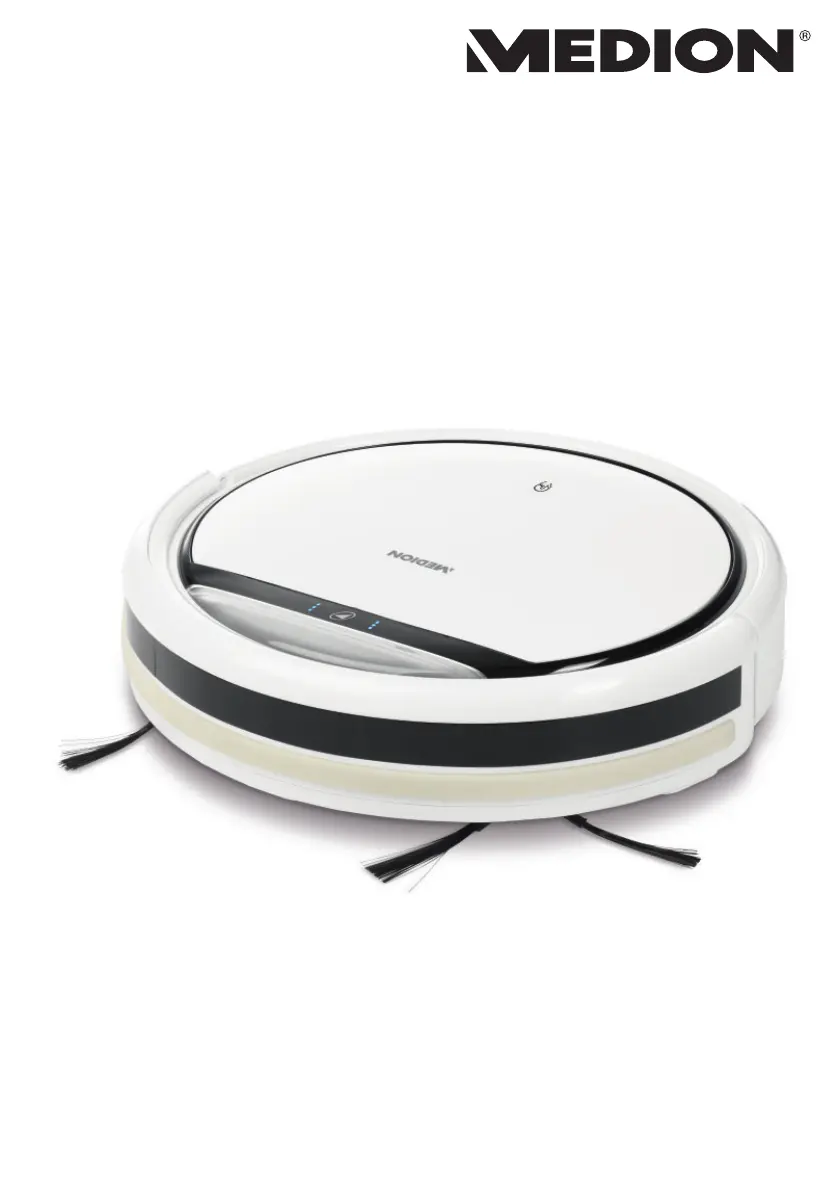
Medion 160131.01 - User Manual

Medion 160131.01
136 pages
Go to English
Print Icon
To Next Page IconTo Next Page
Loading...
Robot aspirapolvere
Vacuum robot
Sesalni robot
Robotski usisavač
MANUALE D’USO
USER MANUAL
UPORABNIŠKI PRIROČNIK
KORISNIČKI PRIRUČNIK
MD 19500 / 160131.01

Table of Contents

Questions and Answers

  • M
    Mr. John GutierrezAug 12, 2025
    Why is my Medion Vacuum Cleaner cleaning performance declining?
    • K
      Kimberly MitchellAug 12, 2025
      The cleaning performance of your Medion Vacuum Cleaner might decline if the dust container is full or the brushes are dirty. To resolve this, empty the dust container and clean the filter. Also, clean the brushes and the front wheel.
  • R
    Randy WongAug 15, 2025
    What to do if my Medion Vacuum Cleaner does not return to the charging station?
    • S
      Steven BrownAug 16, 2025
      If your Medion robot vacuum cleaner isn't returning to its charging station, it could be due to the charging station's location or dirty sensors. Try moving the charging station to a different, accessible location. Also, clean the sensors.
  • M
    michael76Aug 19, 2025
    What to do if the side brushes of my Medion Vacuum Cleaner do not move?
    • A
      Adrian HernandezAug 20, 2025
      If the side brushes on your Medion Vacuum Cleaner aren't moving, it's likely they are blocked by dirt. Remove the brushes, clean them thoroughly, and then reattach them.
  • D
    Donald GreenAug 23, 2025
    What to do if my Medion Vacuum Cleaner appliance is blocked and three acoustic signals sound?
    • G
      Gregory HernandezAug 23, 2025
      If your Medion Vacuum Cleaner is blocked and you hear three acoustic signals, it means the robot vacuum cleaner is stuck. Move the robot vacuum cleaner to a different place.
  • A
    Ashley PenningtonAug 27, 2025
    What to do if the operating light on my Medion Vacuum Cleaner is flashing after the appliance has been switched on?
    • F
      Frank RussellAug 27, 2025
      If the operating light on your Medion robot vacuum cleaner is flashing after being switched on, it could be due to a flat battery block. Leave the battery block to charge fully for approximately 4.5 hours. It may also indicate a fault, so clear all faults.
  • D
    David LopezAug 31, 2025
    What to do if my Medion Vacuum Cleaner robot vacuum cleaner does not move and a single acoustic signal sounds?
    • J
      Jesus LopezAug 31, 2025
      If your Medion robot vacuum cleaner doesn't move and a single acoustic signal sounds, the wheels are likely blocked. Remedy the fault on the wheels.
  • P
    paynejamesSep 4, 2025
    What to do if my Medion Vacuum Cleaner has a sensor fault and two acoustic signals sound?
    • C
      Christopher SchroederSep 4, 2025
      If your Medion Vacuum Cleaner has a sensor fault and two acoustic signals sound, it could be because the robot vacuum cleaner is on a dark floor or the sensor is obscured. Move the robot vacuum cleaner to a brighter place and clean the sensor.
  • M
    Matthew RoweSep 7, 2025
    How to fix Medion Vacuum Cleaner that cannot be switched on?
    • S
      Stephanie AndersonSep 7, 2025
      If your Medion Vacuum Cleaner cannot be switched on, the battery block is likely flat. Leave the battery block to charge fully for approximately 4.5 hours.

Summary

Information About This User Manual

Explanation of Symbols

Explains warning symbols used in the manual to denote different types of hazards.

Proper Use

Safety Information

Safe Handling of Batteries

Details safe practices for handling batteries and potential chemical hazards.

Package Contents

Appliance Overview

Bottom

Details the bottom components of the robot vacuum cleaner with numbered parts.

Dust Container with Filter

Illustrates and labels the dust container and its filter components.

Charging Station

Shows and labels the components of the charging station.

Remote Control

Illustrates and labels the buttons and display of the remote control.

Sensors on the Robot Vacuum Cleaner

Identifies and labels the front, right-hand, and left-hand sensors.

Using the Appliance for the First Time

Attaching the Cleaning Brushes

Instructions on how to attach the cleaning brushes to the appliance.

Positioning the Charging Station

Guidance on where and how to place the charging station.

Charging the Battery Block

Explains how to charge the robot vacuum cleaner's battery.

Setting the Time

Inserting Batteries in the Remote Control

Instructions for installing batteries into the remote control.

Setting the Time

How to set the current time on the remote control for scheduling.

Vacuum Mode

Setting the Start Time

Explains how to set a cleaning schedule for automatic operation.

Selecting the Mode

Describes the different cleaning modes available for the robot vacuum.

Energy Management of the Robot Vacuum Cleaner

Provides guidance on optimizing energy consumption and battery life.

Cleaning and Care

Cleaning the Dust Container

Step-by-step instructions for cleaning the dust container and filter.

Cleaning the Suction Opening

How to clean the suction port to maintain vacuum efficiency.

Cleaning the Brushes

Instructions for removing and cleaning the robot's brushes.

Cleaning the Front Wheel

Steps to remove and clean the front wheel if it gets blocked.

Troubleshooting

Removing the Battery Block

Disposal

Technical Specifications

Declaration of Conformity

Service Information

Privacy Statement

Legal Notice

Medion 160131.01 Specifications

General IconGeneral
Dust container typeBagless
Dust capacity0.6 liters
Battery capacity2200 mAh
Noise level78 dB
Weight2.3 kg
ModelMD 160131.01
TypeHandheld
Charging time4 hours
Cord LengthCordless
AccessoriesCrevice nozzle, brush nozzle

Related product manuals