EasyManua.ls Logo

Medion MD 19500 - User Manual

Medion MD 19500
136 pages
Go to English
Print Icon
To Next Page IconTo Next Page
Loading...
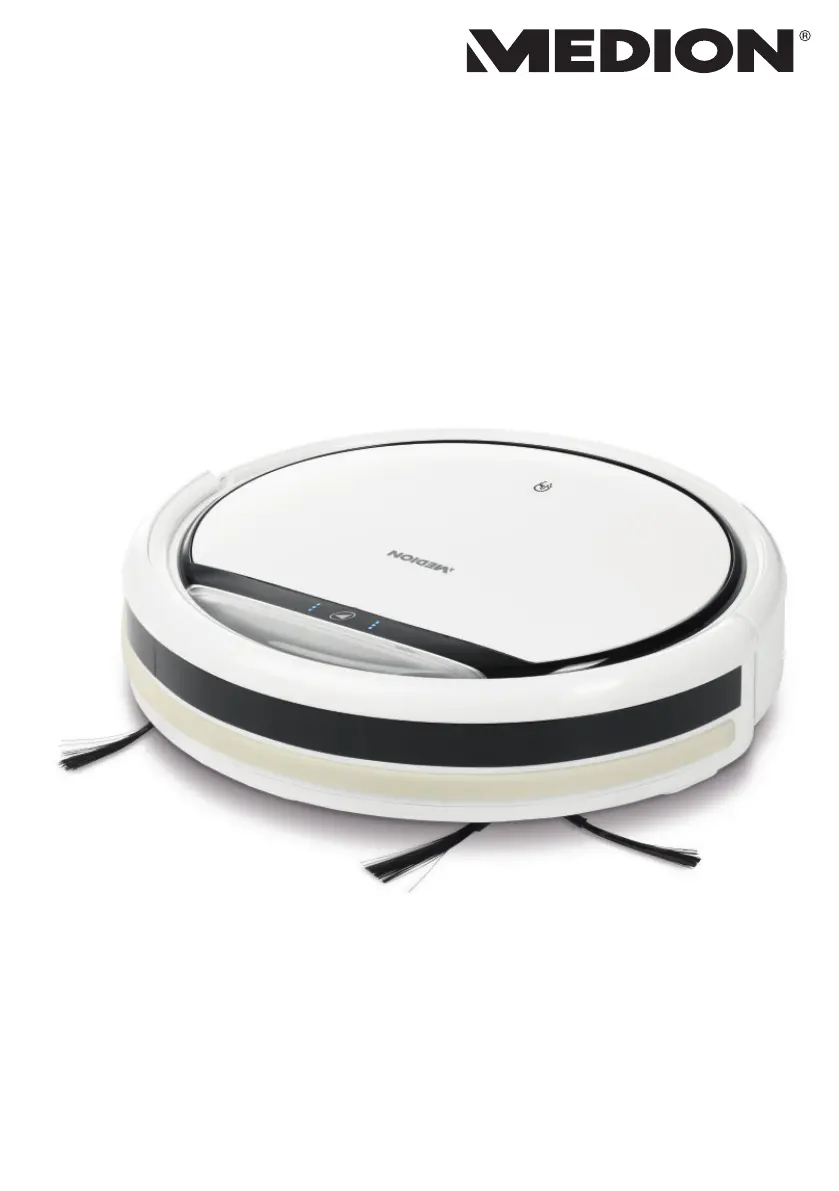
Robot aspirapolvere
Vacuum robot
Sesalni robot
Robotski usisavač
MANUALE D’USO
USER MANUAL
UPORABNIŠKI PRIROČNIK
KORISNIČKI PRIRUČNIK
MD 19500 / 160131.01

Table of Contents

Questions and Answers

  • J
    Justin HessAug 12, 2025
    Why is my Medion Vacuum Cleaner cleaning performance declining?
    • M
      Michael PriceAug 12, 2025
      The cleaning performance of your Medion Vacuum Cleaner might decline if the dust container is full or the brushes are dirty. To resolve this, empty the dust container and clean the filter. Also, clean the brushes and the front wheel.
  • J
    Jessica LewisAug 16, 2025
    What to do if my Medion Vacuum Cleaner does not return to the charging station?
    • H
      Heather CrossAug 16, 2025
      If your Medion robot vacuum cleaner isn't returning to its charging station, it could be due to the charging station's location or dirty sensors. Try moving the charging station to a different, accessible location. Also, clean the sensors.
  • L
    Laura ThomasAug 19, 2025
    What to do if the side brushes of my Medion Vacuum Cleaner do not move?
    • K
      kleeAug 19, 2025
      If the side brushes on your Medion Vacuum Cleaner aren't moving, it's likely they are blocked by dirt. Remove the brushes, clean them thoroughly, and then reattach them.
  • M
    Martin KennedyAug 23, 2025
    What to do if my Medion Vacuum Cleaner appliance is blocked and three acoustic signals sound?
    • D
      derricksmithAug 23, 2025
      If your Medion Vacuum Cleaner is blocked and you hear three acoustic signals, it means the robot vacuum cleaner is stuck. Move the robot vacuum cleaner to a different place.
  • A
    Alan BarberAug 27, 2025
    What to do if the operating light on my Medion Vacuum Cleaner is flashing after the appliance has been switched on?
    • N
      Natalie WestAug 27, 2025
      If the operating light on your Medion robot vacuum cleaner is flashing after being switched on, it could be due to a flat battery block. Leave the battery block to charge fully for approximately 4.5 hours. It may also indicate a fault, so clear all faults.
  • C
    Cole BuckAug 31, 2025
    What to do if my Medion Vacuum Cleaner robot vacuum cleaner does not move and a single acoustic signal sounds?
    • M
      melissa11Aug 31, 2025
      If your Medion robot vacuum cleaner doesn't move and a single acoustic signal sounds, the wheels are likely blocked. Remedy the fault on the wheels.
  • B
    brandonsalazarSep 3, 2025
    What to do if my Medion Vacuum Cleaner has a sensor fault and two acoustic signals sound?
    • C
      Cheryl GonzalezSep 3, 2025
      If your Medion Vacuum Cleaner has a sensor fault and two acoustic signals sound, it could be because the robot vacuum cleaner is on a dark floor or the sensor is obscured. Move the robot vacuum cleaner to a brighter place and clean the sensor.
  • G
    glendamooreSep 7, 2025
    How to fix Medion Vacuum Cleaner that cannot be switched on?
    • J
      james14Sep 7, 2025
      If your Medion Vacuum Cleaner cannot be switched on, the battery block is likely flat. Leave the battery block to charge fully for approximately 4.5 hours.

Summary

1. About This User Manual

1.1. Explanation of Symbols

Explains warning symbols for injury, electric shock, explosion, and combustible materials.

DANGER! Risk of Fatal Injury

Warning for risk of fatal injury.

WARNING! Risk of Possible Fatal Injury

Warning for risk of possible fatal or serious irreversible injury.

WARNING! Risk of Electric Shock

Warning for risk of electric shock.

Safety Information Symbols

WARNING! Risk of Explosive Materials

Warning for risk of explosive materials.

WARNING! Danger Due to Combustible Substances

Warning for danger due to combustible/flammable substances.

CAUTION! Risk of Minor Injuries

Caution for risk of minor/moderate injuries.

NOTICE! Prevent Appliance Damage

Notice for instructions to prevent appliance damage.

Technical and Usage Symbols

Transformer and Usage Information

Information on transformer type, indoor use, and adapter usage.

Protection and Battery Symbols

Symbols for IP protection class and lithium battery presence.

2. Proper Use

Improper Use Warnings

Details on what constitutes improper use and potential consequences.

3. Safety Information

Risk of Injury to Vulnerable Groups

Safety warnings concerning children and individuals with limited abilities.

DANGER! Risk of Electric Shock!

Critical warning about electric shock hazards from live parts.

Electrical Safety Precautions

Instructions for safe use of mains adapter and power socket.

Handling Transport Damage and Repairs

Instructions for reporting damage and prohibiting independent repairs.

Electrical and Environmental Safety

Warnings about water contact, damp environments, and extreme conditions.

WARNING! Risk of Explosion!

Warning regarding fire or explosion from flammable liquids.

CAUTION! Risk of Injury;Damage!

Cautionary notes on improper use and potential damage.

Abrasion Risk on Rough Surfaces

Warning about potential damage from contact with rough surfaces.

WARNING! Risk of Fire!

Warning about fire risk when vacuuming hot materials.

CAUTION! Stair and Obstacle Detection Risks

Caution regarding sensor limitations with stairs and obstacles.

CAUTION! Risk of Hazard to Health!

Caution regarding health risks from dust inhalation.

3.1. Safe Handling of Batteries

DANGER! Risk of Chemical Burns!

Danger warning about chemical burns from swallowed batteries.

WARNING! Risk of Explosion!

Warning about explosion risk during incorrect battery replacement.

General Battery Precautions

Instructions for safe storage, charging, and disposal of batteries.

4. Package Contents

DANGER! Risk of Choking and Suffocation!

Warning about choking/suffocation hazards from plastic packaging.

5. Appliance Overview

Top View Components

Labels and identification of components visible from the top.

5.1. Bottom View

Identification of components located on the bottom of the appliance.

5.2. Dust Container with Filter

Detailed description of the dust container and its filter.

5.3. Charging Station

Description of the charging station and its functions.

5.4. Remote Control

Overview of the remote control and its buttons.

Remote Control Functions

Explanation of the functions controlled by the remote buttons.

5.5. Sensors on the Robot Vacuum Cleaner

Identification and location of the robot's sensors.

6. Using the Appliance for the First Time

6.1. Attaching Cleaning Brushes

Step-by-step guide for attaching the cleaning brushes.

6.2. Positioning the Charging Station

Instructions for correctly placing the charging station.

6.3. Charging the Battery Block

Procedure for charging the robot's internal battery.

Charging via Charging Station

Detailed steps for charging the robot using the charging station.

6.4. Inserting Batteries in Remote Control

Procedure for installing batteries in the remote control.

6.5. Setting the Time

Instructions for setting the current time on the remote control.

7. Vacuum Mode

Setting the Current Time

Detailed steps for setting the current time on the remote control.

NOTICE! Risk of Property Damage!

Warning about potential property damage from loose cables.

Carpet Cleaning Restriction

Information stating the appliance is not suitable for use on carpets.

Cleaning Process Overview

Description of how the robot navigates and cleans the room.

Pausing and Resuming Cleaning

How to pause, resume, or switch to sleep mode during operation.

Low Battery Operation

Automatic return to charging station when battery is low.

NOTICE! Possible Material Damage!

Warning about potential material damage due to sensor limitations.

7.1. Setting the Start Time

Instructions for programming a future cleaning start time.

7.2. Selecting the Mode

Guide to choosing different cleaning modes for the robot.

Cleaning Modes Explained

Detailed explanations of Automatic, Spot, Wall, Chance, Return, and Manual modes.

7.3. Energy Management

Energy Management for Occasional Use

Advice on power saving for infrequent cleaning.

Energy Management for Daily Use

Advice on power saving for frequent cleaning.

Energy Management for Small Areas

Advice on power saving for cleaning small areas.

8. Cleaning and Care

DANGER! Risk of Electric Shock!

Critical warning about electric shock during cleaning and maintenance.

General Cleaning and Maintenance

Basic guidelines for cleaning the appliance and its parts.

8.1. Cleaning the Dust Container

Procedure for emptying and cleaning the dust container.

Dust Container Cleaning Process

Detailed process for cleaning the dust container and its filter components.

8.2. Cleaning the Suction Opening

Instructions for cleaning the suction port to maintain performance.

8.3. Cleaning the Brushes

Procedure for cleaning the main and side brushes.

Brush Maintenance Tips

Tips for maintaining brush shape and replacing worn brushes.

8.4. Cleaning the Front Wheel

Procedure for cleaning the robot's front wheel.

9. Troubleshooting

Troubleshooting Common Issues (Part 1)

Addresses issues like not switching on, flashing lights, and movement problems.

Troubleshooting Common Issues (Part 2)

Addresses sensor faults, blockages, performance decline, and return-to-base issues.

10. Storing and Transporting

Storage and Transport Guidelines

Instructions for storing the appliance in a suitable environment and during transport.

11. Removing the Battery Block

CAUTION! Risk of Injury!

Safety precautions when handling removed batteries.

Battery Removal Procedure

Step-by-step instructions for removing the battery block.

12. Disposal

Packaging Disposal

Guidance on disposing of packaging materials.

Appliance Disposal

Instructions for environmentally friendly disposal of the appliance.

Batteries Disposal

Guidance on correct disposal of used batteries.

13. Technical Specifications

General and Battery Specifications

Specs for dust capacity, operating time, weight, dimensions, and battery block.

Mains Adapter and Load Specifications

Specs for mains adapter, output power, and load conditions.

Remote Control Specifications

Specifications related to the remote control's battery and consumption.

14. Declaration of Conformity

15. Service Information

Contacting Customer Service

Details on how to reach customer service via community, contact form, or hotline.

Service Contact Details

Provides UK hotline number and service address for inquiries.

16. Privacy Statement

Data Processing and Privacy Policy

Details on data processing for warranty, rights of data subjects, and supervisory authority.

17. Legal Notice

Copyright and Manufacturer Information

Details on copyright ownership, date, and manufacturer's address.

Medion MD 19500 Specifications

General IconGeneral
BrandMedion
ModelMD 19500
CategoryVacuum Cleaner
LanguageEnglish

Related product manuals