EasyManua.ls Logo

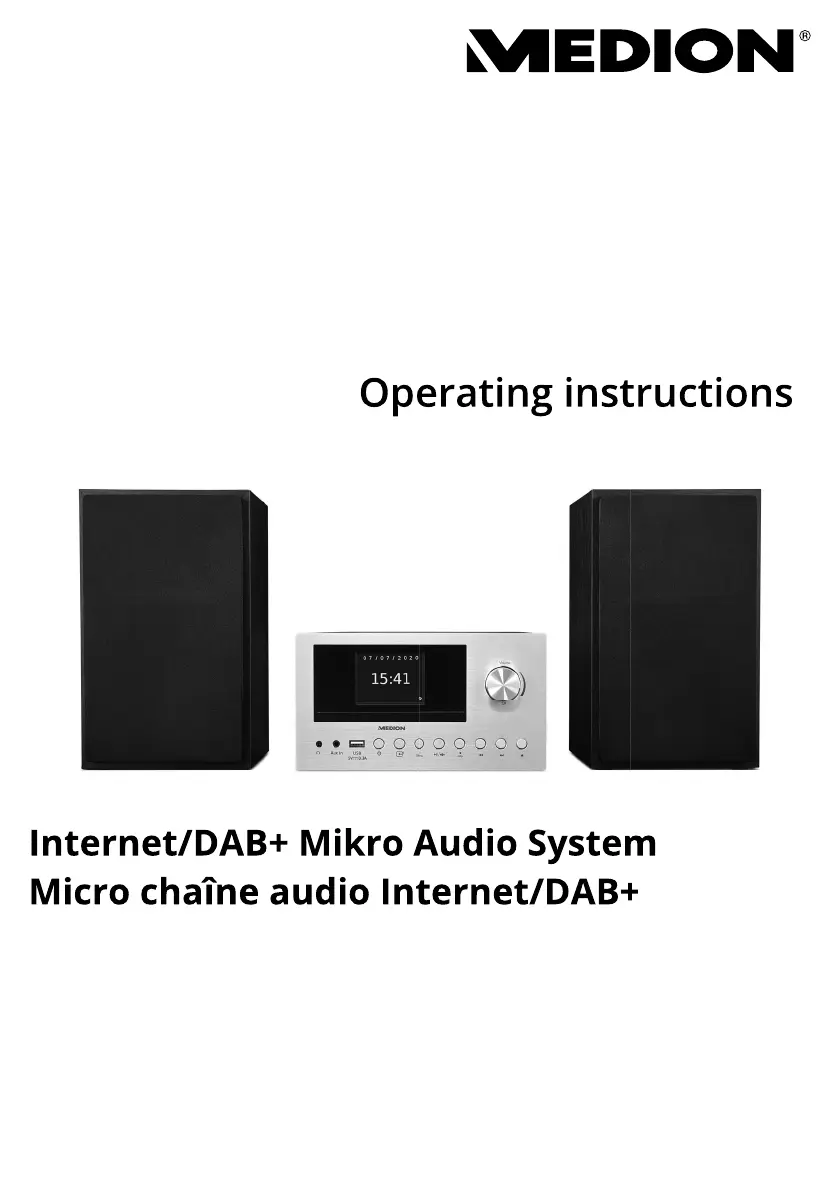
Medion LIFE P85003 - User Manual

Medion LIFE P85003
292 pages
Go to English
Print Icon
To Next Page IconTo Next Page
Loading...
Internet/DAB+ Mikro Audio System
Micro chaîne audio Internet/DAB+
Internet/DAB+ micro-audiosysteem
Microsistema de sonido con DAB+/Internet
Sistema Micro Audio Internet/DAB+
Internet/DAB+ Micro Audio System
MEDION
®
LIFE
®
P85003 (MD 85008)
Bedienungsanleitung
Notice d‘utilisation
Handleiding
Manual de instrucciones
Istruzioni per l‘uso
Operating instructions
Istruzioni
per
l uso

Table of Contents

Questions and Answers

  • B
    Brianna OrtizAug 15, 2025
    How to improve radio reception on a Medion LIFE P85003 Stereo System?
    • K
      Katie WagnerAug 15, 2025
      If you are experiencing no or poor radio reception on your Medion Stereo System, it may be due to weak station signals. Try adjusting the frequency of the stations. If this does not work, move the radio to a different location or change the direction of the aerial to improve the reception.
  • D
    Donna CraigAug 18, 2025
    Why is there no sound coming from my Medion LIFE P85003 Stereo System?
    • N
      nhillAug 18, 2025
      If your Medion Stereo System isn't producing any sound, first, try increasing the volume. If that doesn't work, ensure that the mute setting is switched off. Also, if you're using an external device via AUX/LINE IN or Bluetooth, make sure the volume on that device is also turned up. Finally, if you have headphones connected, unplug them, as this interrupts the sound playback on the loudspeakers.
  • M
    Michael PattersonAug 21, 2025
    How to fix a Medion Stereo System remote control that is not working?
    • C
      Carmen StokesAug 21, 2025
      If the Medion Stereo System remote control is not working, make sure the batteries are inserted correctly. Also, ensure that you are not more than 7 m away from the radio and that there are no obstacles blocking the path between the remote control and the infrared sensor. Finally, make sure the remote control is aligned correctly with the sensor.
  • K
    Kelly BerryAug 25, 2025
    What to do if my Medion LIFE P85003 Stereo System is not playing CDs?
    • H
      hgravesAug 26, 2025
      If your Medion Stereo System is not playing CDs, it could be due to condensation. Pull the mains adapter out of the socket and wait until the device and the CD have adapted to the environmental conditions. Another reason could be that the CD format is not supported; this device only supports CD formats specified in the technical data. Finally, the CD may be dirty or incorrectly inserted; clean the CD and insert it into the CD compartment with the label facing upwards.
  • J
    Jeffrey BarkerAug 28, 2025
    What to do if my Medion LIFE P85003 Stereo System has no function?
    • N
      Nathan PetersonAug 28, 2025
      If your Medion Stereo System has no function, check if the mains adapter is correctly inserted into both the socket and the device. If it is, and the issue persists, the device may have been disrupted by a thunderstorm, static charge, or another external factor. In this case, pull the mains adapter out of the socket and then plug it back in again.
  • Z
    zwhiteAug 31, 2025
    Why Medion LIFE P85003 Stereo System internet radio cannot receive IP addresses?
    • K
      Kelsey WhiteSep 1, 2025
      If your Medion Stereo System's internet radio has booted normally but cannot receive IP addresses, the cause may be that no DHCP server is activated. Check the router settings. Another possible reason is that an incorrect WiFi encryption algorithm was entered. Re-enter the WiFi encryption algorithm. Finally, the network interfaces may not be working properly, so check the interfaces.
  • C
    Cynthia AdkinsSep 3, 2025
    How to solve a router connection problem on a Medion LIFE P85003?
    • A
      Ann RomeroSep 4, 2025
      If you are experiencing problems with the router connection on your Medion Stereo System, it could be due to several reasons. First, check that a DHCP server is activated in the router settings. If that's not the issue, it could be that an incorrect encryption algorithm has been entered for the network; in this case, re-enter the encryption algorithm for the network. If problems persist, contact our Service Centre, because the RJ45 port or WiFi module may be defective.
  • D
    dlewisSep 7, 2025
    What to do if my Medion LIFE P85003 Stereo System shows no IP address found?
    • N
      Nancy RobinsonSep 7, 2025
      If your Medion Stereo System is not finding an IP address, it may be due to no response from DNS (Domain Name Server). Check the DNS settings on your router. It could also be that the DNS used does not recognise the name of V-Tuner.com. In this case, use a different DNS server.
  • M
    Michael GarciaSep 10, 2025
    Why is the alarm not working on my Medion LIFE P85003 Stereo System?
    • D
      davisleahSep 12, 2025
      If the alarm on your Medion Stereo System is not working, check the alarm settings to ensure the function is activated.

Summary

Information about this user manual

Explanation of symbols

Details the meaning of various warning symbols used throughout the manual.

Proper Use

Safety Information

Operating Safety

Guidelines for safe operation, especially concerning children and potential hazards like choking.

Installation Location

Recommendations for placing the device, avoiding moisture, heat, direct sunlight, and ensuring ventilation.

Repairs

Instructions on when and how to contact customer service for repairs or troubleshooting.

Environmental Conditions

Guidance on operating and storing the device within specific temperature and humidity ranges.

Power Supply Safety

Safety precautions related to the device's power supply and electrical connections.

CD Player Safety

Information about the CD player being a class 1 laser product and safety precautions.

Battery Handling and Safety

Handling and safety instructions for batteries, including warnings about chemical burns and explosion risks.

Package Contents

Device Overview

Front Panel Overview

Identifies and describes the controls and connectors on the front panel of the audio system.

Back Panel Overview

Details the connections and ports located on the rear of the audio system.

Remote Control Details

Illustrates and explains the functions of each button on the remote control.

Setting Up the Device

Remote Control Battery Installation

Instructions for inserting or replacing batteries in the remote control, with safety warnings.

Device Connections Guide

Explains how to connect various components like the antenna, mains adapter, and external devices.

Connecting External Audio Devices via AUX

Step-by-step guide to connect external audio sources using the AUX IN port.

Headphone Connection and Safety

Instructions on how to connect headphones to the device and important hearing safety warnings.

Connecting USB Storage Devices

Guide for connecting USB memory sticks to play music tracks from the device.

Mains Power Connection

Detailed steps for connecting the device to the power supply using the mains adapter.

Getting Started

Device and Remote Operation

Explains how to use the main play functions via device buttons and the remote control.

Powering On and Standby Mode

Instructions for turning the device on and putting it into standby mode.

Initial Device Setup Wizard

Guides users through the first-time setup, including language selection and data protection.

Setting the Date and Time

Steps to configure the date, time, and hour format, including automatic updates or manual entry.

Establishing Network Connection

Instructions for connecting the device to a wireless network via WPS or manual entry.

Getting Started

Adjusting Display Brightness

How to adjust the brightness of the device's display using the remote control.

Antenna Adjustment

Guidance on extending the telescopic aerial for optimal signal reception.

Sound Settings

Volume Adjustment

Instructions on how to adjust the audio volume using the remote or device controls.

Equaliser Presets

How to select and use different sound presets (equaliser modes).

Sleep Timer Function

How to set the sleep timer to automatically switch off the device.

Listening to Internet Radio

Selecting Internet Radio Services

Guide to finding and selecting internet radio stations by country, search, or popularity.

Podcasts

Selecting Podcasts

Instructions on how to find and select podcasts by region, topic, or search.

Podcast Discovery by Country

How to select podcasts available globally by country.

Podcast Discovery Features

Using the Discover function to find podcasts based on user preferences.

Connecting to Podcast Sources

Details on connecting to internet radio stations or podcasts and viewing information.

Storing Favourite Podcasts

How to save favourite internet radio stations or podcasts to memory slots for easy access.

DAB and FM Radio

Tuning DAB and FM Stations

Instructions for tuning into DAB and FM radio stations, including auto-search.

Storing and Selecting Radio Stations

Methods for automatically storing all stations and manually saving individual stations.

Automatic FM Station Storage

How to perform an automatic search and store all available FM stations.

Manual Station Storage

Steps to manually save a selected radio station to a specific memory position.

Retrieving Stored Radio Stations

How to access and play back previously stored radio stations.

Displaying Station Information

How to view additional details like track information or programme type for a radio station.

Navigating Menu Settings

How to navigate the device menu to adjust system settings.

Playback of CDs and USB Media

Media Compatibility and Notes

Information regarding supported file systems, formats, and limitations for USB and CD media.

Displaying ID3 Track Information

How to display track, artist, and album information from ID3 tags on media.

CD Insertion and Ejection

Detailed instructions on how to open, load, and close the CD tray.

Inserting USB Memory Sticks

Instructions for connecting USB memory sticks to the device for playback.

Playback Control Functions

How to start, pause, and resume playback of tracks from media.

Track Navigation and Control

How to skip tracks, fast rewind, and fast forward within a track.

Selecting Folders on USB Media

How to navigate and select folders on MP3 data media.

Repeat and Random Playback Modes

How to activate different playback modes like repeat track, repeat folder, or random.

Bluetooth Mode

Connecting Bluetooth Devices

Steps to pair external Bluetooth devices like smartphones or MP3 players with the system.

Bluetooth Playback Control

How to control playback and volume of Bluetooth-connected devices using the remote.

Playback via LINE IN and AUX Connection

System Settings

Equaliser and Sound Settings

How to select and customize sound profiles using the equalizer and MY EQ features.

Internet Connection Settings

Configuration options for connecting to networks, including Network Wizard and WPS.

Network Wizard Setup

Step-by-step guide to search for and connect to wireless networks.

WPS Network Connection

How to establish a secure wireless connection using the WPS (Wi-Fi Protected Setup) method.

Viewing Network Configuration

How to view current network connection details and the device's MAC address.

Manual Network Configuration

How to manually configure wireless connection parameters like DHCP.

Changing NetRemote PIN

How to reassign the PIN for connecting via a smartphone or tablet.

Deleting Saved Network Profiles

Instructions on how to remove saved WLAN network profiles from the device.

Clearing All Network Settings

Steps to clear all saved network settings from the device.

Setting Device Time and Language

How to set the device's internal clock and change the display language.

Factory Reset Procedure

How to restore the device to its original factory default settings.

Software Update Procedures

Information on how to search for and install software updates for the device.

Automatic Software Updates

How to configure the device for automatic searching and installation of software updates.

Manual Software Update Search

How to manually initiate a search for available software updates.

Restarting the Setup Wizard

How to re-initiate the initial setup wizard for device configuration.

Viewing Software Version Information

How to view the device's software version and radio identification number.

Data Protection and Privacy

Information on the device's privacy policy and data handling.

Configuring Display Lighting

How to adjust display brightness and dimming settings for different modes.

Main Menu Settings

Setting the Automatic Switch-Off Timer

How to configure the automatic sleep timer or switch-off time for the device.

Setting Up Alarms

Instructions for setting up to two alarm times, including activation and time configuration.

Alarm Activation and Recurrence

How to enable or disable the alarm, and set its recurrence pattern (e.g., daily, weekends).

Setting the Alarm Trigger Time

How to specify the exact time for the alarm to activate.

Selecting Alarm Sound Source

How to choose the sound source for the alarm (e.g., FM radio, DAB radio, internet radio).

Selecting Alarm Radio Programme

How to select a specific radio station or programme for the alarm.

Setting the Alarm Volume Level

How to adjust the volume level for the alarm signal.

Saving Alarm Configuration

How to confirm and save the configured alarm settings.

Cleaning the Device

Storing the Device for Later Use

Troubleshooting Common Issues

Disposal Instructions

Technical Specifications

EU Declaration of Conformity

Service and Support Information

Legal Notice and Copyright

Privacy Statement Details

Medion LIFE P85003 Specifications

General IconGeneral
TypeStereo System
BrandMedion
ModelLIFE P85003
BluetoothYes
USB PortYes
FM RadioYes
Remote ControlYes
FeaturesBluetooth, USB, FM radio

Related product manuals