EasyManua.ls Logo

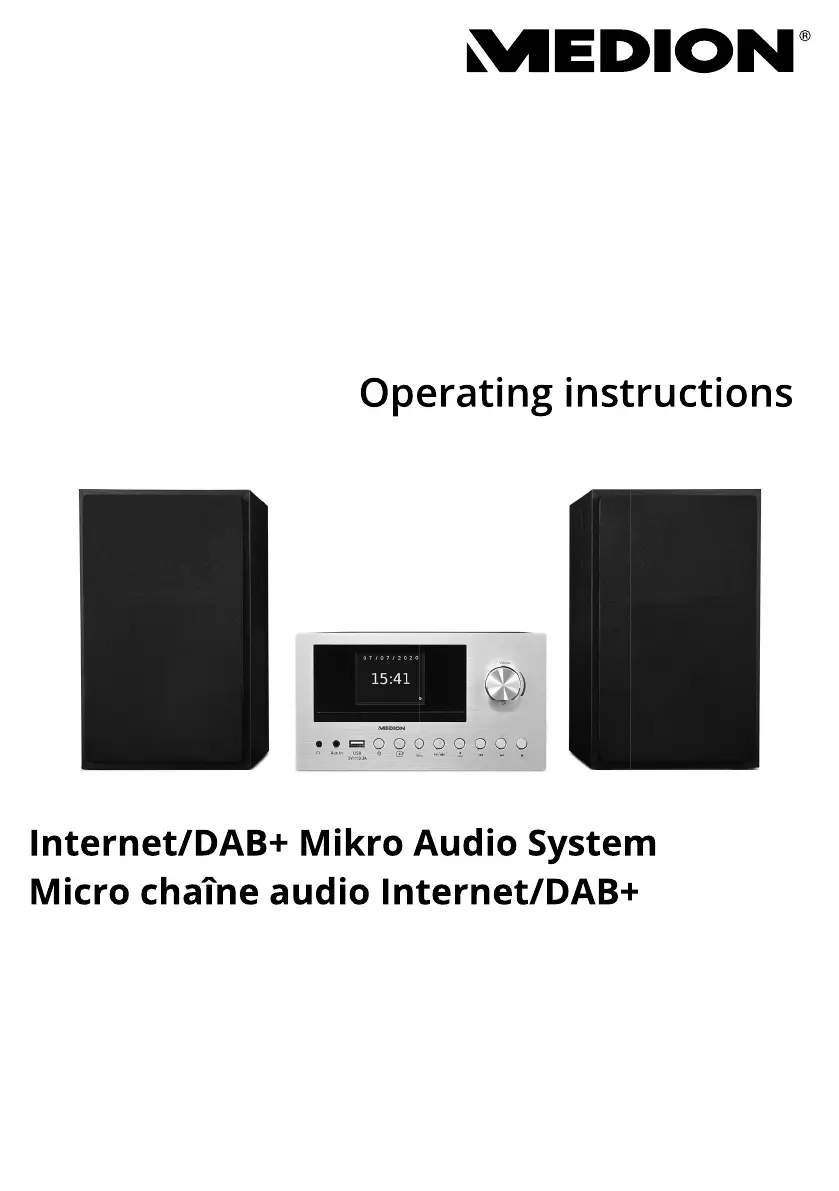
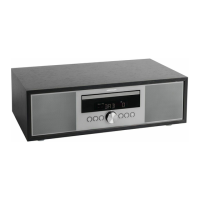
Medion MD 85008 - User Manual

Medion MD 85008
292 pages
Go to English
Print Icon
To Next Page IconTo Next Page
Loading...
Internet/DAB+ Mikro Audio System
Micro chaîne audio Internet/DAB+
Internet/DAB+ micro-audiosysteem
Microsistema de sonido con DAB+/Internet
Sistema Micro Audio Internet/DAB+
Internet/DAB+ Micro Audio System
MEDION
®
LIFE
®
P85003 (MD 85008)
Bedienungsanleitung
Notice d‘utilisation
Handleiding
Manual de instrucciones
Istruzioni per l‘uso
Operating instructions
Istruzioni
per
l uso

Table of Contents

Questions and Answers

  • H
    hernandezadrianAug 14, 2025
    How to improve radio reception on a Medion MD 85008?
    • V
      Vanessa MorrisonAug 14, 2025
      If you are experiencing no or poor radio reception on your Medion Stereo System, it may be due to weak station signals. Try adjusting the frequency of the stations. If this does not work, move the radio to a different location or change the direction of the aerial to improve the reception.
  • S
    Sabrina Maldonado DVMAug 17, 2025
    Why is there no sound coming from my Medion Stereo System?
    • B
      Brian BurkeAug 17, 2025
      If your Medion Stereo System isn't producing any sound, first, try increasing the volume. If that doesn't work, ensure that the mute setting is switched off. Also, if you're using an external device via AUX/LINE IN or Bluetooth, make sure the volume on that device is also turned up. Finally, if you have headphones connected, unplug them, as this interrupts the sound playback on the loudspeakers.
  • R
    rachaelmitchellAug 20, 2025
    How to fix a Medion MD 85008 Stereo System remote control that is not working?
    • M
      Miranda TaylorAug 20, 2025
      If the Medion Stereo System remote control is not working, make sure the batteries are inserted correctly. Also, ensure that you are not more than 7 m away from the radio and that there are no obstacles blocking the path between the remote control and the infrared sensor. Finally, make sure the remote control is aligned correctly with the sensor.
  • B
    Bianca WheelerAug 25, 2025
    What to do if my Medion MD 85008 is not playing CDs?
    • G
      Gregory ClarkAug 25, 2025
      If your Medion Stereo System is not playing CDs, it could be due to condensation. Pull the mains adapter out of the socket and wait until the device and the CD have adapted to the environmental conditions. Another reason could be that the CD format is not supported; this device only supports CD formats specified in the technical data. Finally, the CD may be dirty or incorrectly inserted; clean the CD and insert it into the CD compartment with the label facing upwards.
  • A
    Anthony CurtisAug 27, 2025
    What to do if my Medion MD 85008 has no function?
    • E
      Eric GutierrezAug 27, 2025
      If your Medion Stereo System has no function, check if the mains adapter is correctly inserted into both the socket and the device. If it is, and the issue persists, the device may have been disrupted by a thunderstorm, static charge, or another external factor. In this case, pull the mains adapter out of the socket and then plug it back in again.
  • C
    Christian WeberAug 30, 2025
    Why Medion Stereo System internet radio cannot receive IP addresses?
    • M
      Michael WilsonAug 31, 2025
      If your Medion Stereo System's internet radio has booted normally but cannot receive IP addresses, the cause may be that no DHCP server is activated. Check the router settings. Another possible reason is that an incorrect WiFi encryption algorithm was entered. Re-enter the WiFi encryption algorithm. Finally, the network interfaces may not be working properly, so check the interfaces.
  • A
    Anna HillSep 3, 2025
    How to solve a router connection problem on a Medion MD 85008 Stereo System?
    • S
      Stephen WilliamsSep 3, 2025
      If you are experiencing problems with the router connection on your Medion Stereo System, it could be due to several reasons. First, check that a DHCP server is activated in the router settings. If that's not the issue, it could be that an incorrect encryption algorithm has been entered for the network; in this case, re-enter the encryption algorithm for the network. If problems persist, contact our Service Centre, because the RJ45 port or WiFi module may be defective.
  • B
    Briana CortezSep 6, 2025
    What to do if my Medion MD 85008 shows no IP address found?
    • J
      James RyanSep 6, 2025
      If your Medion Stereo System is not finding an IP address, it may be due to no response from DNS (Domain Name Server). Check the DNS settings on your router. It could also be that the DNS used does not recognise the name of V-Tuner.com. In this case, use a different DNS server.
  • S
    stewartrobertSep 9, 2025
    Why is the alarm not working on my Medion MD 85008?
    • A
      Anthony Adams IISep 10, 2025
      If the alarm on your Medion Stereo System is not working, check the alarm settings to ensure the function is activated.

Summary

Proper Use Guidelines

Safety Information

Operating Safety Precautions

Guidelines for safe operation, including child safety and choking hazards.

Installation Location Requirements

Instructions on where to place the device for optimal performance and safety.

Power Supply and Electrical Safety

Details on power connection, voltage requirements, and electrical safety warnings.

Device Overview

Setting Up the Device

Getting Started

Device Operation and Initial Setup

Basic operations, powering the device on/off, and the initial setup wizard.

Network Connection Setup

Steps for establishing a wireless network connection using WPS or manual configuration.

Sound Settings

Internet Radio Listening

Selecting Radio Services

Guide to selecting and listening to internet radio stations and services.

Podcast Playback

Connecting to Internet Radio;Podcasts

Steps to connect to internet radio stations or podcasts and display information.

DAB and FM Radio Operation

CD and USB Media Playback

Bluetooth Mode

Connecting and Controlling Devices

Instructions for connecting Bluetooth devices and controlling playback remotely.

Playback via LINE IN and AUX Connection

System Settings

Main Menu and Alarm Settings

Troubleshooting Common Issues

Technical Specifications

Medion MD 85008 Specifications

General IconGeneral
TypeStereo System
BrandMedion
ModelMD 85008
CategoryStereo System
CD PlayerYes
USB PortYes
BluetoothYes
FM RadioYes
AUX InputYes
Remote ControlYes

Related product manuals