262
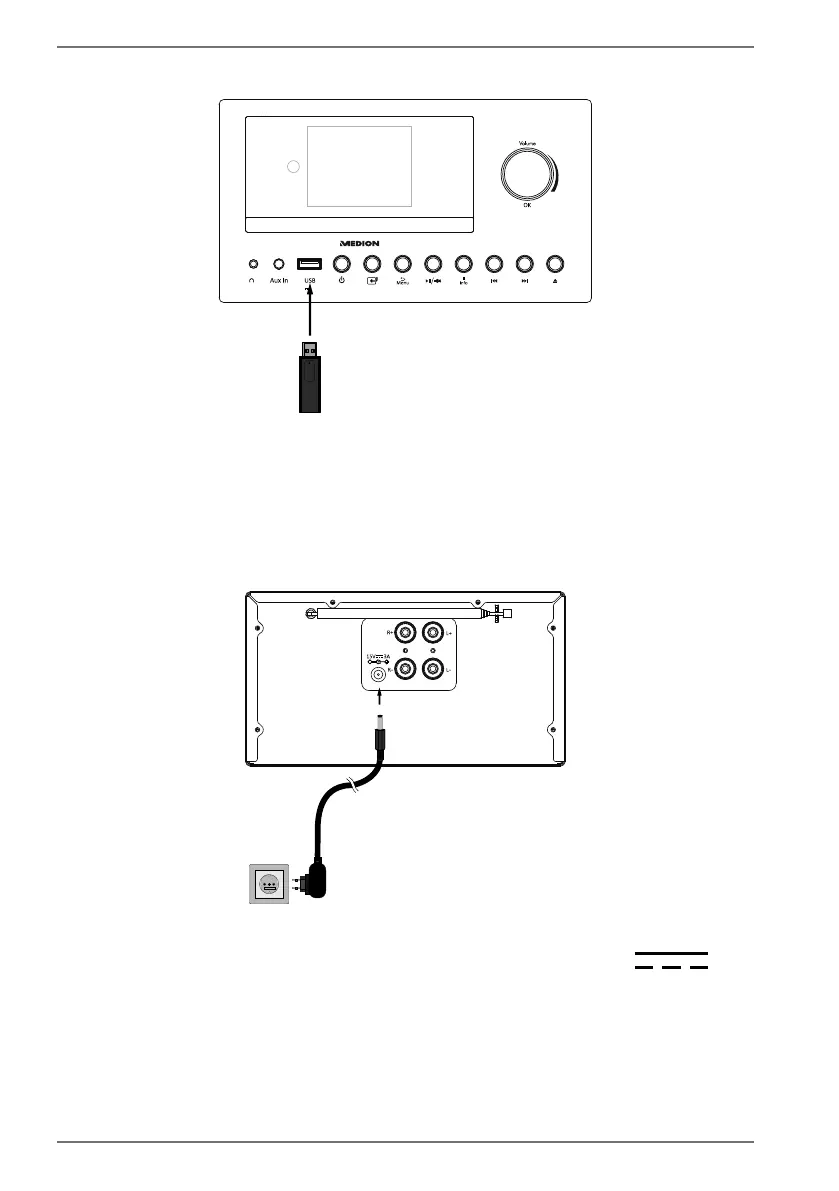
6.5. Connecting USB devices
5V 0.3A
You can connect USB sticks to the USB port on the front of the device. This enables
music tracks to be played from a USB memory stick. The USB port does not support
video playback.
Plug a USB device into the USB port.
6.6. Mains connection
Once all other components are connected, connect the mains power adapter.
To do this, place the end of the coaxial power adapter in the 15V 3A
connection and the other end of the mains power adapter into a properly in-
stalled 100–240 V ~ 50/60 Hz earthed power socket which is accessible at all
times.



 To Next Page