EasyManua.ls Logo

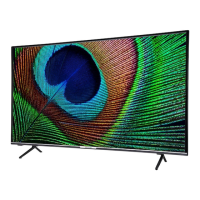
Medion LIFE X14328 - User Manual

Medion LIFE X14328
78 pages
Print Icon
To Next Page IconTo Next Page
Loading...
Operating instructions
X14328 (MD 30605) / X15040 (MD 30606) / X15552 (MD 30607) / X16575 (MD 30608)
MEDION
®
LIFE
®
QLED Ultra-HD Smart-TV

Questions and Answers

  • H
    hansonjenniferAug 20, 2025
    Why is there no picture and no sound on my Medion LIFE X14328?
    • K
      Kenneth WhiteAug 20, 2025
      If your Medion Smart TV has no picture and no sound, verify that the power cable is properly inserted into the socket and that the signal reception is set to TV.
  • J
    Jamie GrahamAug 22, 2025
    Why is my Medion LIFE X14328 Smart TV remote control not working?
    • J
      jenniferjordanAug 22, 2025
      If the remote control for your Medion Smart TV is not working, check that the batteries are functional and inserted correctly. Also, make sure the sensor field on the TV is not exposed to strong light.
  • H
    hansentonyaAug 25, 2025
    What to do if my Medion LIFE X14328 Smart TV picture is not clear?
    • V
      vwilliamsAug 25, 2025
      If the picture on your Medion Smart TV is not clear, the reception might be poor. Check if the antenna is connected properly.
  • N
    Nathaniel SmithAug 27, 2025
    What to do if I forgot the password on my Medion LIFE X14328 Smart TV?
    • M
      Michael LopezAug 27, 2025
      If you have forgotten your password on your Medion Smart TV, use the master password 4725.
  • J
    Jeffrey MorganAug 27, 2025
    How to fix no sound on Medion LIFE X14328 Smart TV?
    • C
      Christine GeorgeAug 27, 2025
      If there is no sound on your Medion Smart TV, ensure that the volume is not set to the minimum level and that the mute setting is not active. To deactivate mute, press the button in the top left of the remote control with the crossed-out loudspeaker symbol.
  • C
    carol67Aug 29, 2025
    What to do if my Medion LIFE X14328 picture is too bright or too dark?
    • R
      Rachel ParkerAug 29, 2025
      If the picture on your Medion Smart TV is too bright or too dark, check the contrast and brightness settings.
  • J
    jason51Aug 31, 2025
    What to do if my Medion Smart TV picture is not sharp?
    • D
      David WarrenAug 31, 2025
      If the picture on your Medion Smart TV is not sharp, it might be due to poor reception. Check if the antenna is connected properly. You can also check the settings for sharpness and noise reduction in the PICTURE menu.
  • C
    Casey LawsonSep 2, 2025
    Why is there no picture and no sound but noise on Medion Smart TV?
    • T
      Teresa GreenSep 2, 2025
      If your Medion Smart TV has no picture or sound, but you can hear noise, the reception might be poor. Check if the antenna is connected properly.
  • M
    Martin MillerSep 4, 2025
    How to fix a pixellated picture on Medion LIFE X14328 Smart TV?
    • U
      uarnoldSep 4, 2025
      If the picture on your Medion Smart TV is pixellated, it might be due to interference from cars, trains, power lines, or neon lights. Try positioning the cables further apart. There might also be interference between the antenna and power cables.
  • J
    John EvansSep 6, 2025
    Why is there no AV picture on my Medion LIFE X14328 Smart TV?
    • C
      Crystal CarterSep 6, 2025
      If there is no AV picture on your Medion Smart TV, check that the contrast and brightness settings are correct, ensure that all external devices have been connected properly, and verify that you have selected the correct AV source. Also, any input source that you want to select must be marked in the SOURCES > SOURCE SETTINGS menu.

Medion LIFE X14328 Specifications

General IconGeneral
BrandMedion
ModelLIFE X14328
CategorySmart TV
LanguageEnglish

Related product manuals