U
U
K
K
/
/
N
N
.
.
I
I
R
R
E
E
L
L
A
A
N
N
D
D
H
H
E
E
L
L
P
P
L
L
I
I
N
N
E
E
0
0
8
8
7
7
0
0
7
7
2
2
7
7
0
0
3
3
7
7
0
0
R
R
E
E
P
P
.
.
I
I
R
R
E
E
L
L
A
A
N
N
D
D
H
H
E
E
L
L
P
P
L
L
I
I
N
N
E
E
1
1
-
-
8
8
0
0
0
0
-
-
9
9
9
9
2
2
5
5
0
0
8
8
17
program name INSTALL, into the OPEN
field. The drive letter can vary according
to the configuration.
3. Confirm your entry with a click on OK.
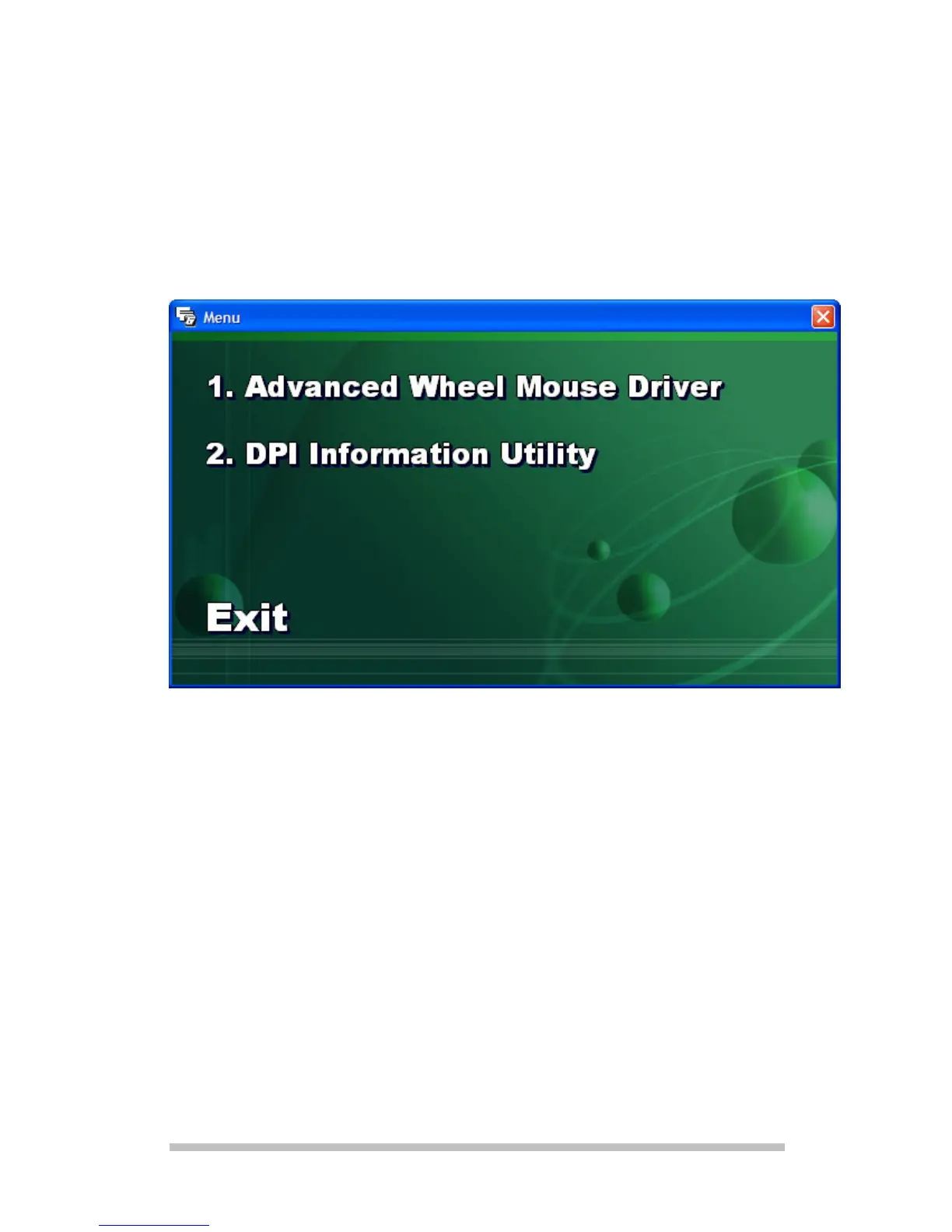
4. Select the installation option and follow the
instructions.
1.: This selection installs the driver
for the
extended functions.
2.: This program installs a symbol, in
which the sensor scanning rate of
the mouse will be displayed, in the
right section of the Task Strip. The



 To Next Page