U
U
K
K
/
/
N
N
.
.
I
I
R
R
E
E
L
L
A
A
N
N
D
D
H
H
E
E
L
L
P
P
L
L
I
I
N
N
E
E
0
0
8
8
7
7
0
0
7
7
2
2
7
7
0
0
3
3
7
7
0
0
R
R
E
E
P
P
.
.
I
I
R
R
E
E
L
L
A
A
N
N
D
D
H
H
E
E
L
L
P
P
L
L
I
I
N
N
E
E
1
1
-
-
8
8
0
0
0
0
-
-
9
9
9
9
2
2
5
5
0
0
8
8
19
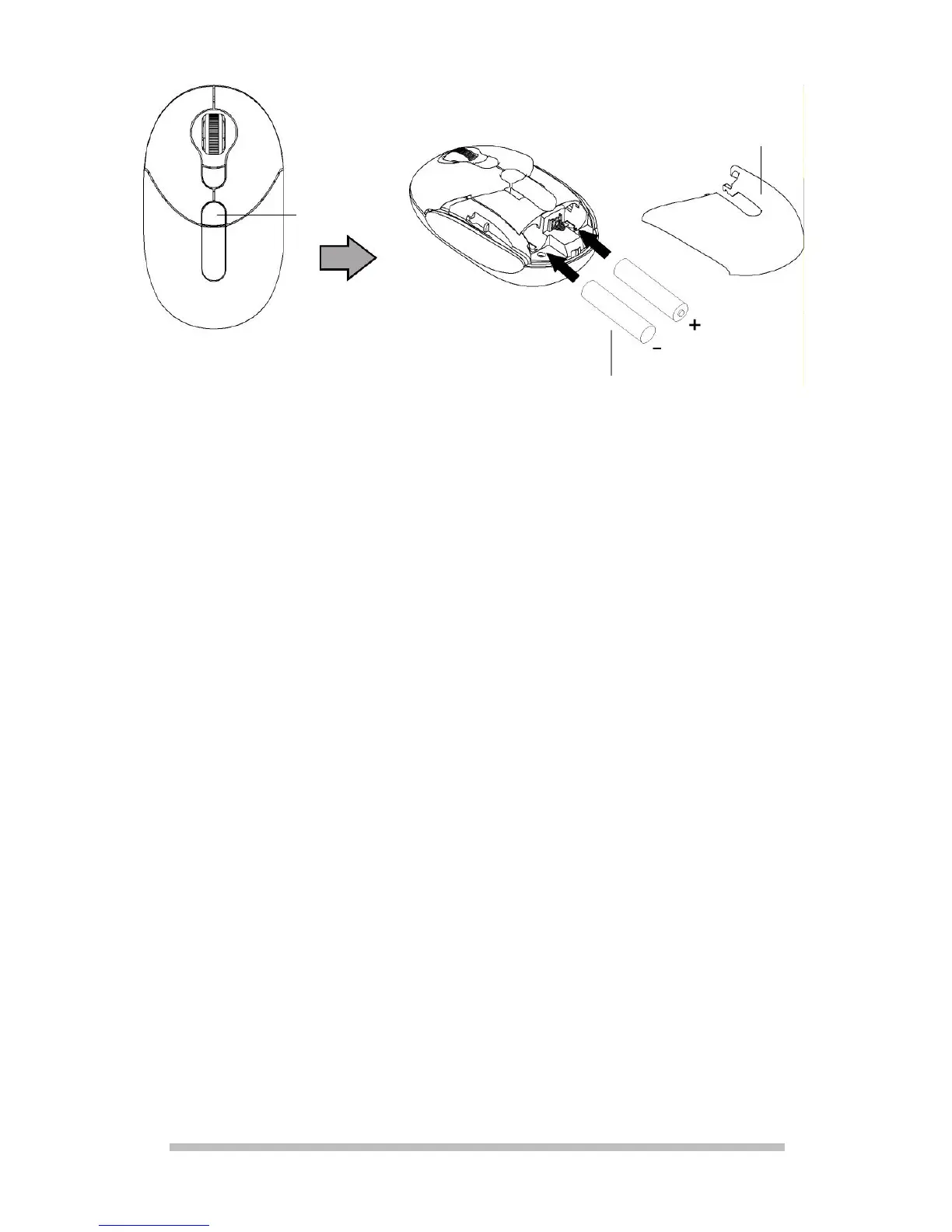
2. Inserting batteries
1. Remove the battery compartment cover
by pressing the button [E] for unlocking
the battery compartment cover.
2. Place the batteries supplied with the
mouse (2 x type AAA) into the battery
compartment of the mouse. Pay
attention that the polarity of the batteries
corresponds to the + and – symbols.
3. Push the battery compartment cover on
again until it clicks in.
Battery
compartment
cover
2 x type AAA/LR03
E



 To Next Page