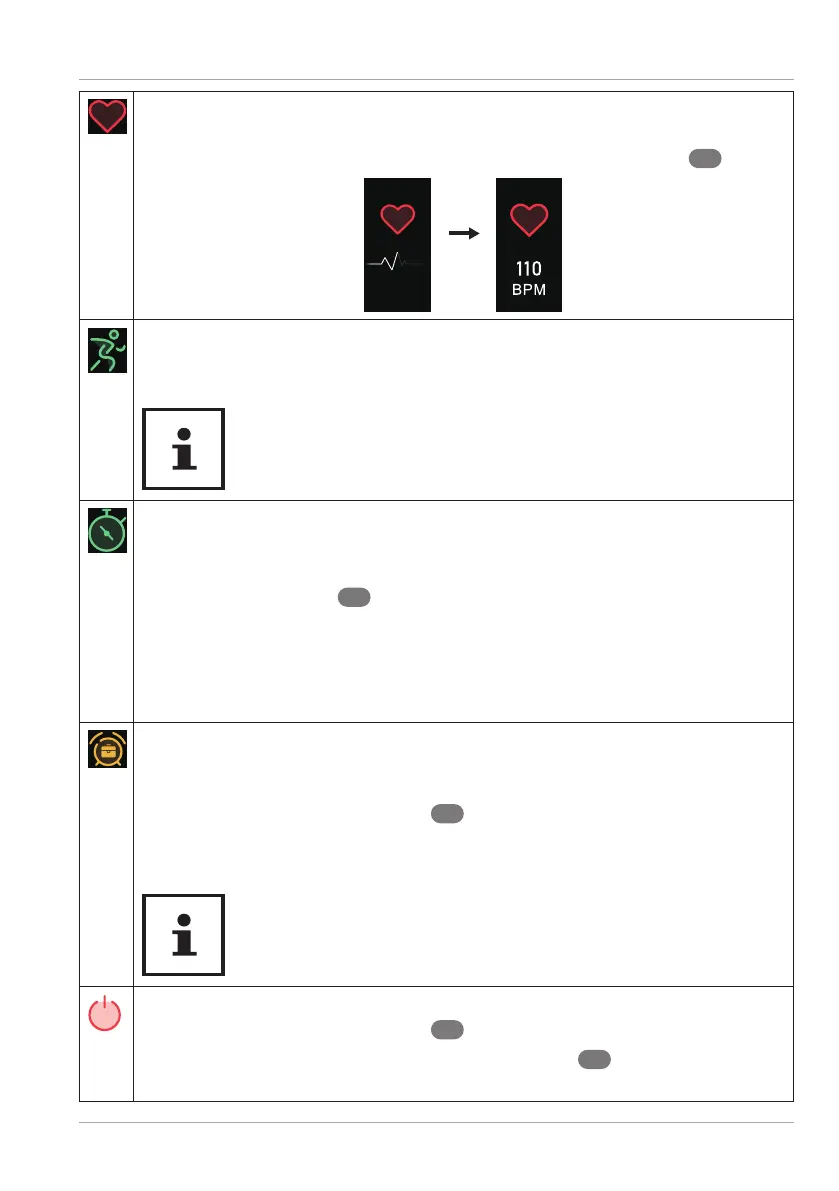
Main menu
19
− Scroll to this menu item to perform a current heart rate measurement.
Measurement starts automatically.
Once completed, the measurement result is shown on the display
1
.
− Scroll to this or another available sport mode menu item to start activity
recording in the selected sport mode (see “Activity recording” on page
20).
Additional sport modes are available for selection via the
MEDION® Fitness app (see “Sport modes” on page 20).
− Scroll to this menu item to use the stop watch function.
− Tap and hold the touch fi eld for 2 seconds to open the stop watch
function.
− Tap the touch fi eld
2
to start the stop watch.
− Tap the touch fi eld while the stop watch is running to pause the stop
watch. Tap again to resume use of the stop watch.
− Press and hold the touch fi eld for 2 seconds to exit the stop watch
function and to return to the main menu.
This menu item appears if an alarm has previously been programmed on the
MEDION® Fitness app. The programmed wake-up time and week day for the
next alarm is displayed.
− Press and hold the touch fi eld
2
for 3 seconds to switch the wake-up
alarm on/off via the fi tness tracker.
Alarms are shown in grey when switched off.
Use the MEDION® Fitness app to add or edit an alarm.
− Scroll to this menu item to switch off the fi tness tracker.
− Press and hold the touch fi eld
2
for 4 seconds.
The countdown to switch off is shown on the display
1
. The device switches
off after 3 seconds.



 To Next Page