Medlab medizinische Diagnosegeräte GmbH EG01010 User Manual
Version 1.06
22 23
Test Program for Protocol 2
For the second protocol the test program of the EG05000 is to be used.
To run the program, connect the EG01010 board to the serial port of a PC. If the PC has no serial port,
please use a USB to RS232 adapter and install the driver of this adapter first and ensure to create a vir-
tual serial port. Connect the power input to a 5 volts DC source. Then start the program on your PC and
select the serial port number in the "Port" menu.
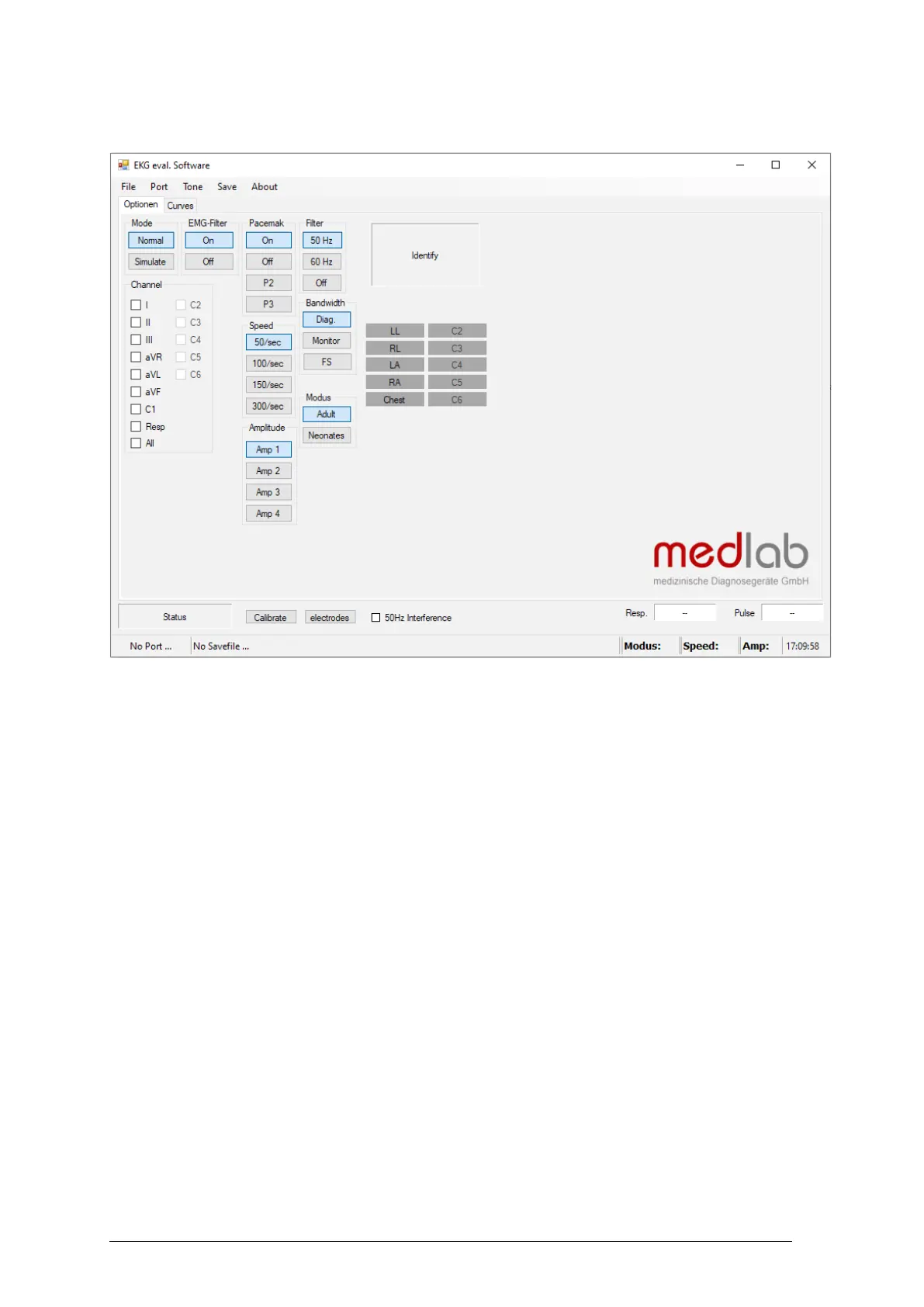
Commands can be sent to the board by pressing the command buttons in the application. The channels
can be selected on the panel channels.
Please keep in mind that the EG01010 is unlike the EG05000 a 3 channel ECG-board and isn't able to
send the data of all channels plus the repirational data in one package. These limitations of the board and
its protocol also affect the use of the test program as it isn't possible to use any other channels than I, II,
III or respiration. It is also not possible to see more than one of these channels and the respiration graph
at the same time.
The software is available free of charge on: www.medlab.eu, on the page describing the EG05000. The
software is available in a Visual Basic 6 and a Visual C# version. The source code of the chosen test
program is also included in the download package.


 To Next Page