D-0123003-B 05/2019
Performing the QuickSIN Test
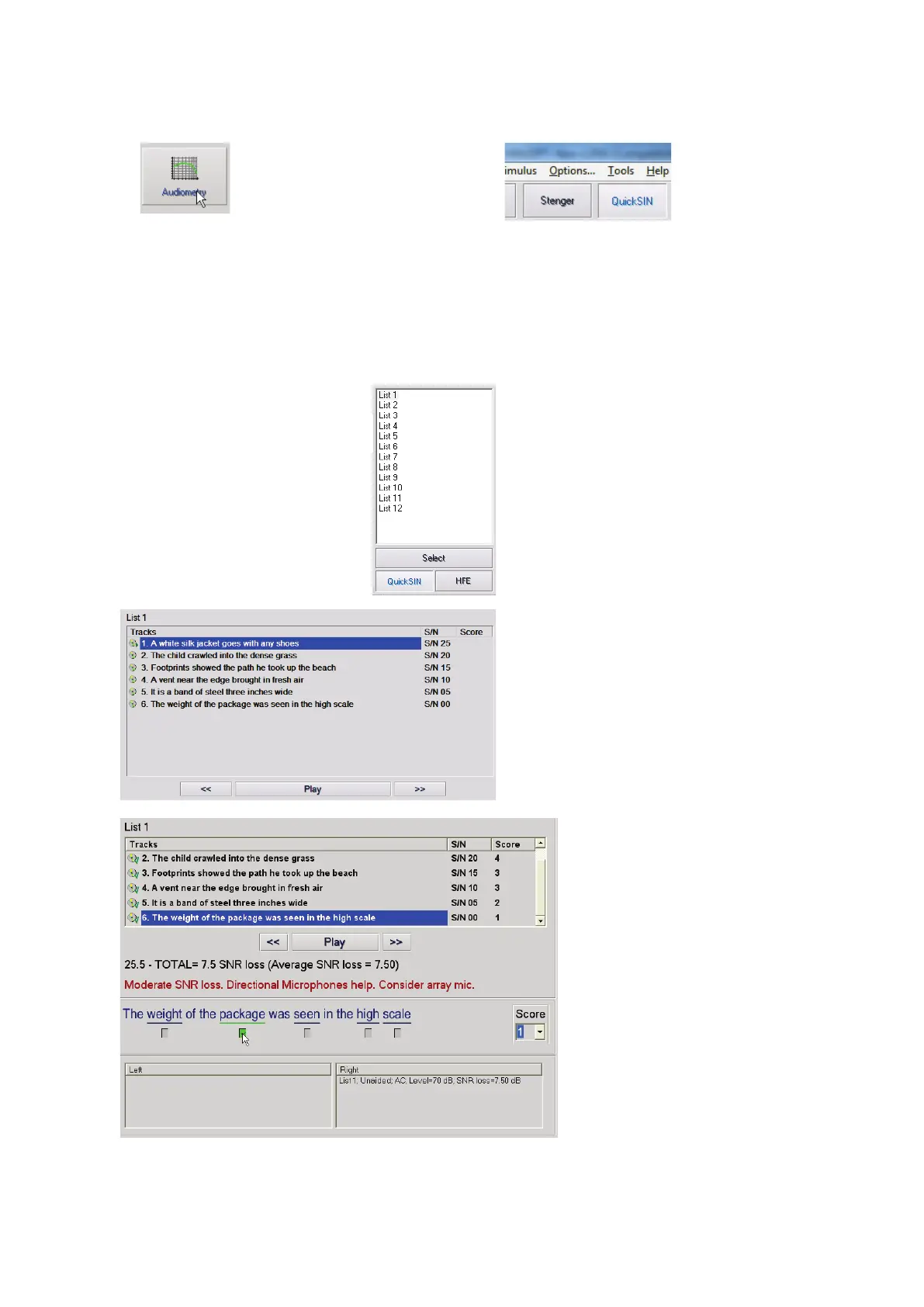
•
screen, click the
Audiometry icon.
•
button on the top of
the Audiometry
screen.
Present the test with earphones or in a sound field. The attenuator dial is set to 70 dB HL. For subjects with
PTA hearing losses greater than 45 dB HL, the attenuator dial is set to a level that is “loud but OK.”, this is
done by the program using the MCL value. A warning legend at the bottom of the window is shown if PTA
is not available. Instruct the patient to repeat the sentences spoken by the target (female) talker. When
testing in a sound field, have the patient hold the talkback microphone close enough so that responses are
clearly audible to the tester.
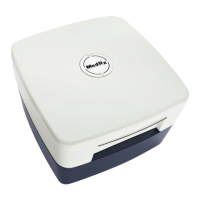
1. Select a list from the List
Selection Window one of
the following two ways:
• Click the list, then click Select.
• Or Double-Click the list number.
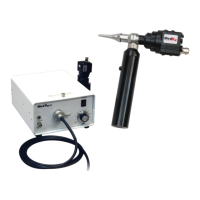
2. Play the first sentence in the
list by clicking the Play
button.
Ask the patient to repeat
the sentence.
3. Score the patient’s response
one of the following ways:
• Click the check-box of each
correct key word with your
mouse. This will record the
total number of correct key
words in the score pull-down.
• Record the total number of
correct key words using the
score pull-down or by pushing
1-5 key on the keyboard.
4. Click the next sentence and then
click Play or click >>. This will
advance & play.


 To Next Page