D-0123003-B 05/2019
Word Recognition (WR)
Word Recognition (WR) is a discrimination, or recognition type test using speech as the
stimulus. WR testing measures the percentage of mono-syllable words repeated correctly
from a phonetically balanced list. Unlike the SRT test, the WR test is performed at a fixed
intensity (dB) level. Typical patients will score their best on WR testing at a level between
35 and 40 dB above their SRT.
Before beginning the test, instruct the patient that they will hear a series of one-syllable
words. They are to repeat the words the best they can. If they are not sure of a word, they
should take a guess.
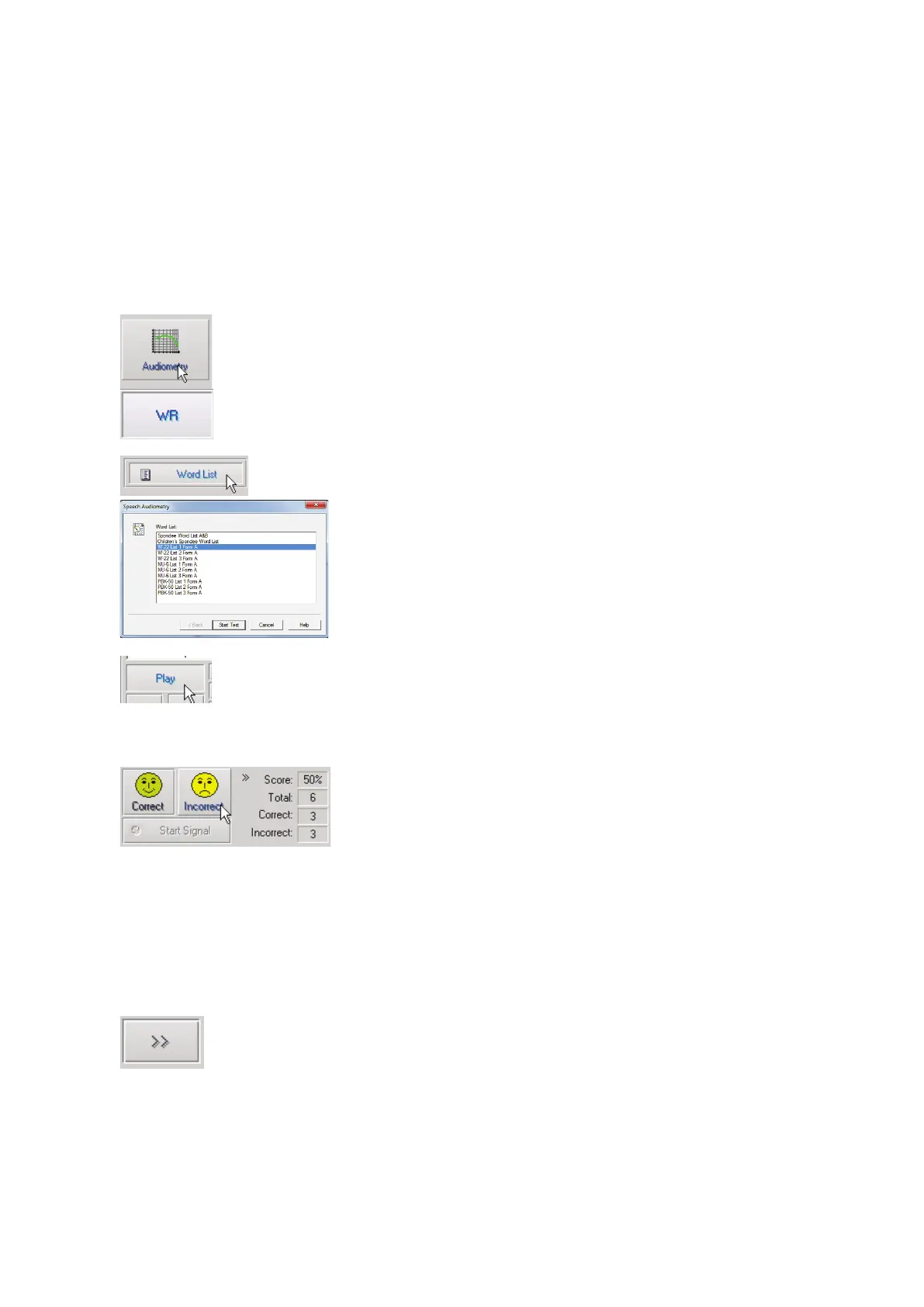
6. From the Avant main screen, Click
the Audiometry button.
7. Click the WR button located on the
toolbar on the top of the screen.
8. Click the Word List button.
9. Select the desired Word List from
the list. The W-22 or NU-6 lists are
good choices for typical adult
patients. When testing children, the
PBK lists should be used.
10. Click Start Test.
11. Click the Play button or press the F9
key to present a word. The word will
play through the chosen transducer
as well as display on the screen.
12. If the patient correctly repeats the
word, click the Correct icon or
press F7.
13. If the patient incorrectly repeats the
word, click the Incorrect icon or
press F8.
NOTE: that the score is calculated and displayed automatically. The test is complete when all
words in the list have been presented. The software automatically plots the score on the WR
graph.
14. Click the Advance button >> or
press the F10 key to present the
next word. Score accordingly as
described above.


 To Next Page