D-0123003-B 05/2019
Tinnitus Assessment Report
Tinnitus assessment reports are able to be generated after completing the
three steps to tinnitus assessment. Once all steps are complete you are
able to print a report
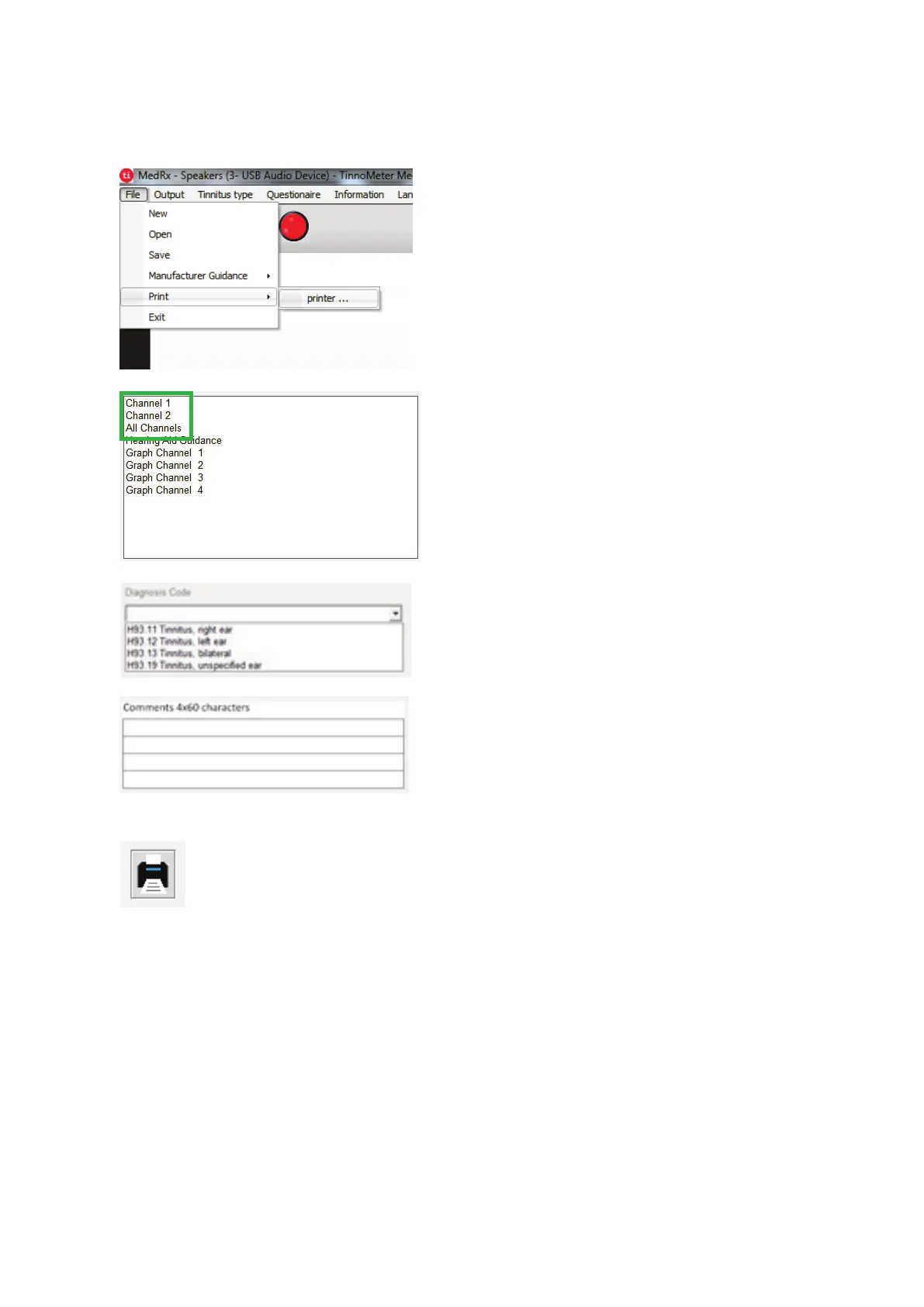
1.
To generate your tinnitus
assessment report, select
“printer …” from the File
menu.
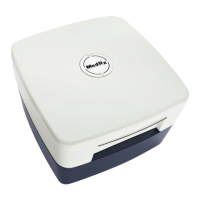
2.
The “Channel” reports are
the tinnitus assessment
reports. Select the channel
used for testing or All
Channels when multi-
channel testing is
completed.
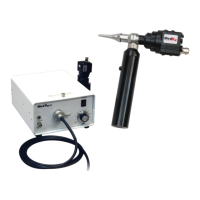
3.
select a diagnosis for the
patient.
4.
in 4 separate lines with a
maximum of 60 characters.
5.


 To Next Page