D-0123003-B 05/2019
Graph Channel Report
Graph channel reports will print a patient report which displays an image
of the patient’s tinnitus with QR codes for YouTube videos that play a
wind modulation noise nearest to their tinnitus. To generate the report
you must:
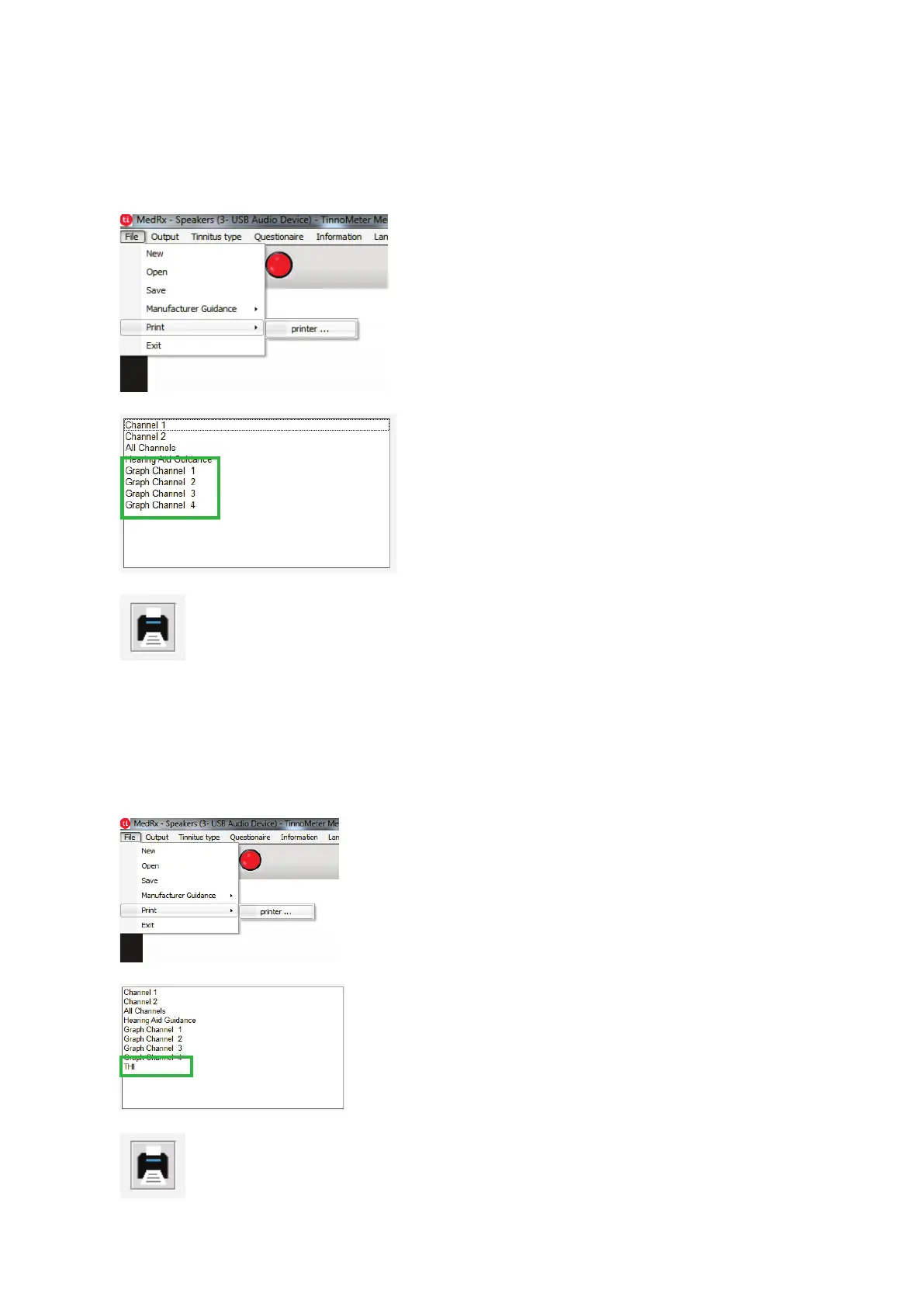
1. To generate your tinnitus
assessment report, select
“printer …” from the File
menu.
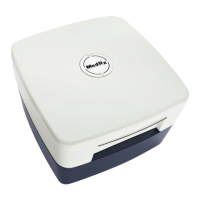
2. Select “Graph Channel”
from the list of reports.
Select the channel number
which you used to match
your patient’s tinnitus
sound.
Questionnaire Report
Questionnaire reports will only show as an option once the questionnaire
has been completed. Once a questionnaire has been completed and you
are ready to print a report you must:
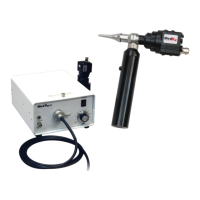
1. To generate your tinnitus
assessment report, select
“printer …” from the File
menu.
2. Select the name of the
questionnaire you want to
print from the list of reports.


 To Next Page