REPLACING THE CABLE
The M7P features a detachable, replaceable cable.
Visit (www.meelec.com/M7P) for replacement cables and other accessories.
10
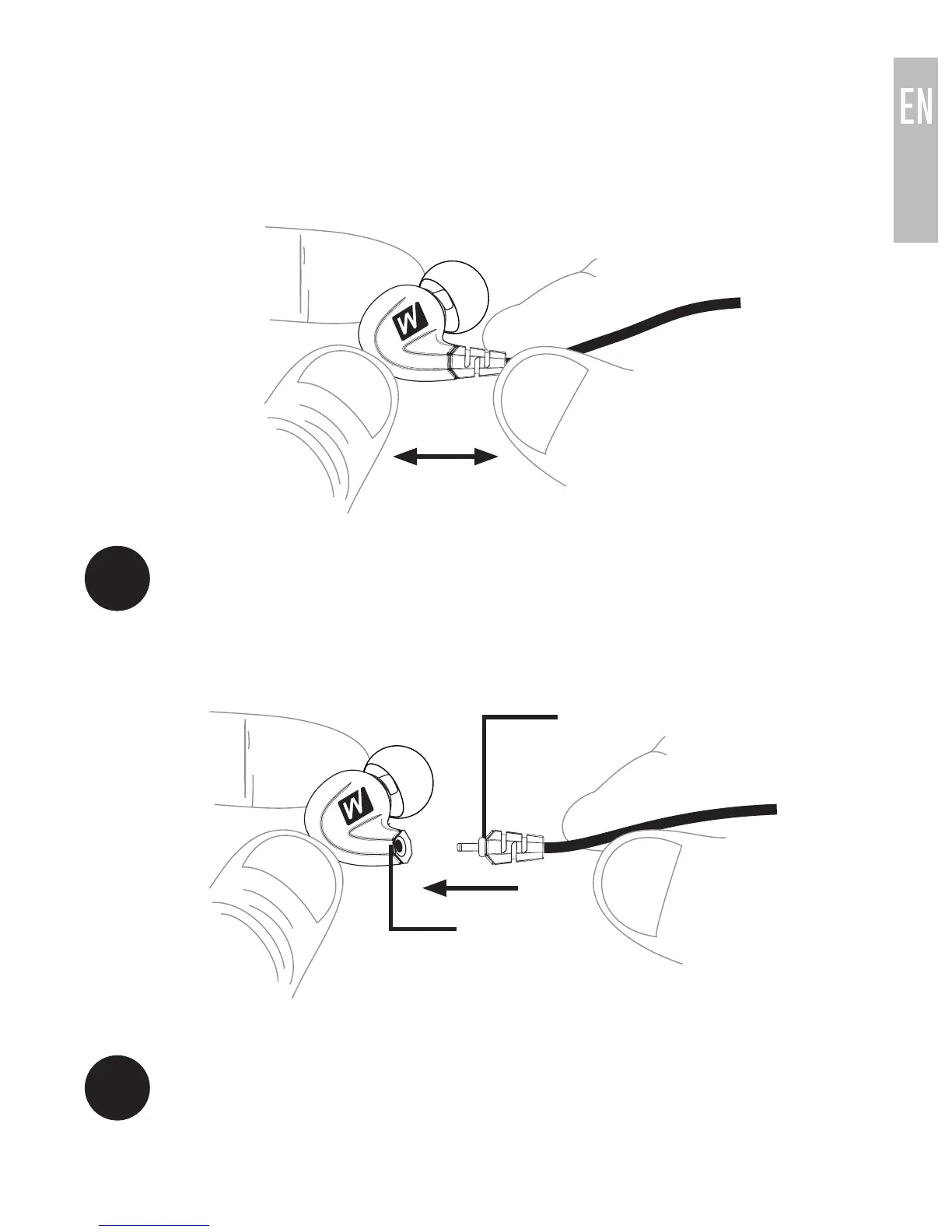
To detach the cable, grasp the earpiece and cable connector firmly,
and pull straight apart without twisting.
1.1
Re-attach the cable by lining up the grooves on the connector with
the earpieces as shown. Push connectors in until they fit securely.
Make sure to attach the cable connector marked “R” to the right
earpiece and the connector marked “L” to the left earpiece.
1.2
notch
groove



 To Next Page