10. CinemaEAR button
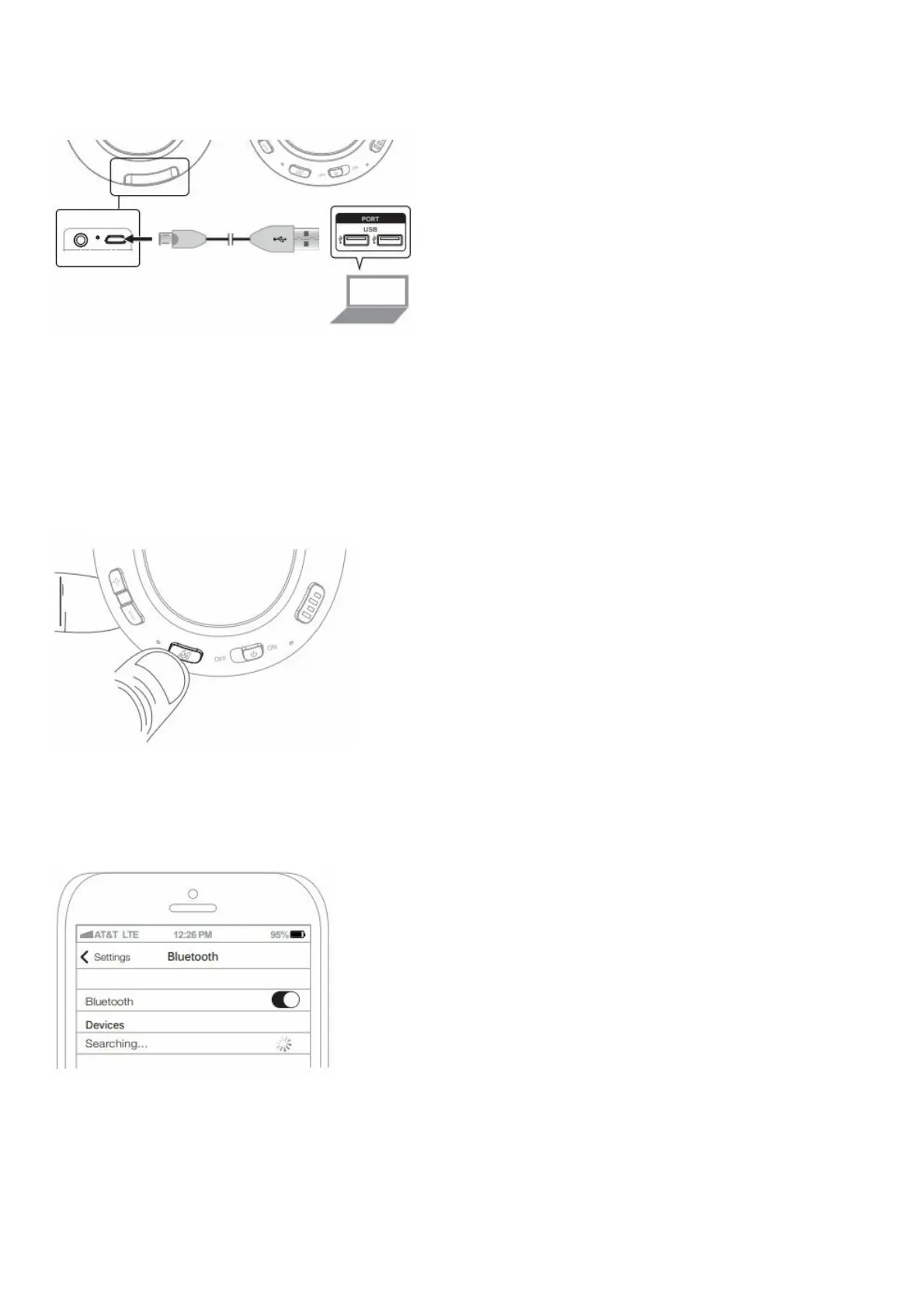
CHARGING
Connect micro-USB cable to the charging port of the Matrix Cinema ANC and a powered-on computer or USB
charger.
Charge time is ~2.5 hours. The red charging indicator light will turn off once fully charged.
Low battery is indicated by a flashing red status indicator light and “battery low” voice notification every five minutes.
PAIRING
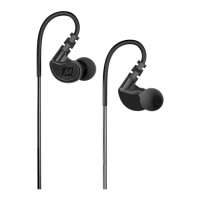
Power on the headphones.
Press and hold the Multifunction button for about 6 seconds until you hear the headset say “Ready to Pair” and the
light flashes red and blue.
Note: the headphones will enter pairing mode automatically on first use or after a reset.
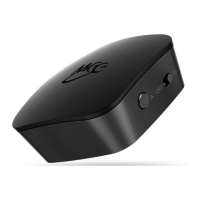
Open the Bluetooth menu on the device you wish to pair (usually located in Settings->Bluetooth). If needed, select
“search for devices”, “add new device”, or “refresh.”



 To Next Page