ADDITIONAL INFORMATION
6
CONTROLS WITH PHONES AND TABLETS
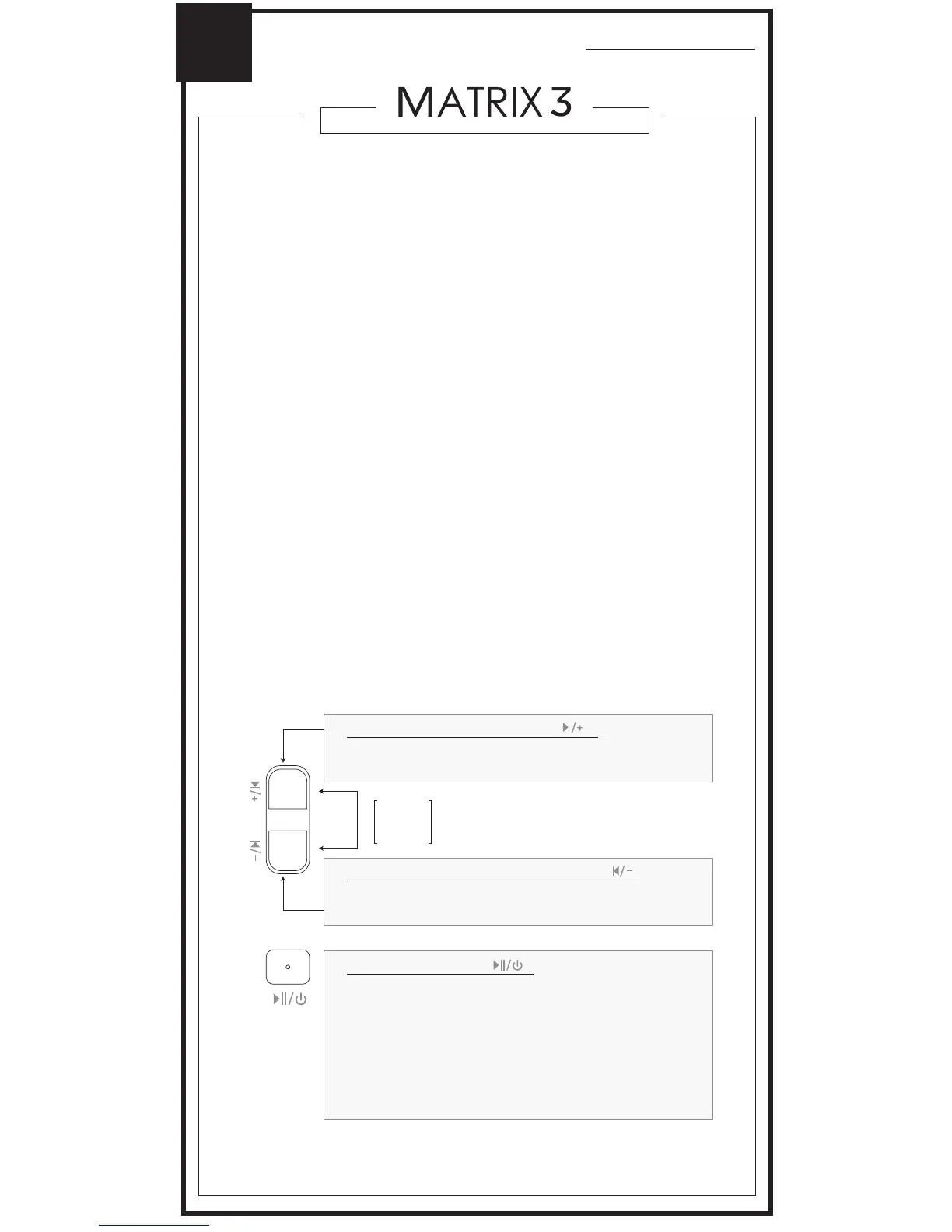
The headphone controls on the Matrix3 are located on
the right earcup.
PAIRING WITH OTHER DEVICES
The Matrix3 can be used as a headset when connected
to phones and tablets. It will first need to be paired with
each device. To pair the Matrix3 with a new device, put
it in pairing mode by holding the Power / Multifunction
button for about 4 seconds until the status indicator
light begins to flash red and blue in an alternating
pattern and the headphone says “Ready to Pair”.
Open the Bluetooth Settings menu on your device and
turn on Bluetooth, Select “Search for Devices” or
“Refresh” if your phone or tablet does not automatically
search for new devices. Select “MEE audio Matrix3-LL”
on the screen of your device and follow any further
prompts to pair. Once connected, the status indicator
light on the Matrix3 will turn solid blue.
HOLD
BOTH
1 sec
- Mute call (during phone call)
[HOLD 4 sec]
[TAP]
[TAP]
[HOLD 2 sec]
[TAP]
[HOLD 1 sec]
[TAP twice]
- Power On / Off
- Play / pause (during media playback*)
- Answer Incoming Call
- Reject Incoming Call
- Hang up (during phone call)
- Siri / voice command / voice dialing**
- Redial**
Volume Down / Previous Track button
( )
Multifunction button
( )
[TAP]
[HOLD 3 sec]
- Increase volume
- Next track
Volume Up / Skip Track button
( )
*To start playing music, open a music app on your device and start playback.
**Not all devices support this functionality. For more information, refer to the user manual for your
device.
[TAP]
[HOLD 3 sec]
- Decrease volume
- Previous track



 To Next Page