Need help?
Do you have a question about the Mefu MF1700-M1 PRO and is the answer not in the manual?
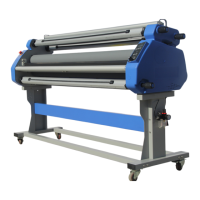
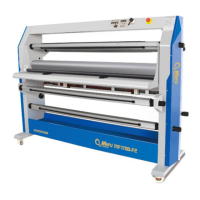
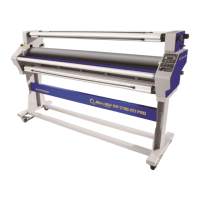
The MEFU MF1700-M1 PRO is a warm laminator designed to provide efficient and high-quality lamination for various applications. It is an updated model from the classic MF1700-M1 and M1+, featuring improvements in design and functionality to enhance user experience and output quality.
The primary function of the MF1700-M1 PRO is to laminate documents and graphics, protecting them from damage, moisture, and wear. It operates as an optional cutter, allowing for precise trimming of laminated materials. The machine is equipped with silicon rollers, pneumatic lift, and other features that contribute to smooth and bubble-free lamination. It is designed to handle a wide range of printing and laminating mistakes, ensuring consistent and reliable results.
The laminator utilizes a stronger frame and more stable and easy-to-operate mechanisms, which contribute to its high performance. It incorporates human and efficiency laminating machine ever, making it suitable for various applications with a laminating and mounting width of up to 1630mm (64").
The MF1700-M1 PRO is designed for ease of use, with clear instructions for installation, operation, and maintenance.
The laminator should be assembled and used in a clean room with normal room temperature and humidity levels. The workspace should be dry and ventilated, away from water sources, wet ground, combustible, and explosive goods to minimize static electricity. Electrical connectors must only be connected to sockets with the correct voltage, and all other operations should be performed by authorized staff. The laminator should be placed in a dry and ventilated area.
Upon delivery, ensure the package includes the MEFU laminator, manual, and accessories.
Regularly check the chains and gears, clean, and lubricate them.
The manual includes important safety warnings to ensure safe operation. Users should familiarize themselves with these symbols:
In the event of an emergency, press the emergency stop button to stop the laminator. The machine will run again, and the button will bounce up when you turn it clockwise to the neutral position. Red emergency stop buttons are located at the left side of the machine.
Always read the manual for a full understanding of the machine. Take care when operating, especially if more than one operator is using it.
The power supply should meet the machine's requirements.
The emergency stop function and mechanical stop function for the machine should be tested in connection with installation, servicing, and maintenance.
Read the manual thoroughly before operating the machine.
Place the roller in the idle position, raised 5 mm above the working table. Clean the roller regularly; do not use water to clean the machine to avoid short circuits, electric shocks, or rust. Use 80% alcohol, detergent, or an eraser to clean the rollers after lamination to prolong their life. Ensure the roller temperature is below 40°C and stop heating. Avoid focusing on one point. Clean any residue promptly, as it can affect yields.
Regular maintenance ensures the longevity and optimal performance of the MF1700-M1 PRO.
The manual provides a comprehensive troubleshooting guide for common issues:
The roller won't move up and down:
Control panel dead fault:
The roller cannot run:
Snow points:
Air bubbles or folds:
Printings go tilt:
Folds of films:
Finished products are too curled:
Contact a technician or the dealer where you bought the laminator. For technical service, contact MEFU Technical Service at Phone: +00 86 15890020566. The equipment may only be used for its intended purpose as specified in this manual. Any other use may result in damage or injury and is at the user's own risk.
For any necessary accessories, contact the dealer where you bought your MEFU Laminator.

 To Next Page
 General