
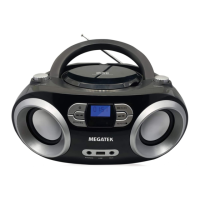
What to do if my MEGATEK CB-M25BT will not turn on?
- OOlivia NelsonAug 5, 2025
If your boombox will not turn on: * Unplug your boombox for a few moments, then plug it back in. * Ensure the AC outlet is working by plugging another device into it.
What to do if my MEGATEK CB-M25BT will not turn on?
If your boombox will not turn on: * Unplug your boombox for a few moments, then plug it back in. * Ensure the AC outlet is working by plugging another device into it.
What to do if my MEGATEK CB-M25BT won’t connect to my Bluetooth device?
If your boombox isn’t connecting to your Bluetooth device, try these steps: * Reduce the distance between your boombox and Bluetooth device. * Turn both devices off and then on. Re-pair them. * Ensure your boombox isn’t paired with another Bluetooth device. * Confirm that both are in pairing mode. * Make sure your Bluetooth device isn’t paired with other devices. * Select “Bluetooth device” on your Bluetooth device.
What to do if my MEGATEK CB-M25BT CD Player CD skips while playing?
If a CD skips while playing, try the following: * Clean the CD with a cloth. * Try a different CD. * Make sure the CD isn’t warped, scratched, or damaged. * Ensure the boombox isn't affected by vibration or shock. Move it if needed. * Verify you're using a compatible CD (standard and 3" audio CDs, CD-Rs, and CD-RWs).
What to do if my MEGATEK CB-M25BT CD Player will not play?
If the CD player won't play, check the following: * Ensure a CD is in the compartment. * Make sure the CD is inserted label side up. * Try a different CD. * Verify the CD player isn't paused. * Select the CD mode. * Confirm you're using a compatible CD (standard and 3" audio CDs, CD-Rs, and CD-RWs).
What to do if my Bluetooth device keeps unpairing from MEGATEK CB-M25BT CD Player?
If your Bluetooth device keeps unpairing: * Shorten the distance between your boombox and your Bluetooth device. * If the battery on your Bluetooth device is low, recharge it.
What to do if a USB drive will not play on my MEGATEK CB-M25BT CD Player?
If a USB drive will not play: * Disconnect the USB drive and re-insert it fully into the USB port. * Ensure your USB drive isn't formatted in NTFS.
Covers precautions for fire/shock hazard, water exposure, and proper placement.
Instructions for connecting the boombox to AC power using the provided cord.
Steps for inserting UM-2 ("C") size batteries for battery power operation.
Important precautions for using batteries, including polarity, mixing types, and disposal.
Guidelines for playing audio CDs, CD-Rs, CD-RWs, and avoiding damage.
Explains that some copy-controlled CDs may not be playable due to standards.
Details supported MP3/WMA file formats, sampling frequencies, and bit rates for discs.
Turning the unit on/off and selecting playback sources (CD, USB, AUX, BT, RADIO).
Adjusting volume using the knob and connecting headphones for private listening.
Selecting EQ presets and using repeat modes (one, all, random) during playback.
Instructions for tuning FM radio and improving reception.
Using auto presets and manual presets to store and select radio stations.
Steps for playing CDs, pausing, and skipping tracks.
Instructions for playing MP3/WMA files from a USB flash drive.
How to connect and listen to external audio devices via AUX input.
Pairing and playing audio from Bluetooth-enabled devices.
Instructions for pairing two boomboxes for wireless stereo sound.
Addresses issues like boombox not turning on, CD player errors, and sound problems.
Solutions for boombox not connecting or unpairing with Bluetooth devices.
Guidance on handling, cleaning, and storing discs to ensure playback quality.
Instructions for cleaning the CD lens and the exterior of the boombox.
Details AC input, power requirement, radio frequency, dimensions, and cord length.
Outlines the terms of the 12-month warranty provided by Megatek Electronics.