I
I
I •
; .
I ' :
I
2.
Flow
Diagram
of
Display Menus
A. METERING DISPLAY
All
of
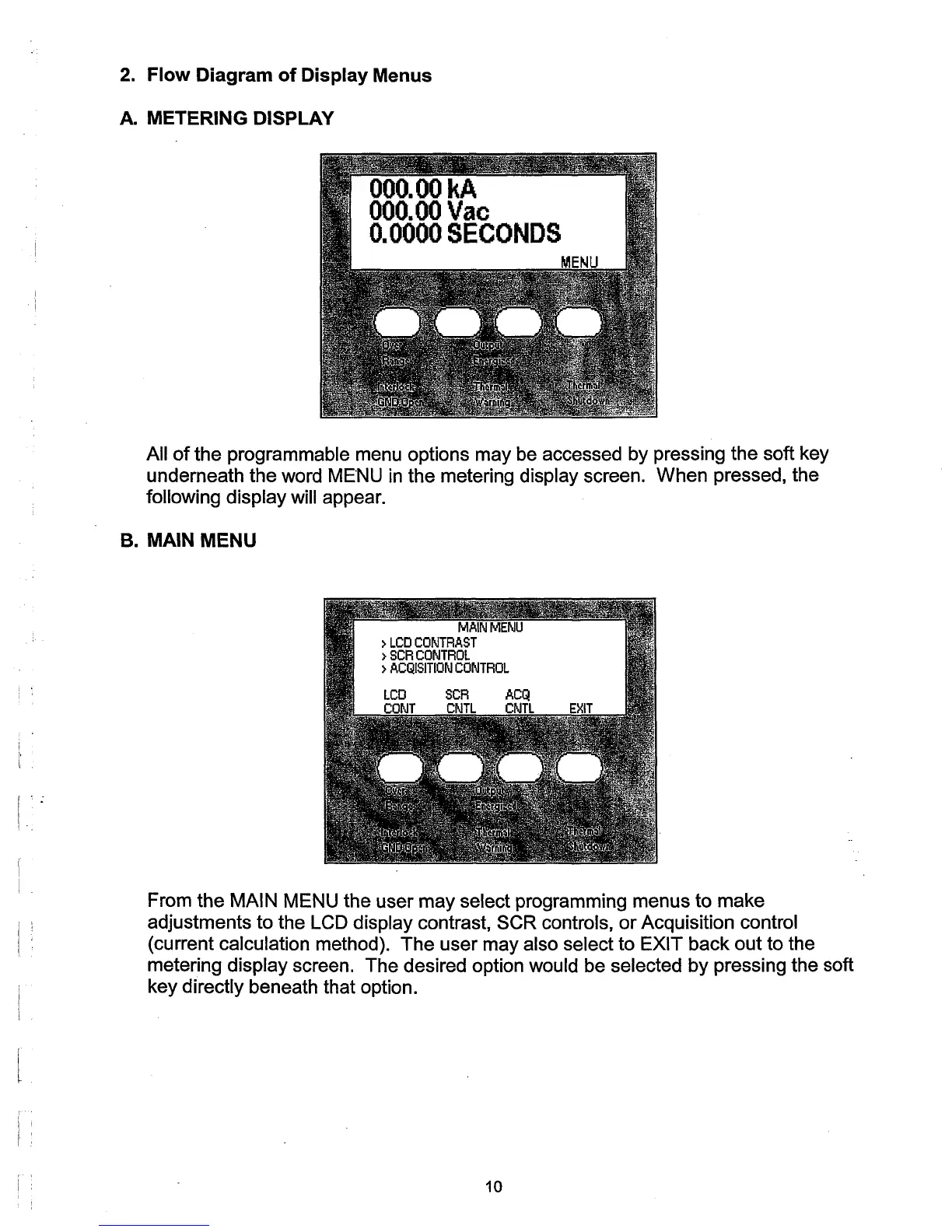
the programmable menu options may be accessed by pressing the soft key
underneath the word MENU
in
the metering display screen. When pressed, the
following
display will appear.
B.
MAIN MENU
From the
MAIN MENU the user may select programming menus to make
adjustments to the
LCD display contrast, SCR controls,
or
Acquisition control
(current calculation method). The user may also select to EXIT back out to the
metering
display screen. The desired option would be selected by pressing the soft
key
directly beneath that option.
10



 To Next Page