EasyManua.ls Logo

Melco EMT 10/4T - User Manual

Default Icon
130 pages
Print Icon
To Next Page IconTo Next Page
Loading...
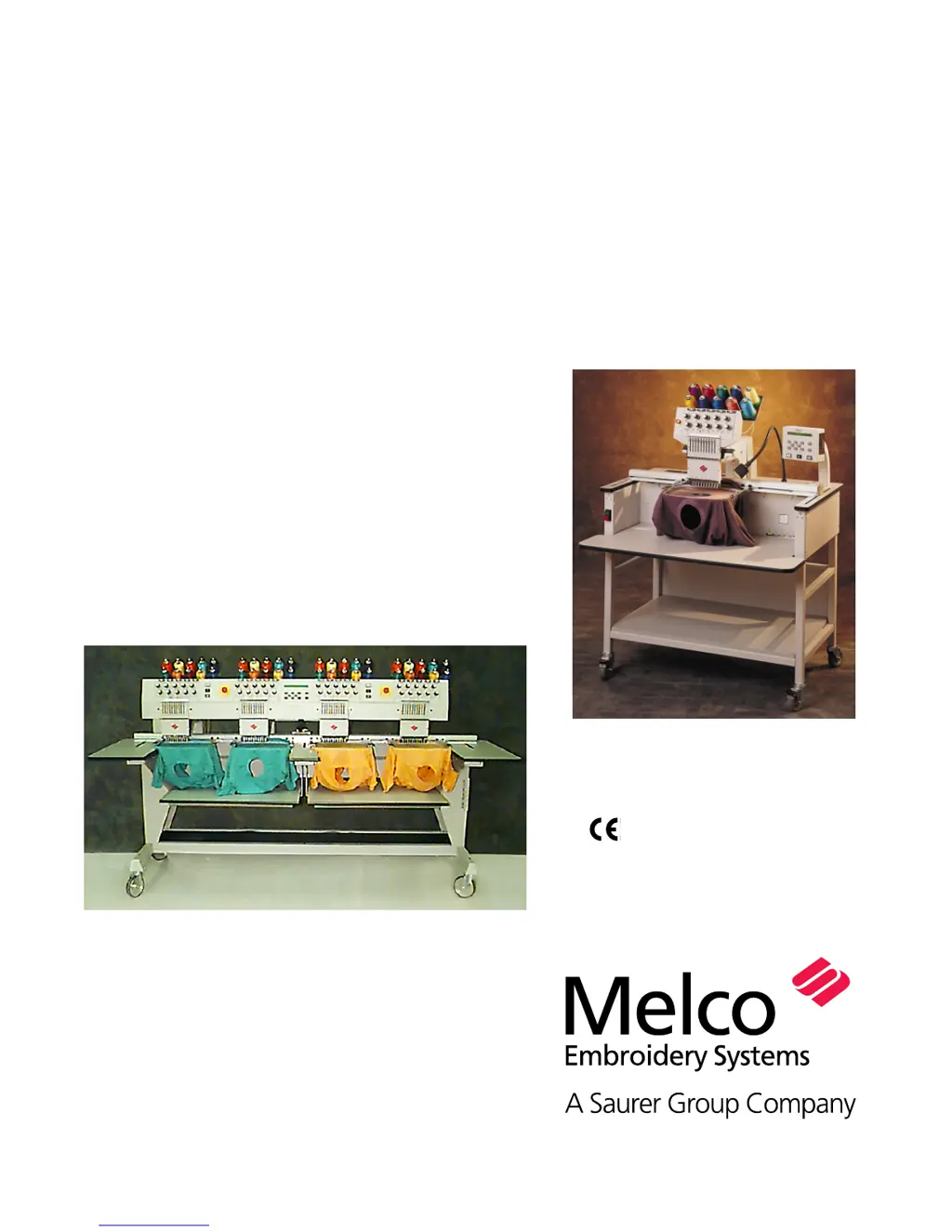
Installation, Operation, and
Maintenance manual for
the EMT 10T, 10/4, and 10/4T
embroidery peripherals
Single- and four-head tubular
embroidery peripherals
Part Number 11817, Revision A

Table of Contents

Questions and Answers

  • R
    Rebecca BellAug 8, 2025
    Why is the thread breaking on my Melco Sewing Machine?
    • T
      timothyblackAug 8, 2025
      If the thread is breaking on your Melco Sewing Machine, here are some potential solutions: * Replace the needle with a compatible one or a new one. * Ensure the needle is correctly installed. * Use a high-quality thread, or spray silicone on the thread cone. Consider using a Z-twist (left twist) thread. * Make sure you've threaded the machine correctly. Additionally, check the design for short or dense stitches and edit the design to remove them. Loosen the upper/bobbin tension, and tighten the fabric in the hoop, or increase the number of backing pieces. Another reason may be in the rotary hook: clean, oil, or replace it. Also, consider replacing the bobbin, repairing or replacing it, or removing scratches from the thread path with emery cloth.
  • S
    Shannon PerezAug 14, 2025
    What to do if my Melco Sewing Machine is skipping stitches?
    • Y
      youngcameronAug 14, 2025
      If your Melco Sewing Machine is skipping stitches, here's what you can do: * Replace the needle with a new or compatible one, ensuring it's correctly installed. * Adjust the upper tensions. * Replace the bobbin and/or bobbin case. Also, consider using the appropriate thread. Note that the check spring tension can be decreased.
  • R
    rodriguezphilipAug 20, 2025
    How to fix loose stitches on a Melco EMT 10/4T?
    • M
      michelle96Aug 20, 2025
      If you're experiencing loose stitches with your Melco Sewing Machine, here's what you can try: * Adjust the upper thread tensions and the bobbin case set screw. * Replace the thread with a quality thread. * Clean the tensioner parts. Also, ensure that the design density isn't too tight.
  • B
    bakeryolandaAug 26, 2025
    Why does the needle keep breaking on my Melco EMT 10/4T?
    • A
      Anna VasquezAug 26, 2025
      If the needle is breaking on your Melco Sewing Machine, try these solutions: * Replace the needle, ensuring it is a compatible needle. * Ensure correct needle installation. It may also be caused by poor needle quality or a dull needle tip. If the needle is too small for the fabric, replace it with a compatible one.
  • P
    pfryAug 31, 2025
    What causes problems with the wide-angle cap frame on a Melco EMT 10/4T?
    • J
      joneskatherineAug 31, 2025
      For issues with the wide-angle cap frame on your Melco Sewing Machine, consider the following: * Ensure the cap is hooped properly. * Modify the design. * Check that the tensioner is not installed too tightly. * Check the driver bar cable tension and spindle adjustment. * Ensure the driver was properly adjusted on the peripheral. If the cap frame is loose on the driver, adjust the spindles. If the cap frame driver doesn’t fit on the peripheral properly, make sure you are using flat needle plates (and NOT raised needle plates).

Summary

EMT 10 T Specifications

Machine Specifications

Details on speed, heads, needles, dimensions, weight, power, and noise levels.

Operational Features and Compatibility

Information on embroidery field size, available options, compatibility, and intended use.

EMT 10;4 and 10;4 T Specifications

Multi-Head Machine Specifications

Details on speed, heads, needles, dimensions, weight, power, and noise levels.

Operational Features and Compatibility

Information on embroidery field size, available options, compatibility, and intended use.

Explanation of Symbols

Installation

Unpacking Procedures

Steps for safely removing the EMT 10T, 10/4, and 10/4T from shipping crates.

Moving and Cart Assembly

Guidelines for moving the machine and assembling the optional cart for EMT 10T.

Mounting and Tabletop Installation

Procedures for mounting the machine and installing the tabletop on EMT 10/4 models.

Connecting Cables and Network Setup

Instructions for connecting power, line conditioners, and Ethernet for operation.

First Powerup and Configuration

Initial setup steps including diagnostic tests and peripheral configuration.

Language and Support Brackets

Process for changing display language and removing shipping support brackets.

Operation

Safety and Basic Setup

Hazards of operation, threading, and tension adjustments for optimal performance.

Controls and Menu Navigation

Explains keypad functions, hotkeys, and the overall menu structure for machine control.

Core Operational Menus

Detailed use of Function, Options, and Configuration menus for machine setup and control.

Design Handling and Hooping

Procedures for disk drive operation, loading designs, and proper hooping techniques.

Quick Start Embroidery Process

Essential steps for setting home, selecting hoops, and initiating design embroidery.

Accessories

Standard Cap Frames

Installation and use of standard cap frames for headwear embroidery.

Wide-Angle Cap Frame

Installation, adjustment, and hooping procedures for wide-angle cap frames.

The Sash Frame

Instructions for installing and using the sash frame for large or multiple items.

Lamps

Information regarding the machine's lighting system and bulb replacement.

Bobbin Winder

Operation, thread selection, and maintenance of the bobbin winding system.

Operator Maintenance

Needle and Thread Break System

Procedures for needle replacement and understanding the thread break detection system.

Cleaning and Lubrication

Guidelines for cleaning machine components and performing scheduled lubrication.

Replacement Parts and Tools

Lists of spare parts, fuses, and the operator tool kit for maintenance.

Troubleshooting Guide

Common Stitching Problems

Solutions for thread breakages, skipped stitches, needle breaks, and loose stitches.

Cap Frame and Other Issues

Troubleshooting for cap frame quality problems and other operational difficulties.

Error Messages

General and Setup Errors

Common errors related to general operation, keyboard input, and initial setup.

Design and Data Handling Errors

Faults related to design loading, buffer capacity, disk issues, and data integrity.

Machine State and Axis Movement Errors

Errors concerning machine states, axis limits, movement timeouts, and home position.

Specific Function and Motion Errors

Faults encountered during specific functions, job execution, and axis tracking.

Glossary of Embroidery Terms

Terms A-C

Glossary entries for terms starting with A, B, and C.

Terms D-F

Glossary entries for terms starting with D, E, and F.

Terms G-J

Glossary entries for terms starting with G, H, I, and J.

Terms L-M

Glossary entries for terms starting with L and M.

Terms N-O

Glossary entries for terms starting with N and O.

Terms P-R

Glossary entries for terms starting with P, O, and R.

Terms S

Glossary entries for terms starting with S.

Terms T-Z

Glossary entries for terms starting with T, U, V, W, and Z.

Melco EMT 10/4T Specifications

General IconGeneral
TypeEmbroidery Machine
Number of Needles10
Presser Foot LiftAutomatic
Power Requirements220V, 50/60Hz
DisplayLCD Touch Screen
ConnectivityUSB
Stitch TypeEmbroidery stitches
Stitch LengthAdjustable

Related product manuals