lock”. Turn it anticlockwise, from left to right,
until it locks.
USE
- Connect the appliance to the mains.
- Turn the appliance ON using the on/off switch
(F).
- Be sure the knob is in the “0” position to start
preheating.
- The three buttons (E) pilot lights come on ash-
ing intermittently.
- Wait until the pilot lights (E) stop ashing and
illuminate blue. It means right temperature is
reached
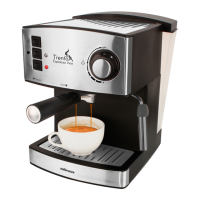
- Place one or two pre-heated cups (as desired)
at the lter holder outlet.
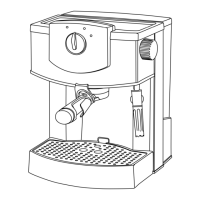
- Turn the Control Knob (D) to the coffee posi-
tion.
- Press the desired Coffee Button (E1 or E2).
The light of the selected button will begin to
ash. The unit will start the pre-brewing and
after stop, it will continue with the brewing.
- The coffee infusion will begin to exit.
- The unit will stop automatically when coffee
brewing nished. Coffee button will illuminate.
- During coffee brewing, you can always press
the coffee button again to stop the operation if
you like.
- -To nish, turn back control knob (D) to the
central position 0.
- Once serving has nished, wait a few seconds
and remove the cups with the coffee.
- Remove the lter holder and empty the
grounds from it.
- Wash the lter holder with running water and
dry it well.
- Check that the removable lter is perfectly
tted into the lter holder.
- Fit the lter holder in the appliance once more.
NOTES:
- After the espresso is brewed and knob D rotat-
ed to central position 0, the machine automati-
cally creates a bit of steam and pushes the re-
maining water from the pump into the drip tray
(M). This ensures that there will be no rest-wa-
ter in the heating system. After preparing a few
cups of espresso, carefully pull the drip tray out
of the machine, empty and replace.
TIPS:
- After making coffee, always turn knob (D) to
position 0. It will facilitate the action of remov-
ing the lter holder.
IMPORTANT NOTICE
- The steam tube can be very Hot. Handle with
care during operation. Always grasp the froth-
ing grip (1.1) to direct the milk foam wand.
OBTAINING STEAM:
- The steam is used to foam milk for cappuccino,
and also to heat other liquids.
- Turn the appliance on using the on/off switch
(F) Be sure the knob is in the “0” position
- Select the steam button(E3) for pre-heating,
The pilot of the steam button will begin to ash
and illuminate in blue when the right tempera-
ture is reached.
- Place a recipient under the steam tube.
- Place the tube inside the liquid to be heated.
- Rotate the control knob D to the steam po-
sition. The steam button will illuminate. The
steam will start to ow out of the tube.
- To better froth the milk, move the jar with slight
movements of the jar from top to bottom.
- When you have enough, turn back the control
knob (D) to 0 position and remove the recipient.
- Use a damp cloth to clean the remains in the
steam pipe.
NOTE:
- The milk must be at refrigerator temperature
(not hot!).
- Always clean the steam tube & nozzle after
each use to remove the milk residue.
HOT WATER
- Rotate the control knob (D) to steam position
when unit is on Standby mode, the button E1
light on
- Place a cup right under the steam tube &
nozzle
- Press the single cup coffee button(E1). The
single cup coffee button will ash.
- The unit will start making hot water from the
steam tube & nozzle. When the desired water
volume is reached, rotate the control knob back
to the “0” position to stop hot water making.
- The unit will back to standby mode with coffee
buttons light on.



 To Next Page