Filter Replacement
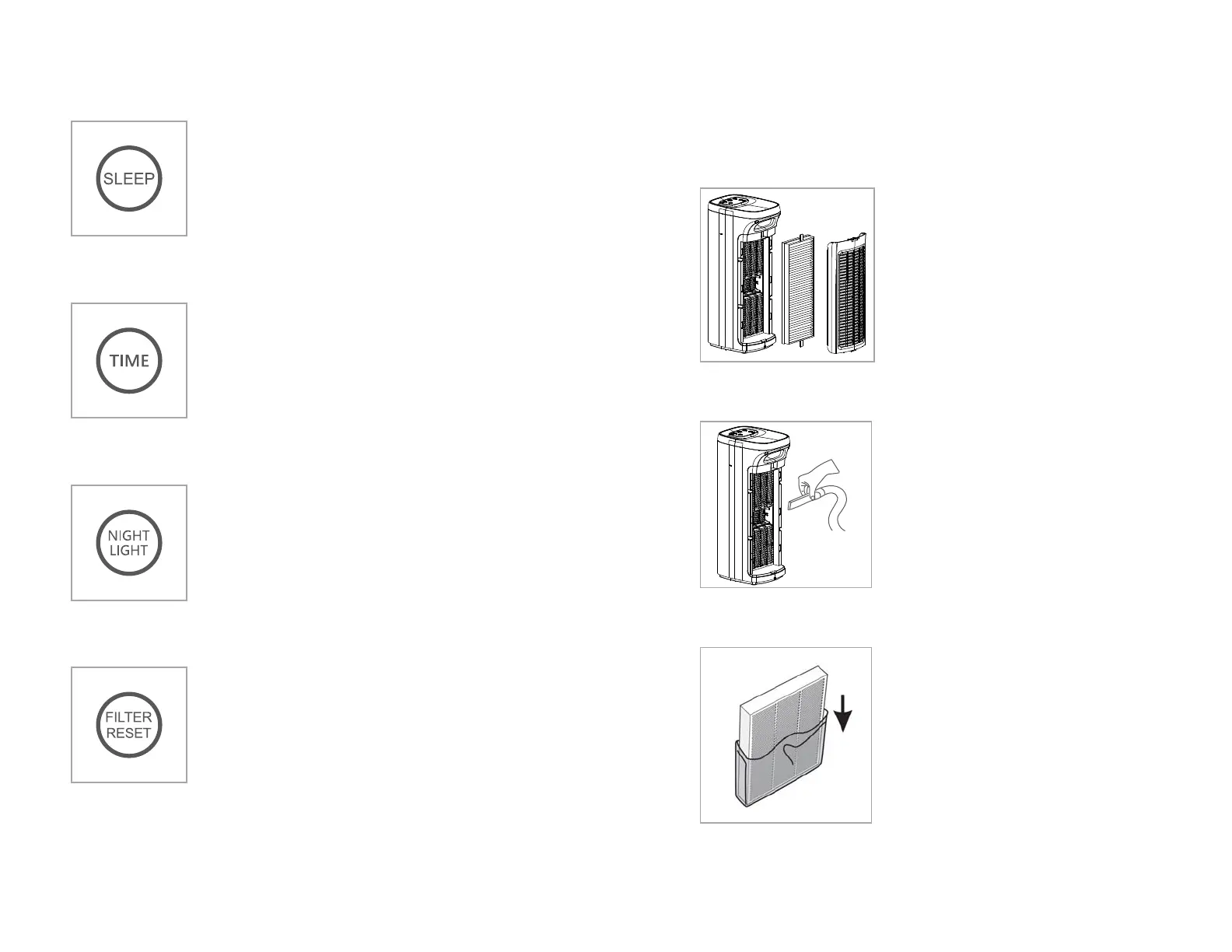
Step 1
Press the power button to turn the air
puri�ier off, unplug the power cord from
the electrical outlet.
Remove the rear cover of the air puri�ier
and remove the exhausted composite �ilter
element.
Step 2
Clean out any remaining dust, dirt, or lint
inside the puri�ier using a vacuum hose or
dry cloth.
DO NOT use water or liquids to clean the
puri�ier.
Step 3
Remove any packing from the new �ilter
element and take notice of the inward and
outward sides of the �ilter element.
Refer to the new �ilter instructions for the
direction of air�low.
9
Sleep Mode
Press the sleep button to put the unit into
Sleep Mode. In this mode the fan is at its
lowest/quietest setting. Also, only the Sleep
button is illuminated to help keep the room dark.
Timer
Press the timer button after power-on to set the
timed auto-off feature.Repeatedly press the
timer button to cycle through the preset
auto-off times of 2, 4 or 8 hours,the corresponding
indicator light will display the selected auto-off
time setting.
Filter Reset
When the total run hours of the air puri�ier reaches
1000hours, the indicator will light up to indicate
the �ilter needs to be replaced. After the replacement
is completed (see page 9), press and hold the �ilter
reset button for 3 seconds until the indicator light
is off, the �iltertimer function is now reset.
8
Night Light
Press the night light button to turn on the night
light.
Press the night light button a second time to
turn off the night light.
Actual lifespan of the �ilter may vary depending on the amount of dust,
smoke, humidity, and the concentration of other airborne particles and
vapors in the air.


 To Next Page