Full Programming Options
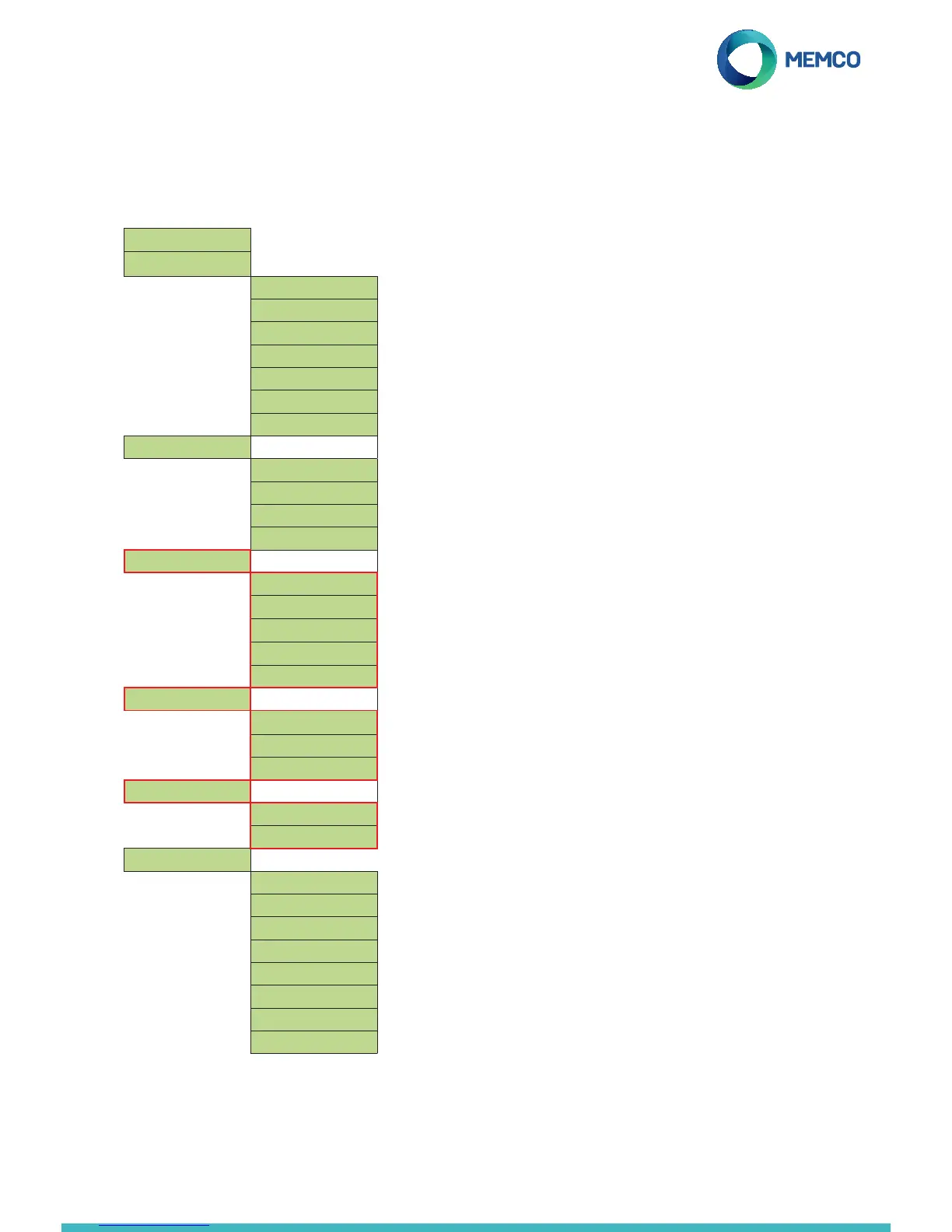
Full Menu Structure
Menu Sections explained...
Delays
The delays can be set to alter the length of the delay before the
unit places a call.
COP delays - Relates to how long alarm button need to be pressed
before an emergency call is placed.
Hang up delay - Sets time (in minutes) before C100 hangs up a call
(talk time).
Messages
The only message that needs recording is the Location message.
This is played to the call centre receiving the alarm call, to inform
them the Location of the lift.
Reassurance message – this is played to trapped passengers as
an alarm call is being placed. This is a pre-recorded message and
therefore does not need to be altered.
Guidance message – this is played to the call centre to ask them
to select whether to listen to the Location message or to be
connected to the lift car immediately.
Time / Date
The time and date can be set by entering the correct values and
conrm by pressing .
Using C100 ETR software (free of charge), users can set up and
maintain their own database of lift emergency telephones.
The software can be used to receive emergency calls, test calls
and equipment monitoring for over 5,600 lifts per system.
Additionally, the software can remotely program the telephone
units, saving time and money and reducing the number of site
visits required.
ETR
Quickstart >
Tel. Numbers >
Alarm No. 1
Alarm No. 2
Alarm No. 3
Alarm No. 4
Tech.no.
Background No.
Call attempts
Settings >
ID Code
Volume
System Cong>
HW Monitoring >
Delays >
COP delay
LVAS delay
Tech delay
Hangup delay
Answer delay
Messages >
Location
Reassurance
Guidance
Time / Date >
Time
Date
Advanced >
Passcode
Network ID
Next EN81 call
Frequency PBX
Language >
Relay Mode >
Relay Override >
GMT Offset


 To Next Page
 Loading...