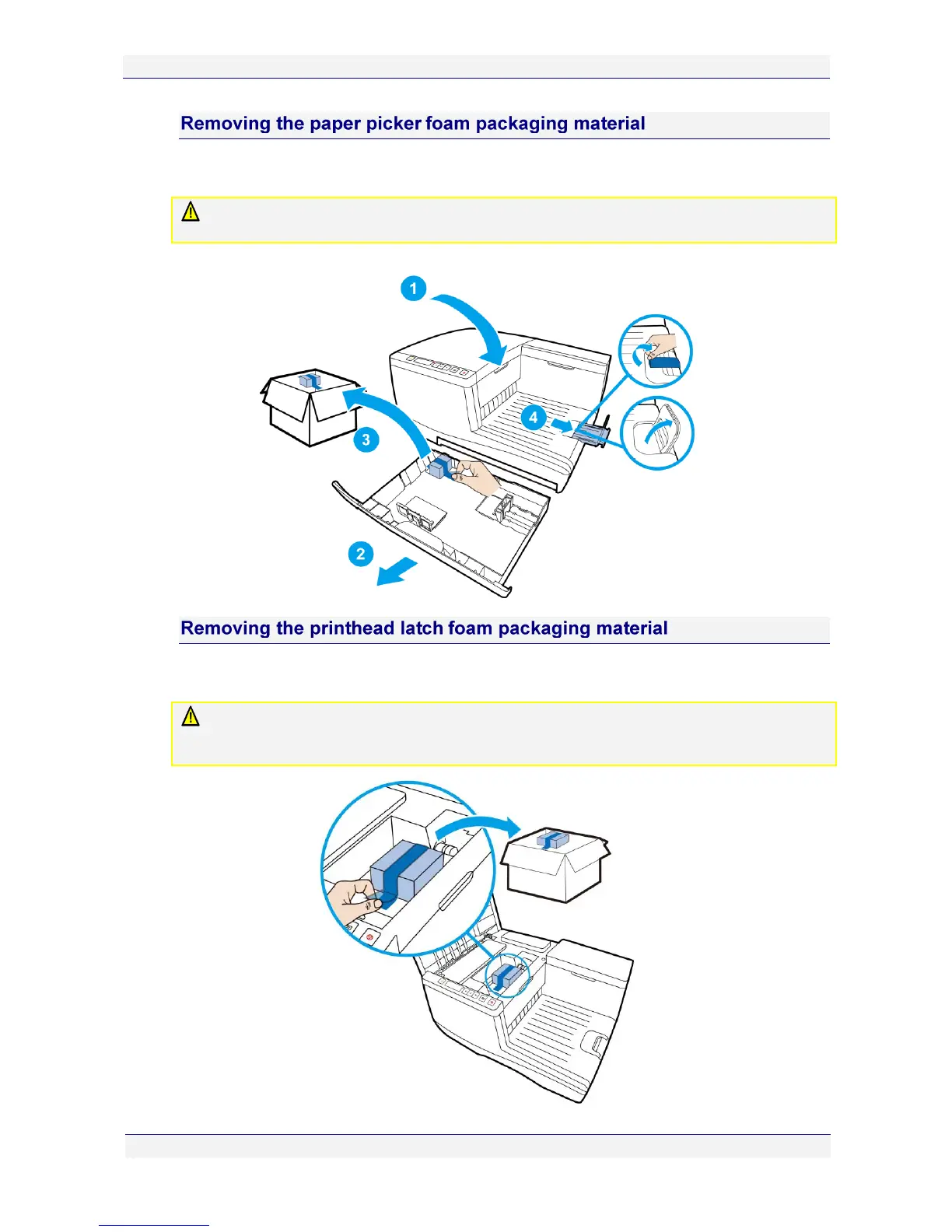
Before loading any paper into the paper tray for the first time, remove the packaging material
used to lock the paper picker during transport. (Also remove the tape from the paper stop.)
DO NOT dispose of this packing material. Should you need to repackage the printer for
transportation to a remote site, you will need to re-use this to avoid damage to the paper picker.
Figure 1 Tray 1 and packaging material
Before you can open the printhead latch, you will need to remove the printhead latch
packaging material, used to ensure the printhead latch remains closed during transport.
DO NOT dispose of this packing material. Should you need to repackage the printer for
transportation to a remote site, you will need to re-use this to ensure the printhead latch remains
closed during transport.



 To Next Page