Locating your printer
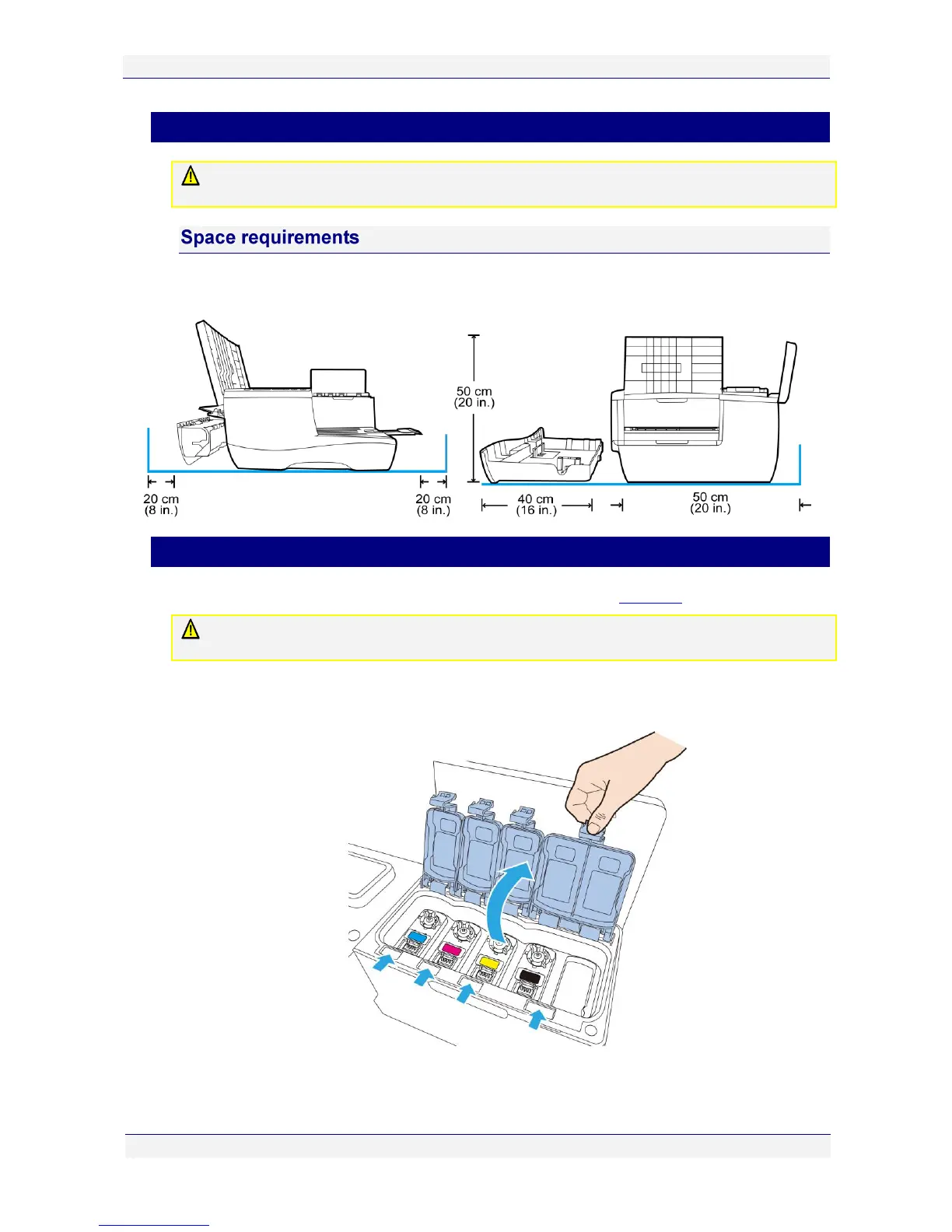
Your printer must be located on a firm, flat level surface. Failure to do so may cause leaking of
ink in the printer and onto surroundings, possibly resulting in a damaged and unusable printer.
To ensure proper access to the printer and adequate ventilation during use, refer to the figure
below for the various clearances required on each side of the printer.
Installing the ink tanks
Original ink tanks are supplied in a blister pack as shown in the Ink tanks section on page 14.
When installing a new C6010 printer, use ONLY the ink tanks provided in the packaging.
Specifically, DO NOT install a USED ink tank.
To install the ink tanks in your printer:
1. Lift the ink tank access cover and the four ink tank covers to reveal the ink tank slots.



 To Next Page