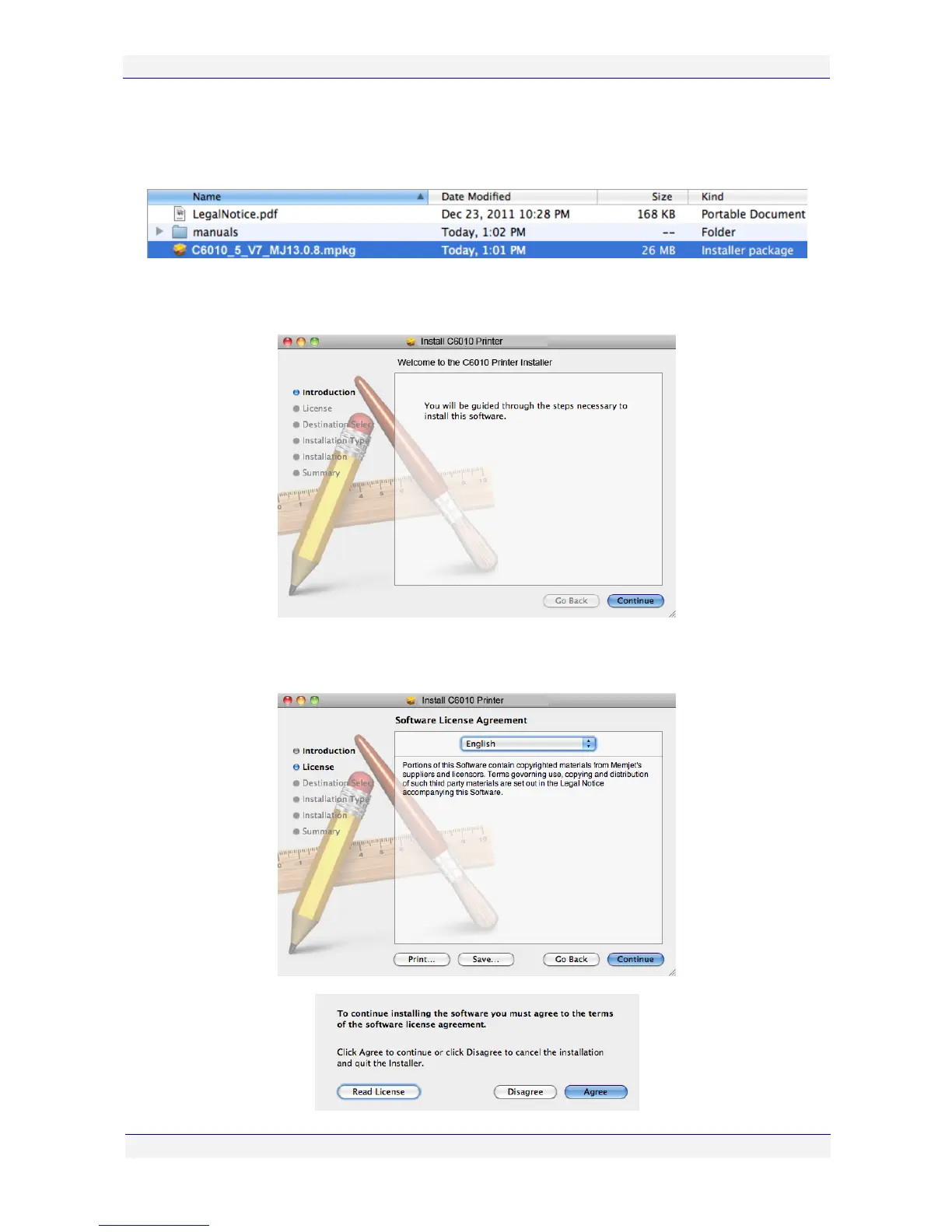
4. Another window will be displayed showing a file ending in “.mpkg” This file is the driver
installer package (labelled as such in your Finder screen). Double click on that file to
install the C6010 printer drivers.
5. The Welcome screen appears. This will guide you through the installation of your driver.
Click Continue.
6. A Software License Agreement window will be displayed. If you concur with the license
conditions, click Continue, then Agree in the next window, to continue.



 To Next Page