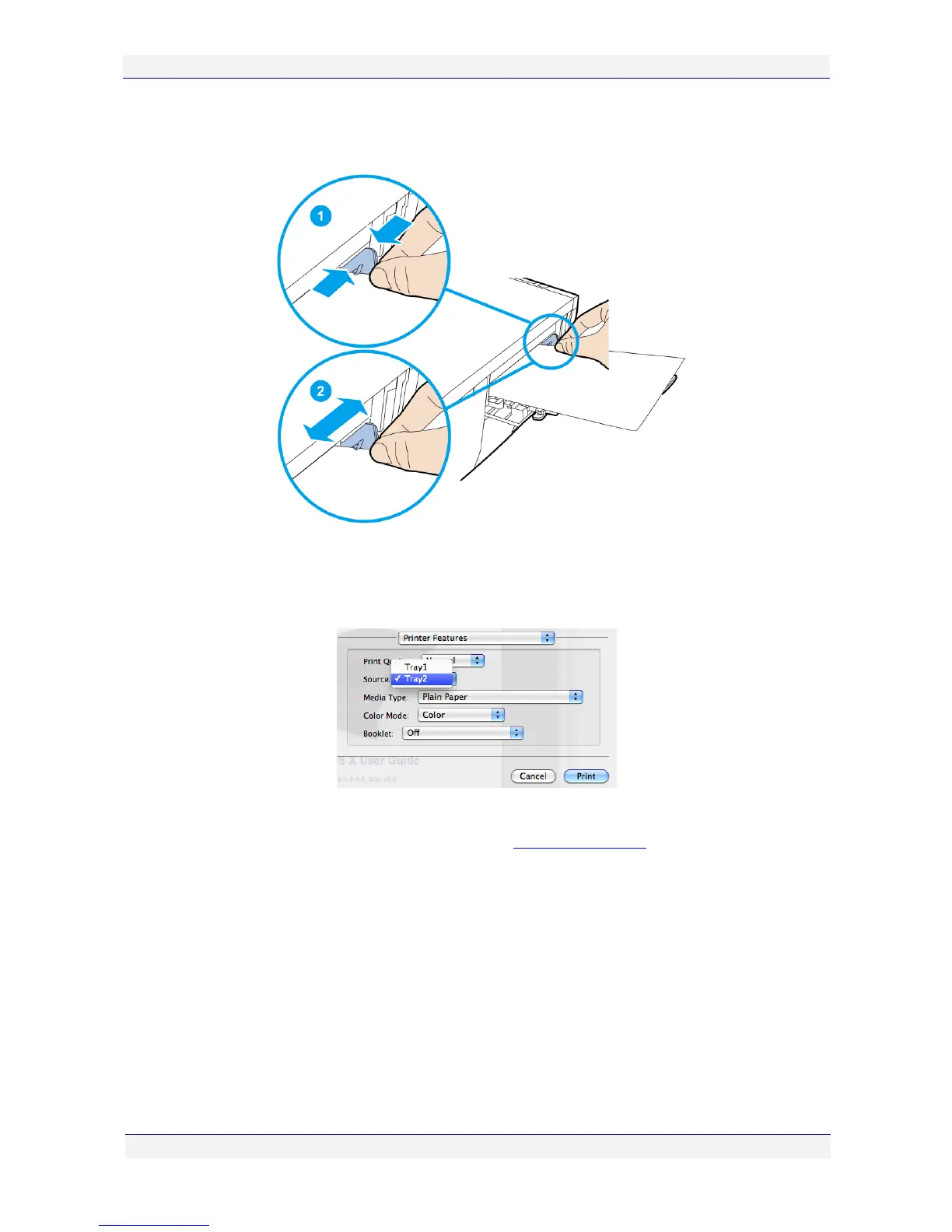
5. Place the required number of papers onto Tray 2 holding them against the side. Then,
slide the the Width Adjustment guide until the papers rest against the side.
6. Issue a Print command from your application.
7. Select your C6010 printer and select Printer Features from the Preview print options
pop-up menu.
8. Click the Source arrow and select Tray 2.
9. If you are using custom paper sizes, refer to Custom paper sizes on page 47.
10. A message with instructions on how to perform a manual feed will be displayed on your
print queue window, waiting for you to insert the appropriate paper.



 To Next Page