Need help?
Do you have a question about the Memmert ICO Series and is the answer not in the manual?
Describes the product series ICO CO2 incubators and its intended users.
Describes appliance versions and firmware relevance for manual.
Lists additional documents like Service manual and software manual.
Instructions on keeping the manual safe, accessible, and handing it over.
Explanation of terms and symbols for hazard warnings.
Details on risks associated with the technically sophisticated unit.
Specifies qualifications and training for operating and maintaining the unit.
Outlines the owner's responsibilities for unit condition and personnel.
Defines the intended and prohibited uses of the appliance.
Details other uses that are improper and may result in danger or damage.
Prohibits unauthorized changes and explains consequences.
Instructs to turn off unit and inform manager if irregularities are noticed.
Provides step-by-step instructions for handling accidents.
Details the procedure for switching off the unit in an emergency.
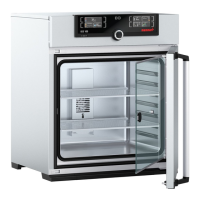
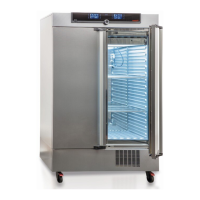
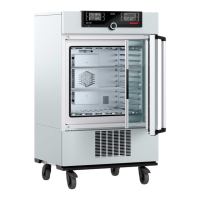
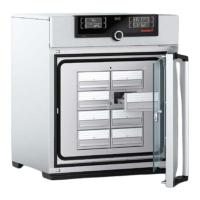
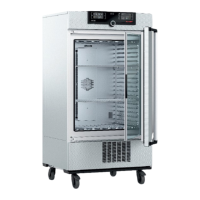
Illustrates and labels the main components of the appliance.
Explains how the appliance operates, including heating and humidity control.
Details the stainless steel materials used for the outer housing and chamber.
Lists electrical specifications, protection class, and fuse details.
Describes connection options like Ethernet for software communication.
Details the appliance's USB port functionality for data transfer.
Explains the information provided on the appliance's nameplate.
Provides detailed specifications for appliance sizes, temperature, humidity, etc.
Lists directives and standards the appliance complies with.
Specifies the required ambient conditions for unit operation.
Lists the items included in the appliance's delivery package.
Lists optional accessories available for the appliance.
Safety precautions during lifting, carrying, and transporting the appliance.
Information on how the appliance is supplied.
Methods for transporting the unit based on its size.
Instructions for unpacking the appliance and checking for completeness.
Guidelines for storing the unit after it has been delivered.
Prerequisites for installation site, power, and ventilation.
Instructions for attaching the anti-tilt bracket for appliance stability.
Guidance on how to adjust the appliance doors for proper alignment.
Steps for initial setup, including acclimatization and connecting power.
Instructions for safely connecting the appliance to the electrical supply.
Specifies the type of water required for the appliance's humidity system.
Procedure for connecting and filling the water tank for humidity control.
Instructions for inserting the water tray for passive humidity control.
Steps for connecting CO2 and N2 gas supplies to the appliance.
Procedure for switching on the appliance and initial startup.
Reiterates requirements for qualified and instructed personnel.
Safety warning regarding appliance overheating when the door is open.
Guidelines for safe and effective loading of the chamber.
Overview of the ControlCOCKPIT interface and its functions.
General steps for setting parameters using the ControlCOCKPIT.
Introduces the different operating modes available.
Describes operation where the appliance runs continuously with set values.
Operation using a digital backwards counter with target time setting.
Running pre-defined programmes created with AtmoCONTROL software.
Controlling the appliance remotely via PC software.
Instructions for using the timer function for appliance operation.
Detailed steps for starting and managing programmes.
Description of overtemperature protection mechanisms.
Details on the electronic overtemperature protection system.
Explains the function of the temperature selector limiter.
Details on the automatic temperature monitoring device.
Describes the mechanical temperature limiter for safety.
Step-by-step guide to adjusting temperature monitoring settings.
Explains humidity monitoring and how to adjust its settings.
Explains CO2 monitoring and how to adjust its settings.
Explains O2 monitoring and how to adjust its settings.
Overview of chronological sequence of set and actual values as a curve.
Displays chronological sequence of humidity, CO2, and O2 values.
Procedure for sterilising the appliance, including HEPA filter and silicone plugs.
Steps to safely shut down and end appliance operation.
Describes how monitoring function warnings are displayed and signaled.
Details alarms for ASF, TWW, and TB triggers and their actions.
Describes error displays for water tank empty, high/low humidity.
Details alarm for exceeding upper CO2 limit.
Details alarms for exceeding or undercutting O2 limits.
Covers issues like dark displays, inactive displays, and display changes.
Explains how to navigate and use the Menu mode.
Guides through menu operations using language selection as an example.
Allows setting appliance parameters like IP address, units, and modes.
Configuration of network settings for appliance identification and connectivity.
Selection of temperature display units (°C or °F).
Choice of temperature protection class according to DIN standards.
Setting whether the timer is setpoint-dependent or starts immediately.
Configuration options for controlling the appliance via remote control.
Setup for connecting networks with different protocols.
Setting the date, time, time zone, and summer time.
Recommendation to calibrate the appliance annually for closed-loop control.
Procedure for recalibrating temperature using three possible points.
Procedure for adjusting humidity control using three selectable calibration points.
Procedure for calibrating CO2 and O2 control with selectable calibration points.
Loading, selecting, and deleting programmes from USB storage.
Configuring acoustic signals for events like key press, alarm, or door status.
Exporting and reading log data for measured values, settings, and errors.
Function to lock appliance settings for security against unauthorized changes.
Explains how USER ID locks settings and requires USB for activation.
Instructions for cleaning interior, metal, plastic, and glass surfaces.
Annual checks for sterile filters, pump filters, and annual calibration.
Information that repairs and service are performed by qualified personnel.
Conditions for storing and transporting the appliance safely.
Guidelines for environmentally friendly disposal of the appliance and its components.
 General
| Temperature Stability | ±0.1 °C |
|---|---|
| CO2 Sensor | Infrared CO2 sensor |
| Display | Touchscreen display |
| Temperature Uniformity | ±0.3 °C at 37 °C |
| Power Supply | 230 V, 50/60 Hz |
| Weight | Varies by model |
| Control | Microprocessor control |
| Material | Stainless steel interior |


 To Next Page