23
OPERATION (CONTINUED)
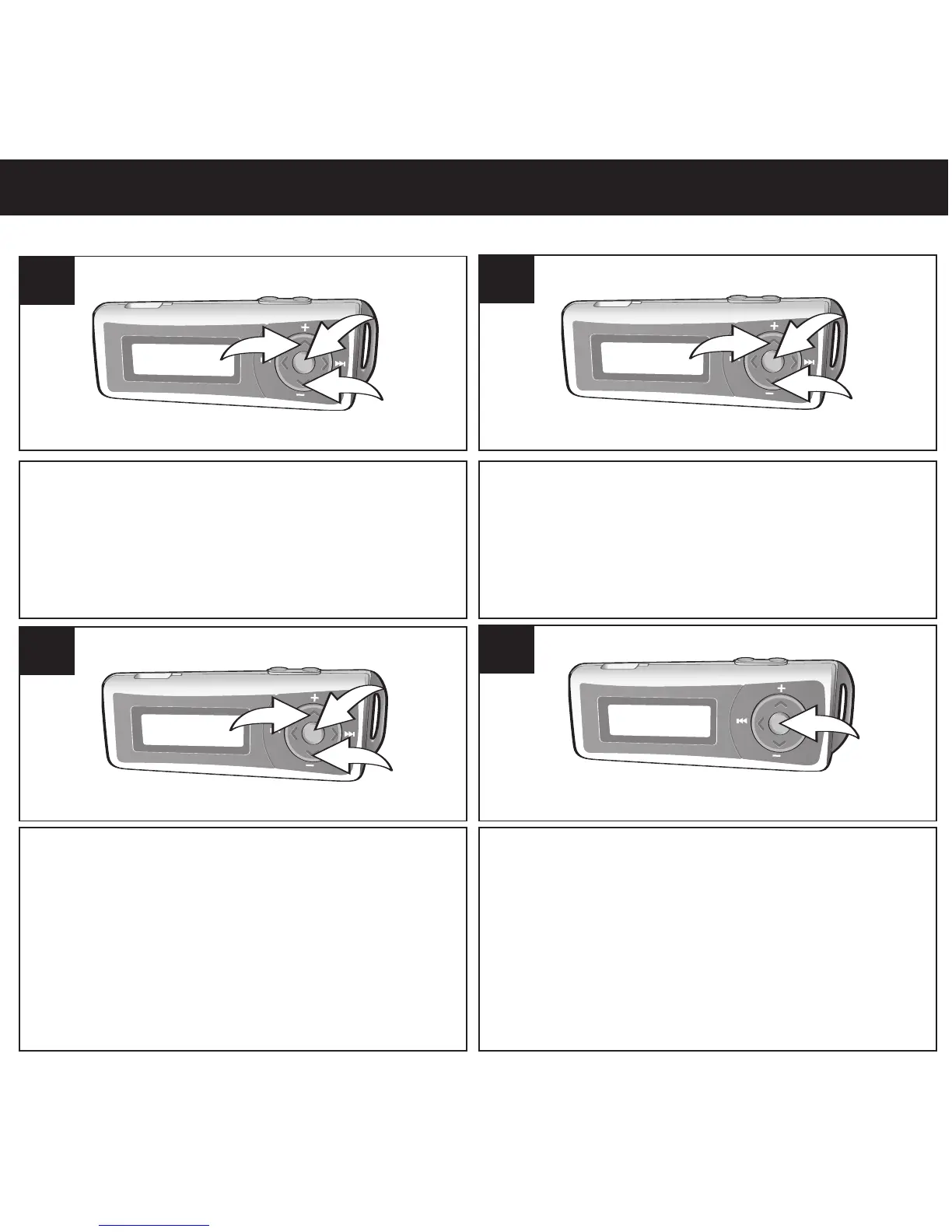
Press the Menu/Enter button 1; the Main
menu will appear. Scroll to Settings by
pressing the Navigation ▲/Volume + 2 or
▼/- 3 button then press the Menu/Enter
button
1.
1
Scroll to Backlight by pressing the Navigation
▲/Volume + 1 or ▼/- 2 button then press the
Menu/Enter button
3.
2
Select the desired Backlight time (time the
backlight will stay on after a button is
pressed–Disable, 3 sec., 5 sec., 10 sec., 15
sec. or On) by pressing the Navigation
▲/Volume + 1 or ▼/- 2 button then press the
Menu/Enter button 3.
3
Press and hold the Menu/Enter button to
return to the Music/Voice Player menu.
NOTE: Also, if no button has been pressed
for approx. 10 seconds, the unit will
automatically return to the Music/Voice
Player menu.
4
SETTING THE BACKLIGHT


 To Next Page