16
SETUP MENU (CONTINUED)
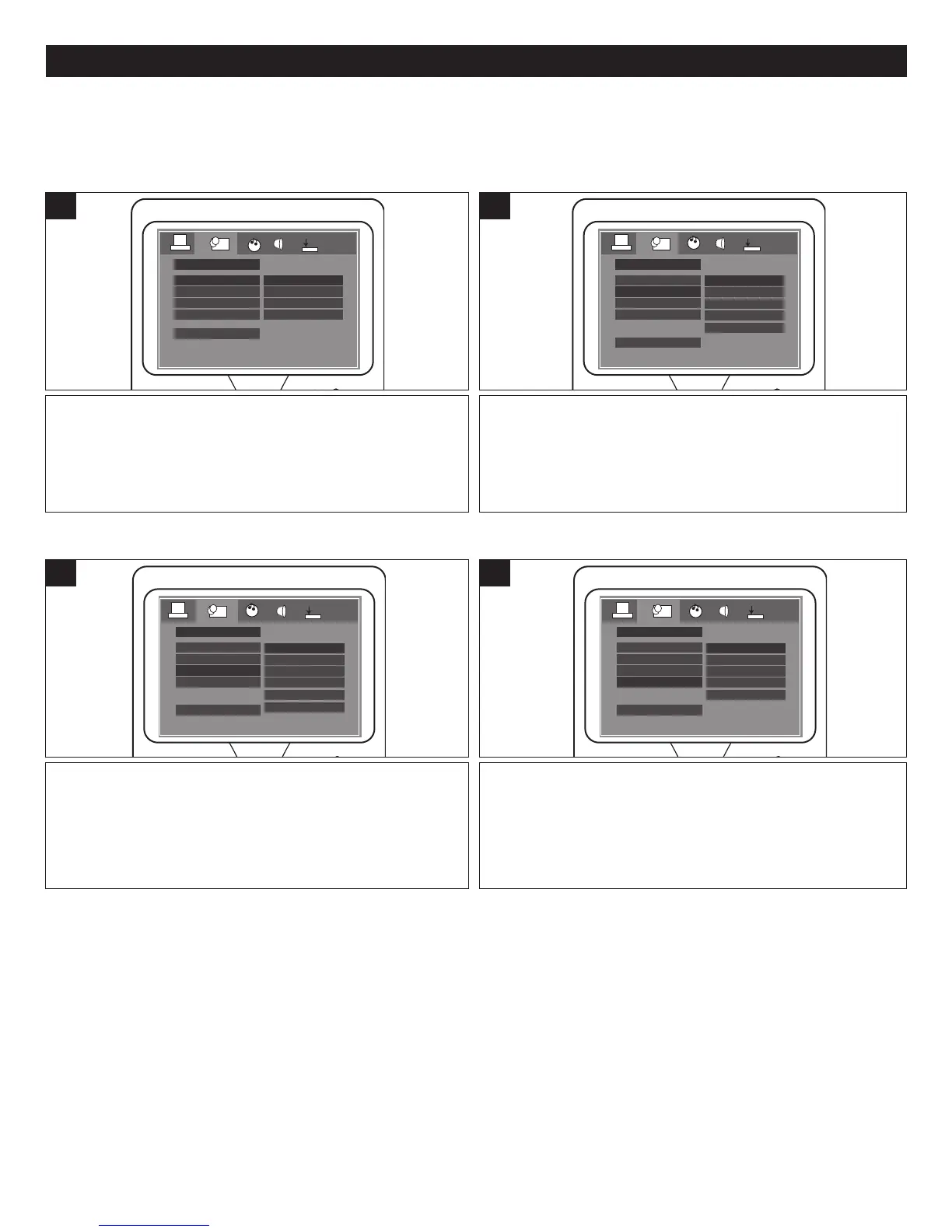
Select the desired language (ENGLISH, GERMAN,
SPANISH, FRENCH) for the On-Screen display to display
text. Note that the DVD must have the language included in
order to display it.
OSD LANGUAGE
LANGUAGE SETUP
AUDIO LANG
SUBTITLE LANG
ENGLISH
GERMAN
SPANISH
FRENCH
MENU LANG
EXIT SETUP
1
Select the language the DVD will be played back in
(ENGLISH, GERMAN, SPANISH, FRENCH, JAPAN). The
DVD must be recorded in the selected language, otherwise
the default language of the DVD will be played.
OSD LANGUAGE
LANGUAGE SETUP
AUDIO LANG
SUBTITLE LANG
ENGLISH
GERMAN
SPANISH
JAPAN
FRENCH
MENU LANG
EXIT SETUP
1
LANGUAGE SETUP MENU:
Select LANGUAGE SETUP using the Navigation (Ã,¨) buttons, then select/change the setup option as described on page
14.
OSD LANGUAGE
AUDIO LANG
Select the language the Subtitle (OSD) will be in
(ENGLISH, GERMAN, SPANISH, FRENCH, JAPAN, OFF).
The DVD must be recorded in the selected language,
otherwise the default language of the DVD will be shown.
Select OFF to select without any language showing on the
TV screen.
OSD LANGUAGE
LANGUAGE SETUP
AUDIO LANG
SUBTITLE LANG
ENGLISH
GERMAN
SPANISH
JAPAN
OFF
FRENCH
MENU LANG
EXIT SETUP
1
Select the language the DISC MENU will be in (ENGLISH,
GERMAN, SPANISH, FRENCH, JAPAN). The DVD’s DISC
MENU must be made in the selected language, otherwise
the default language of the DVD will be shown.
OSD LANGUAGE
LANGUAGE SETUP
AUDIO LANG
SUBTITLE LANG
ENGLISH
GERMAN
SPANISH
JAPAN
FRENCH
MENU LANG
EXIT SETUP
1
SUBTITLE
MENU LANG






 To Next Page