13
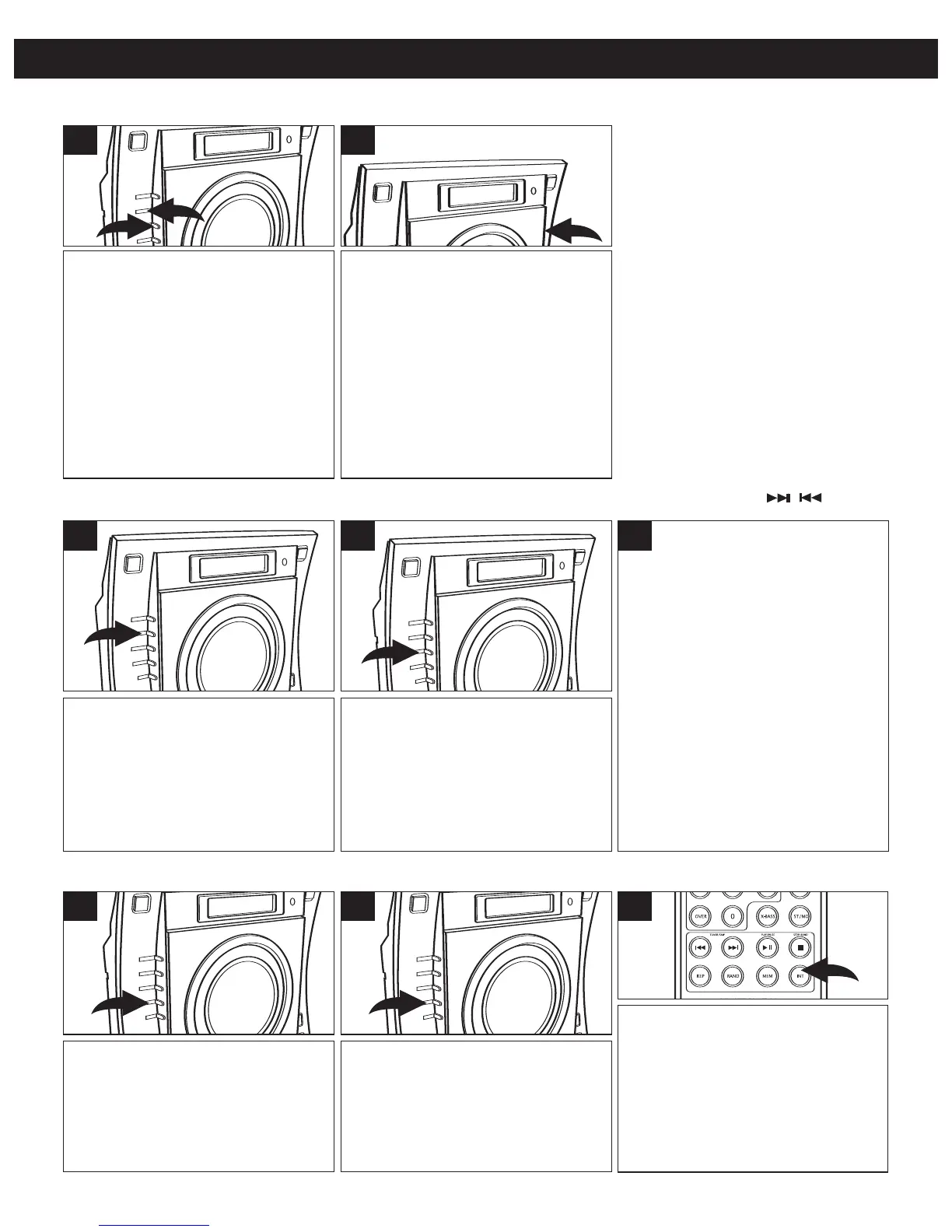
After you insert a disc into the CD player,
press either the Tune/Skip/Search
o 1 or n
2
button to select a specific track for
playback.
NOTE: You can also use the Number (0-9)
buttons/OVER button on the remote to
select a track. Simply press the number for
the track you would like to hear. For tracks
over “10”, press the OVER button first; i.e.,
for Track 11, press the OVER button
followed by the Number 1 button. If using
the remote, playback will start automatically.
2
TO BEGIN PLAYBACK FROM A SPECIFIC TRACK
During playback, depress and
hold either the Tune/Skip/Search
n or o button to move the player
forward or backward within a
track to locate a specific musical
passage. The player will move
forward or backward at high
speed as long as the button is
depressed. When you release the
Tune/Skip/Search n or o button,
normal playback will resume.
During playback, press the
Tune/Skip/Search n button once
to advance the player to the
beginning of the next track. Press
the Tune/Skip/Search n button
repeatedly to advance the player
to higher-numbered tracks.
1 3
During playback, press the
Tune/Skip/Search o button once to
move the player back to the
beginning of the current track. Press
the Tune/Skip/Search o button
repeatedly to move the player back
to lower-numbered tracks.
2
FORWARD/REVERSE SKIP TRACK AND HIGH-SPEED MUSIC SEARCH ( / )
OPERATING INSTRUCTIONS (CONTINUED)
To play the tracks on the CD in a
random order, while in the CD
Stop mode, press the RANDOM/
MEM-DN button; “RAND” will
appear in the display and the
tracks will play in a random order.
1
To cancel random playback,
press the RANDOM/MEM-DN
button until “RAND” disappears
from the display.
2
RANDOM PLAYBACK
To play the first ten seconds of
each track on the CD, press the
INTRO button on the remote;
“INTRO” will appear in the display.
Press the INTRO button again to
cancel and resume normal
playback; "INTRO" will disappear in
the display.
1
INTRO PLAYBACK



 To Next Page