10
OPERATION
Press the Power button to the On
(in) position to turn the unit on.
This unit will either show the Main
menu or automatically start
showing a photo Slideshow (if the
Auto Play option in the Setup
menu is set to ON).
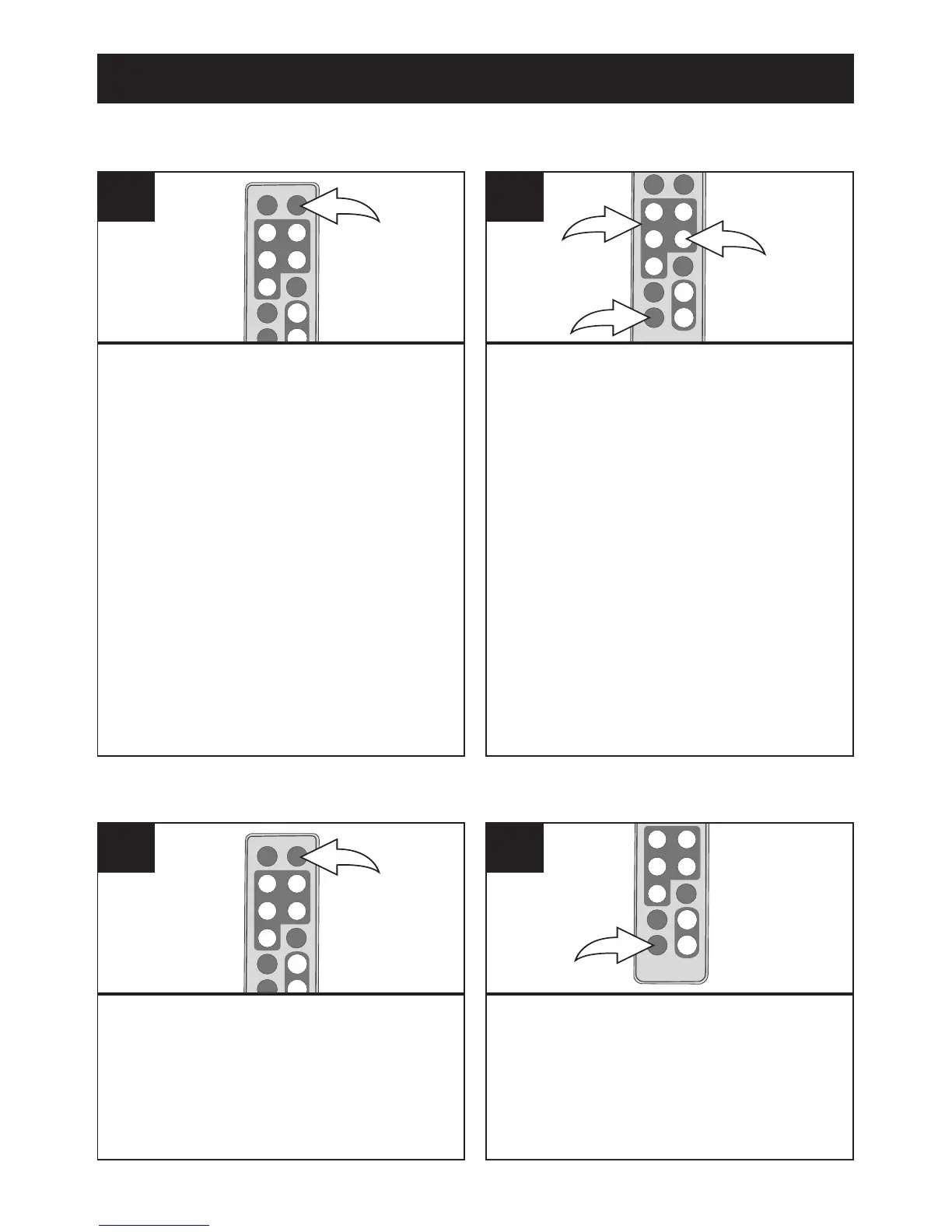
Press the TIME button to access
the clock/calendar page.
1
Press the ENTER/PLAY button 1 to
start setting the time and date.
Use the Navigation
π, † buttons 2
to set the current hour (make sure
to set the correct AM/PM setting if
you selected the 12 Hour mode in
the Time Mode Setup option).
Press the Navigation
® button 2 to
select the minutes. Use the
Navigation
π, † buttons 2 to set
the current minutes.
Repeat to set the month, day
and year.
To save your setting press ENTER/
PLAY button
1, then press EXIT
button
3 return to main menu.
2
SETTING THE TIME AND DATE
The clock/calendar page will
automatically appear after one
minute of inactivity. You can also
press the TIME button at any time
to access the clock/calendar page.
1
To exit and return to the Main
menu, press the EXIT button.
2
ACCESSING THE CLOCK/CALENDAR PAGE



 To Next Page