www.mymemorism.com
06
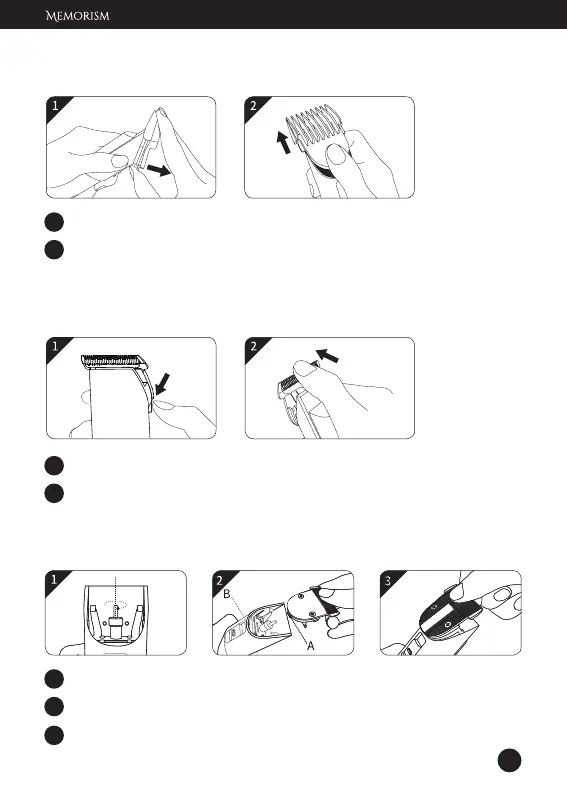
1 Pull the snap tab on the back of the guide comb.
2 Slide the guide comb out.
Note: Do not press the comb teeth as this may damage the comb.
1 Press the adjust switch to the bottom.
2 Hold the main body, place your thumb against the blade and then
push the blade away from the main body.
1 Rotate the straight shaft to the middle position.
2 Insert the bottom of the blade (A) into the slot (B).
3 Press the blade down until it clicks into place.
Remove Guide Comb
Remove Blade
Install Blade


 To Next Page