www.mymemorism.com
HOW TO USE
On / Off / Speed
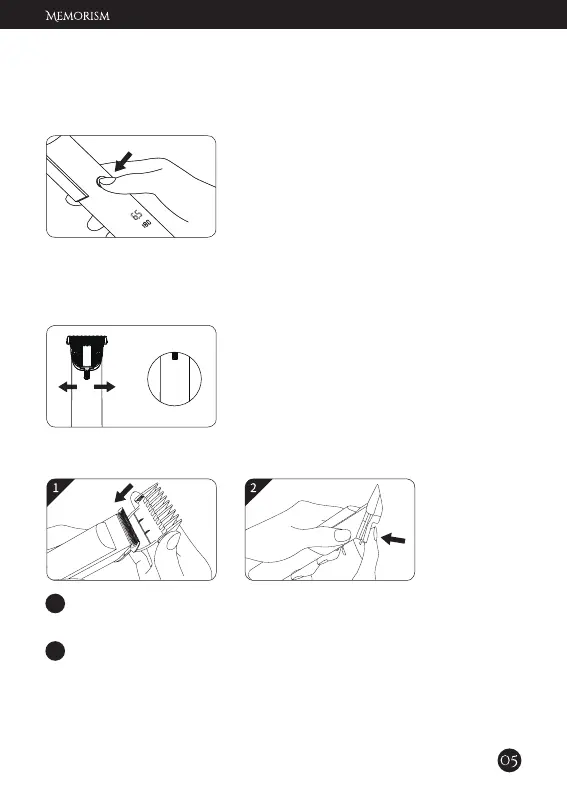
Power ON: Press the button once.
Power OFF: Hold the button for 2 seconds.
Speed Adjustment: Every time you press,
it will change to different cutting speed.
Push the adjust switch to adjust the blade
length.
Left: 2.4mm Mid: 1.6mm Right: 0.8mm
Note: The shortest haircut length is 0.8mm.
Cutting Length Adjustment
1. Adjust blade length
2. Use a guide comb with desired length
1 Grab the sides of the comb and align the position of the blade
and the comb.
2 Press the guide comb until it clicks into place.


 To Next Page