9
Mechanical
Oven Light
Caution
To avoid electrical shock
hazardunplug power cord
or open circuit breaker to
microwave oven before
replacing light bulb.
After replacing light bulb,
reconnect power.
Tools needed--
• protective gloves
• flat head screwdriver
Important! Wear gloves to protect hands
should bulb break. If hot, allow bulb to cool.
To change oven light:
1. Remove screw from and open cover on
access door on back of oven.
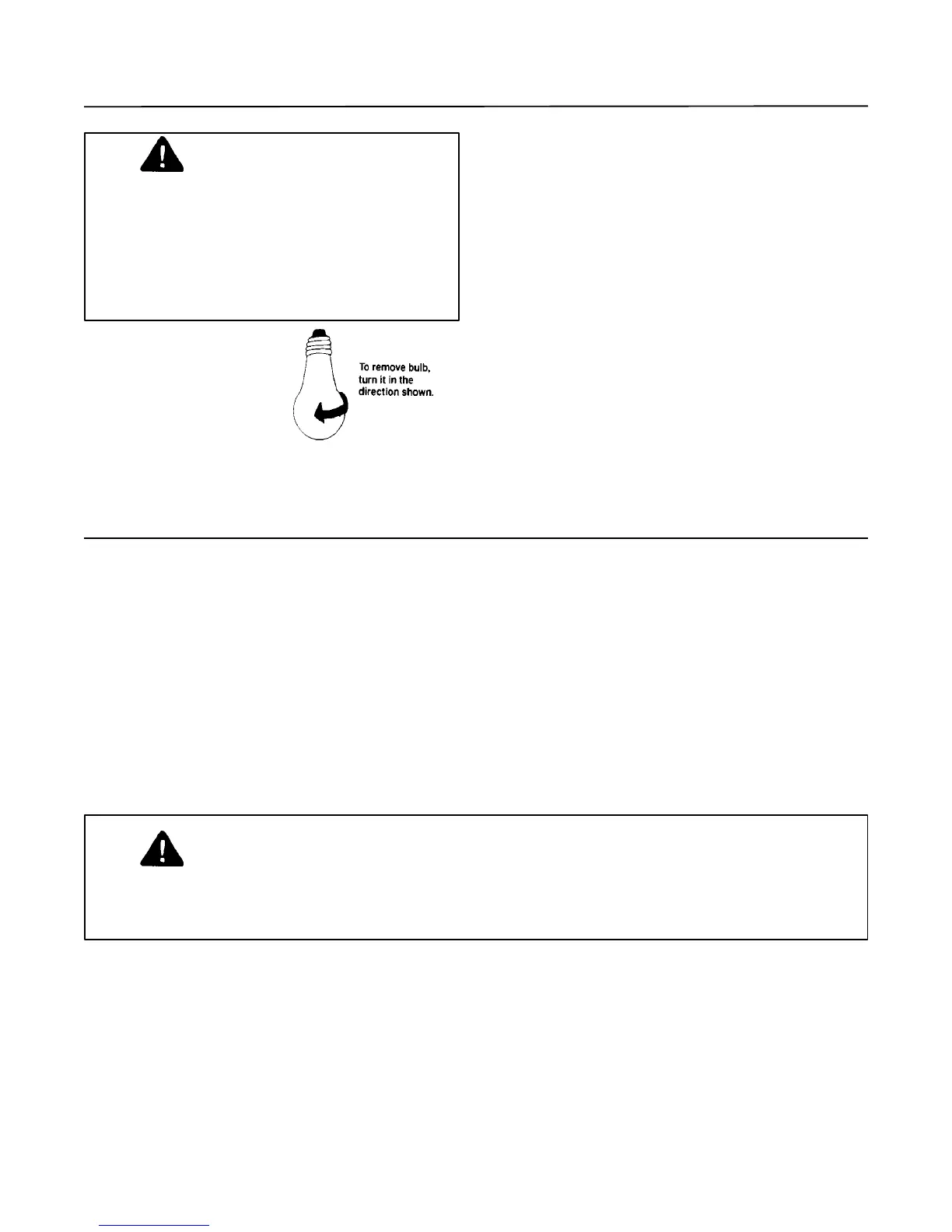
2. Remove bulb by turning counter- clockwise,
being careful not to burn fingers or break
bulb.
3. Replace bulb with:
CFSP70--T-6, 15-watt, 120-volt. candelabra
base bulb
GSAND-7D ,SAND-7D and SAND-700-
120-volt, 40-watt candelabra base bulb (blunt
tip, decorative)
available at hardware store.
4. Close access door and replace access
screw.
5. Plug in microwave oven.
WARNING
To avoid electrical shock, personal injury or death, do not remove outer case at any
time. Only authorized servicer should remove outer case. If removed by another
person, warranty is void.
Any questions or to locate an authorized Menumaster servicer, call 1-800-843-0304. If outside
U.S.A. call 1-319-622-5511. Contact an authorized Menumaster servicer if service is required.
When contacting us, provide product information including model and serial numbers and date of
purchase. Model and serial numbers are located on appliance nameplate.
If microwave oven does not operate:
• Confirm unit is plugged into dedicated
circuit.
• Confirm unit is on grounded and
polarized circuit.
• Check fuse or circuit breaker. Determine if
circuit is operable by plugging another item
in outlet.
If oven light does not work:
• Confirm light bulb is screwed in tightly.
• Confirm light bulb is not defective.
If unit operates intermittently:
• Check inlet and discharge areas for
obstructions.
• Confirm unit was not operated empty or with
metal utensils.
If unit operates, but will not heat food:
• Place one cup cool water in unit.
Heat for one minute. If water temperature
does not rise, unit is operating incorrectly.
Before Calling for Service



 To Next Page