9. Changing the Acknowledgement Option
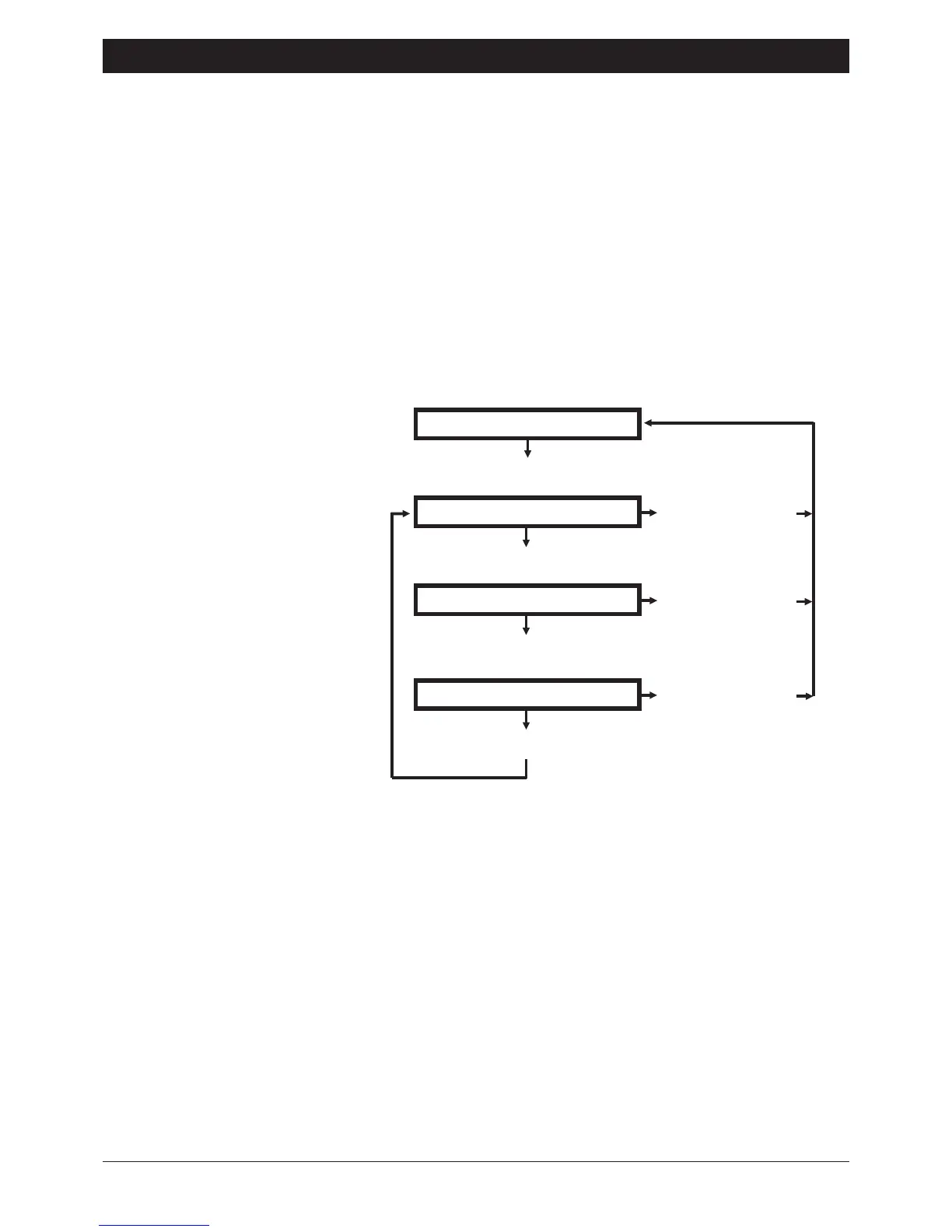
The SD1 acknowledgement can be set to one of the following options:
CLEARED BY ANY 1: The SD1 will clear down when the message is acknowledged
by any one of the three recipients.
CLEARED BY ANY 2: The SD1 will clear down when the message is acknowledged
by any two of the three recipients.
CLEARED BY ALL 3: The SD1 will clear down when the message is acknowledged
by all three recipients.
The default setting is "CLEARED BY ANY 1", which can be changed as follows:
Ensure that the SD1 is initialised
and the display is showing "READY".
Page 7
SD1 Operating Instructions
READY
Press the 0 key
CLEARED BY ANY 1
Press the 0 key
Press the [ key
CLEARED BY ANY 2
Press the 0 key
Press the [ key
CLEARED BY ALL 3
Press the 0 key
Press the [ key


 To Next Page