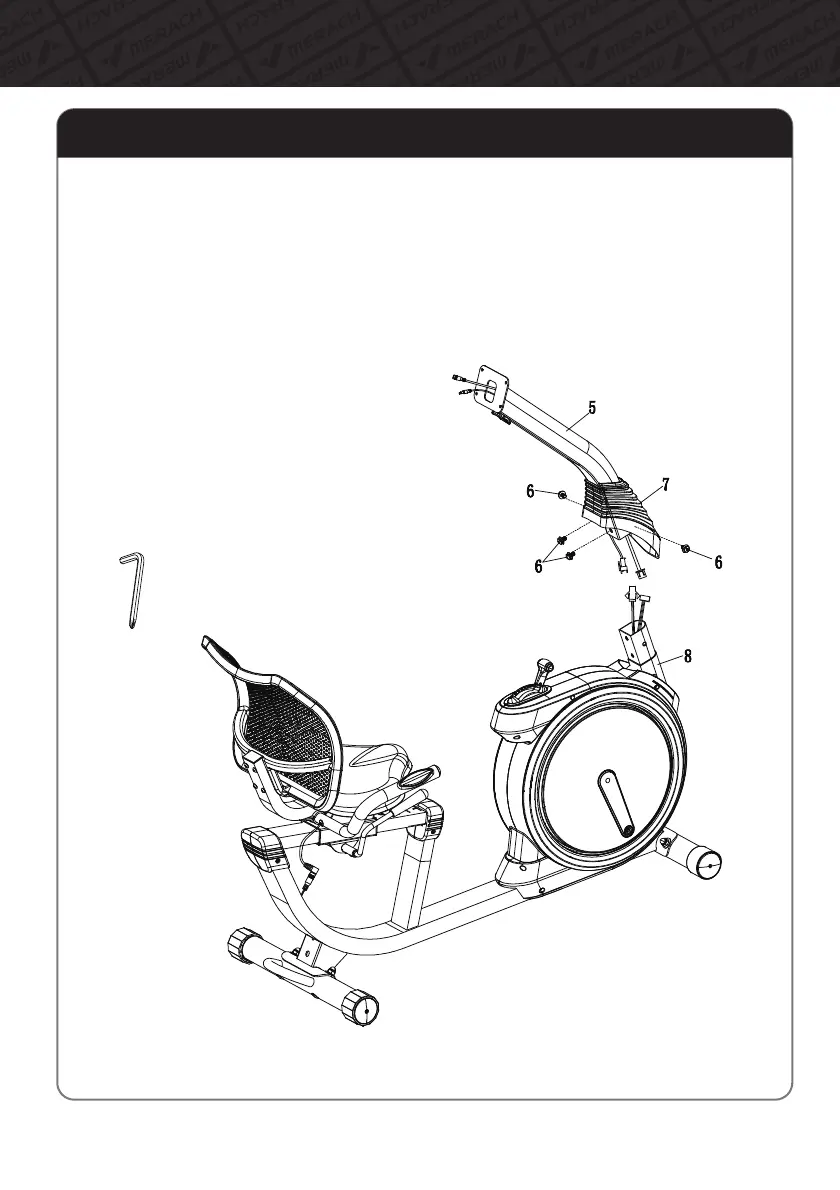
Step5:InstalltheSupportTube
09
AssemblyInstructions
A.SlidetheDecorativeCover(#7)ontheSupportTube(#5)asshownintheillustrationbelow.
B.ConnecttheMiddleMeterWireontheSupportTube(#5)totheLowerMeterWireonthe
MainFrame(#8).
C.ConnectthePulseSensorWireontheSupportTube(#5)tothePulseSensorWireonthe
MainFrame(#8).
D.InserttheSupportTube(#5)ontotheMain
Frame(#8)andsecureitwithBolts(#6)and
CrossHexagonWrench(#B).
E.SlidetheDecorativeCover(#7)
downtocoverthebolts.



 To Next Page