
 Need help?
Do you have a question about the mercor MCRP 054 and is the answer not in the manual?
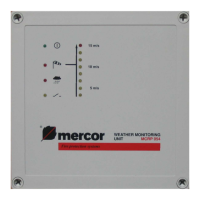
Describes the normal status and LED indicators for the weather monitoring unit.
Explains alarm mode, LED indicators, and automatic switch-off based on time settings.
Details the connection of the wind/rain sensor to specific terminals (P6-P8).
Explains the connection of the vent opening sensor and its function (optional).
Describes the connection of the optional remote control module to terminals (P1-P4).
Outlines the connection of the 230V, 50Hz power supply and required circuit breaker.
Provides instructions for checking leads before powering up the unit.
Shows wiring diagrams for connecting wind and rain sensors (RS1/RS2-WM1 units).
Illustrates power supply connections and wiring for various output terminals (P9-P14).
Details wiring for the vent opening sensor and remote control module connections.
 General
| Brand | mercor |
|---|---|
| Model | MCRP 054 |
| Category | Measuring Instruments |
| Language | English |

 To Next Page