8
Motherboard User’s Guide
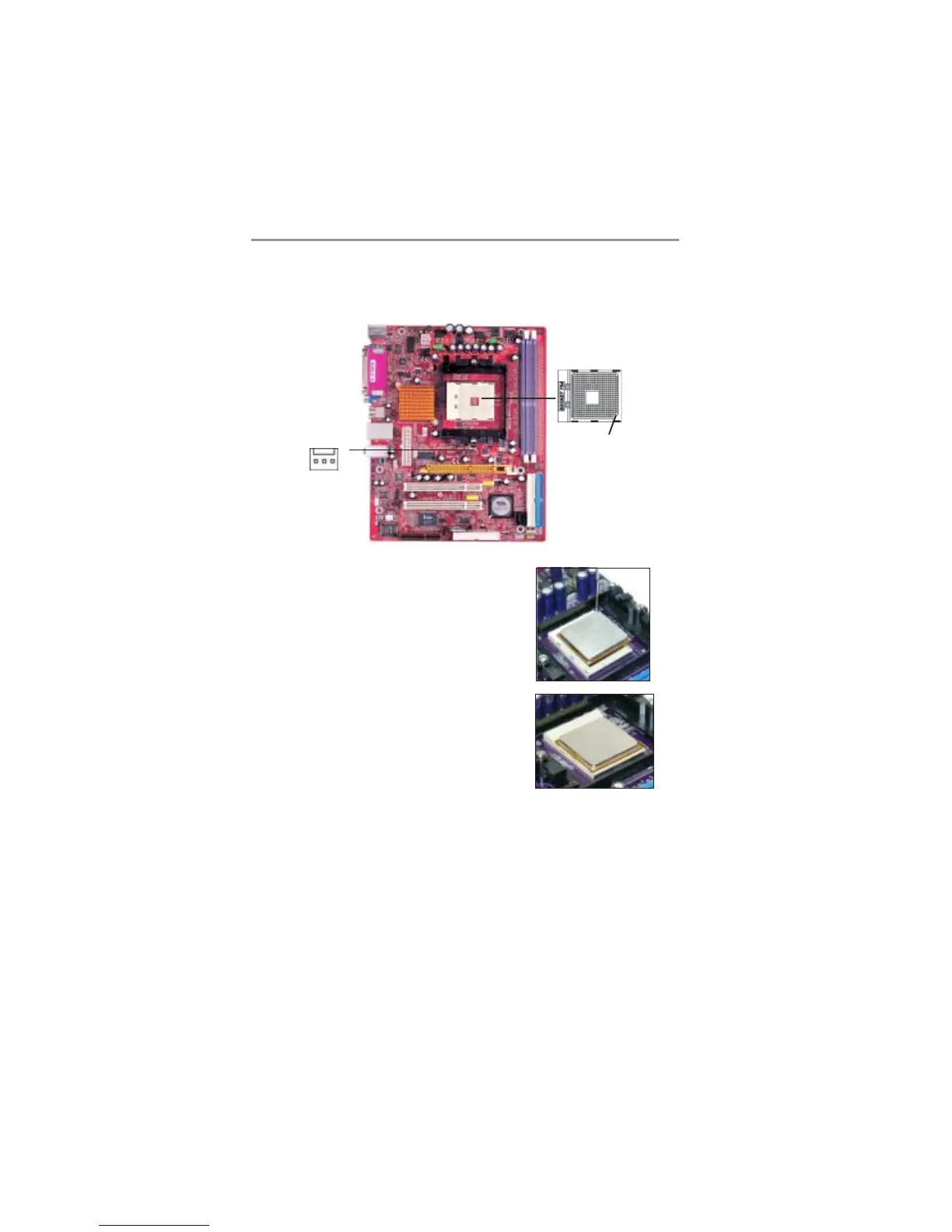
CPU Installation Procedure
Follow these instructions to install the CPU:
Socket-754
pin1
1 Unhook the locking lever of the CPU
socket. Pull the locking lever away from the
socket and raising it to the upright position.
2 Match the pin1 corner marked as the
beveled edge on the CPU with the pin1
corner on the socket. Insert the CPU into
the socket. Do not use force.
3 Push the locking lever down and hook it
under the latch on the edge of socket.
4 Apply thermal grease to the top of the
CPU.
5 Install the cooling fan/heatsink unit onto the
CPU, and secure them all onto the socket
base.
6 Plug the CPU fan power cable into the CPU
fan connector (FAN2) on the motherboard.
Installing Memory Modules
This motherboard accommodates two 184-pin 2.5V DIMM sockets (Dual Inline
Memory Module) for unbuffered DDR400/333/266 memory modules (Double
Data Rate SDRAM), and maximum 2.0 GB installed memory.
1
FAN2


 To Next Page
 Loading...