11
Chapter 2: Motherboard Installation
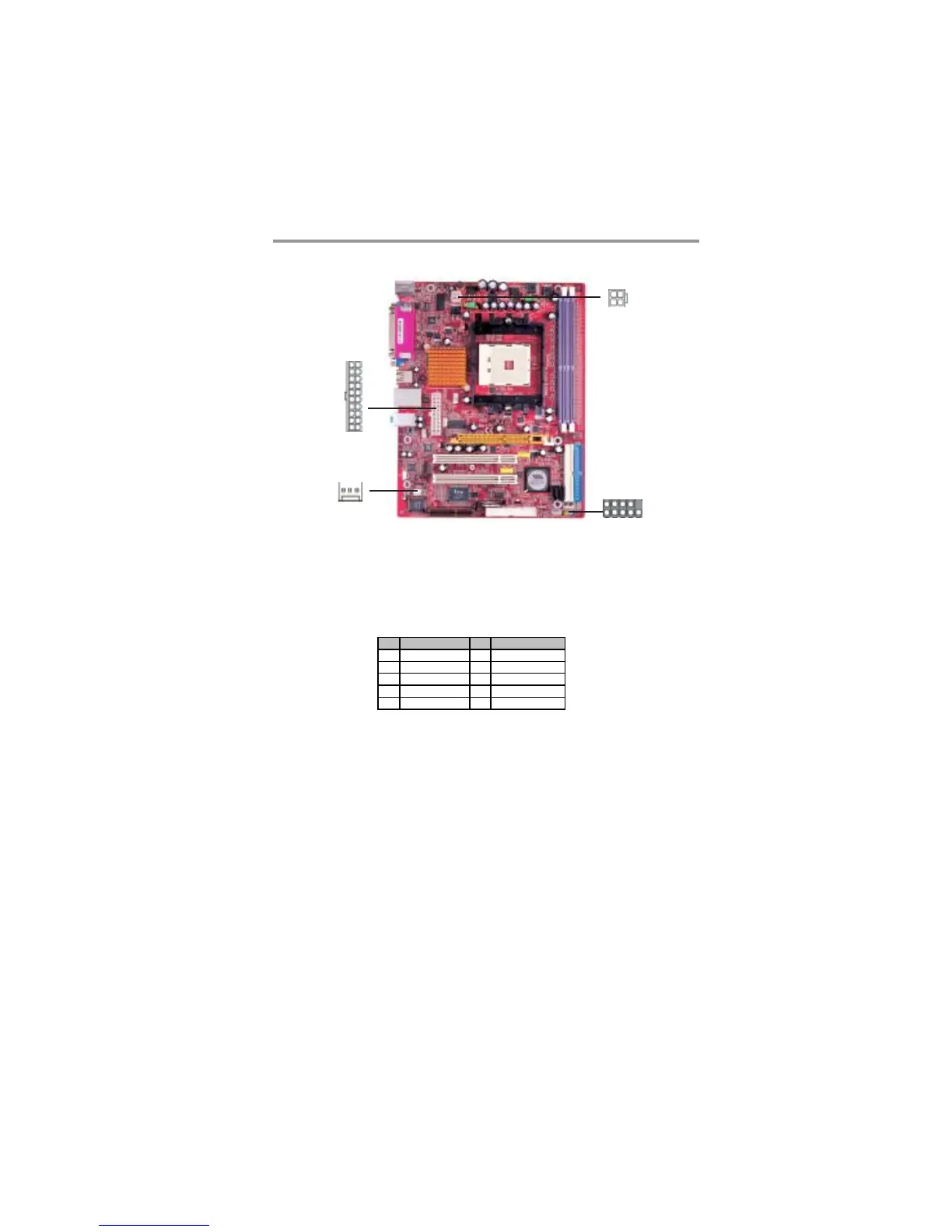
Connect the power connector from the power supply to the PWR1 connector on
the motherboard. PWR2 is a +12V connecotr for CPU Vcore power.
If there is a cooling fan installed in the system chassis, connect the cable from the
cooling fan to theFAN2 fan power connector on the motherboard.
Connect the case switches and indicator LEDs to the PANEL1 header.
Pin Signal Pin Signal
1 HD_LED_P(+) 2 FP PWR/SLP(+)
3 HD_LED_N(-) 4 FP PWR/SLP(-)
5 RESET_ SW_N( - ) 6 POWER_S W_P(+)
7 RESET_ SW_P( +) 8 POWER_ SW _N( - )
9 RSVD_DNU 10 KEY
PWR1
FAN1
1
PWR2
PANEL1
1


 To Next Page
 Loading...