7
2. If no HART device is connected, if a HART device with
address 0 is connected, or if a connected device is not found
due to wiring or loop resistance problem, the 4150 / 4150X will
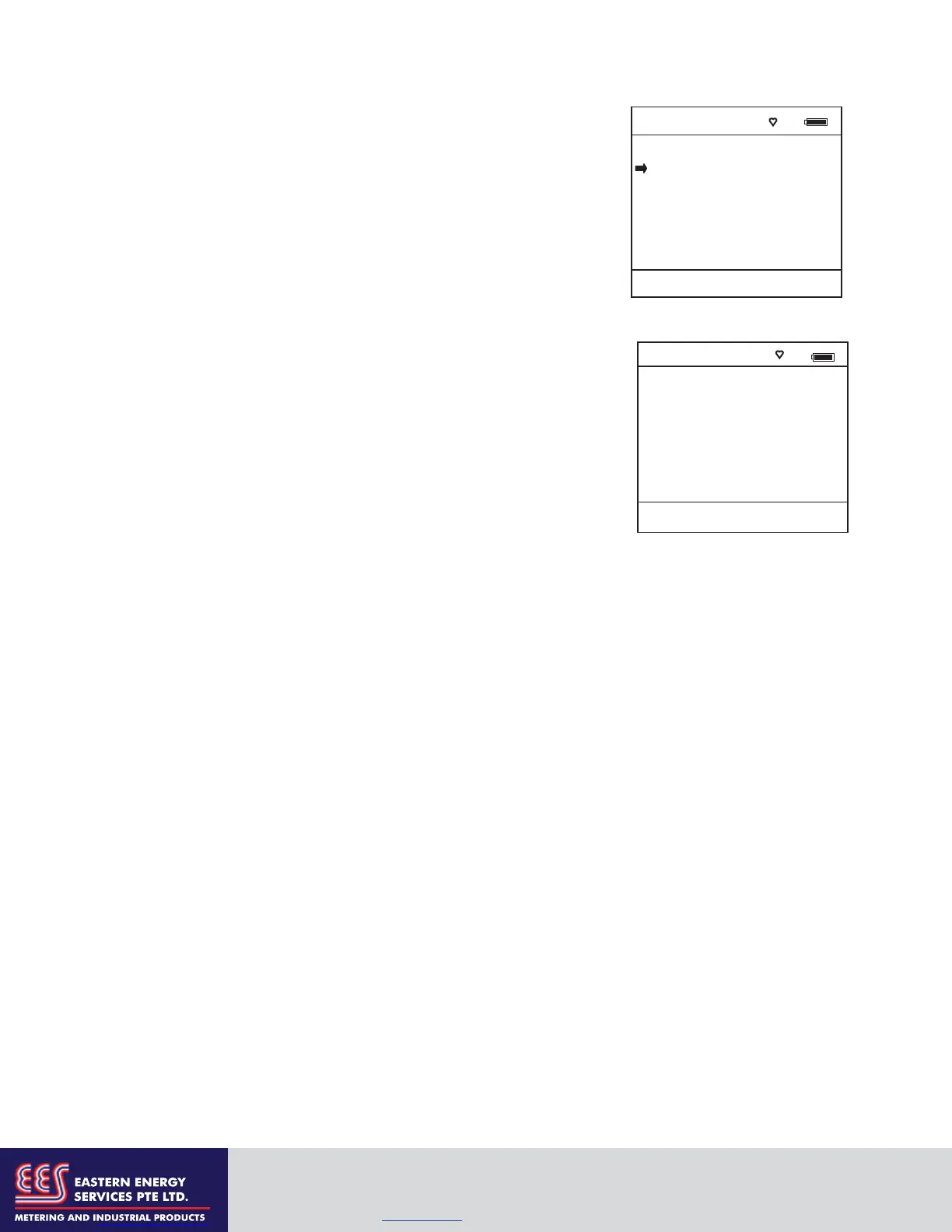
enter the Main navigation display depicted at right.
2.1 Select Online Setup once a HART device is connected
or once the wiring problem is resolved. A proper
connection will be indicated when line three changes
to “Device 0: *Online*”.
2.2 Select Online Setup if properly connected HART device
is setup for Multidrop loop or Burst Mode operation
(device address 0). The 4150 / 4150X will respond with a
statement and the Soft Key options shown at right. To
initiate a Multidrop poll, press the Multi soft key. To
retry the address 0 poll after rechecking connections,
press the Retry soft key. Press the Exit soft key to enter
Offline mode.
Communicator #
1 Online Setup
2 Offline Menu
Device 0: Not Found
Up Down Select Cfg
Communicator #
No device found:
Press Multi to begin
multidrop polling.
Retry to poll addr 0,
or Exit to go Offline.
Multi Retry Exit
EASTERN ENERGY SERVICES PTE LTD.
60 Kaki Bukit Place #02-19 Eunos Tech Park Singapore, SG 415979 Singapore
Telephone: +65-6748 6911 Fax: +65-6748 6912
Email: info@eesgroup.com Website: www.eesgroup.com


 To Next Page