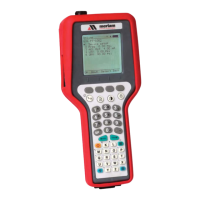
4150 / 4150X HART Communicator
USER’S MANUAL
TABLE OF CONTENTS
Subject Page
4150 / 4150X Communicator Overview....................................................................................................1
Display Overview.......................................................................................................................................1
Header Line Symbols ...........................................................................................................................2
Keypad Overview.......................................................................................................................................2
Alphanumeric / Symbol Entry...............................................................................................................3
Left / Right Arrow Keys .......................................................................................................................4
Soft Keys...............................................................................................................................................4
Thumb Operated Keys ..........................................................................................................................5
General Operation......................................................................................................................................5
Power Options.......................................................................................................................................5
Communication / AC Adapter...............................................................................................................5
Navigating Menus on display................................................................................................................6
Turning on 4150 / 4150X......................................................................................................................6
Main Display.........................................................................................................................................8
Configurations Settings.........................................................................................................................8
1 Users.............................................................................................................................................8
2 Applications .................................................................................................................................8
3 Lockouts (Lockout, PV Prompt setting, View Lockout Details) .................................................8
Lockout Code.............................................................................................................................9
Disable Lockout .........................................................................................................................9
Changing Lockout Code.............................................................................................................9
4 Clock / Timers..............................................................................................................................9
1 Clock Edit...............................................................................................................................9
2 Backlight (off timer).............................................................................................................10
3 Off Timer (master) ...............................................................................................................10
5 Other..........................................................................................................................................10
1 Model Information ...............................................................................................................10
2 Battery Type selection..........................................................................................................10
3 HART Communication Mode selection...............................................................................10
4 Enter PC Comm. Mode........................................................................................................10
5 Polling Type: Auto (default to address 0) or Digital (default poll for addresses 0 – 15).....11
Battery Installation & Removal (all models) ...........................................................................................12
External Connections ...............................................................................................................................12
Connector for Communication / AC Adapter Dongle
.................................................................12
HART Jacks / Lead Set.......................................................................................................................13
Hazardous Area Use.................................................................................................................................14
Intrinsically Safe Operation ................................................................................................................14
EASTERN ENERGY SERVICES PTE LTD.
60 Kaki Bukit Place #02-19 Eunos Tech Park Singapore, SG 415979 Singapore
Telephone: +65-6748 6911 Fax: +65-6748 6912
Email: info@eesgroup.com Website: www.eesgroup.com


 To Next Page