16
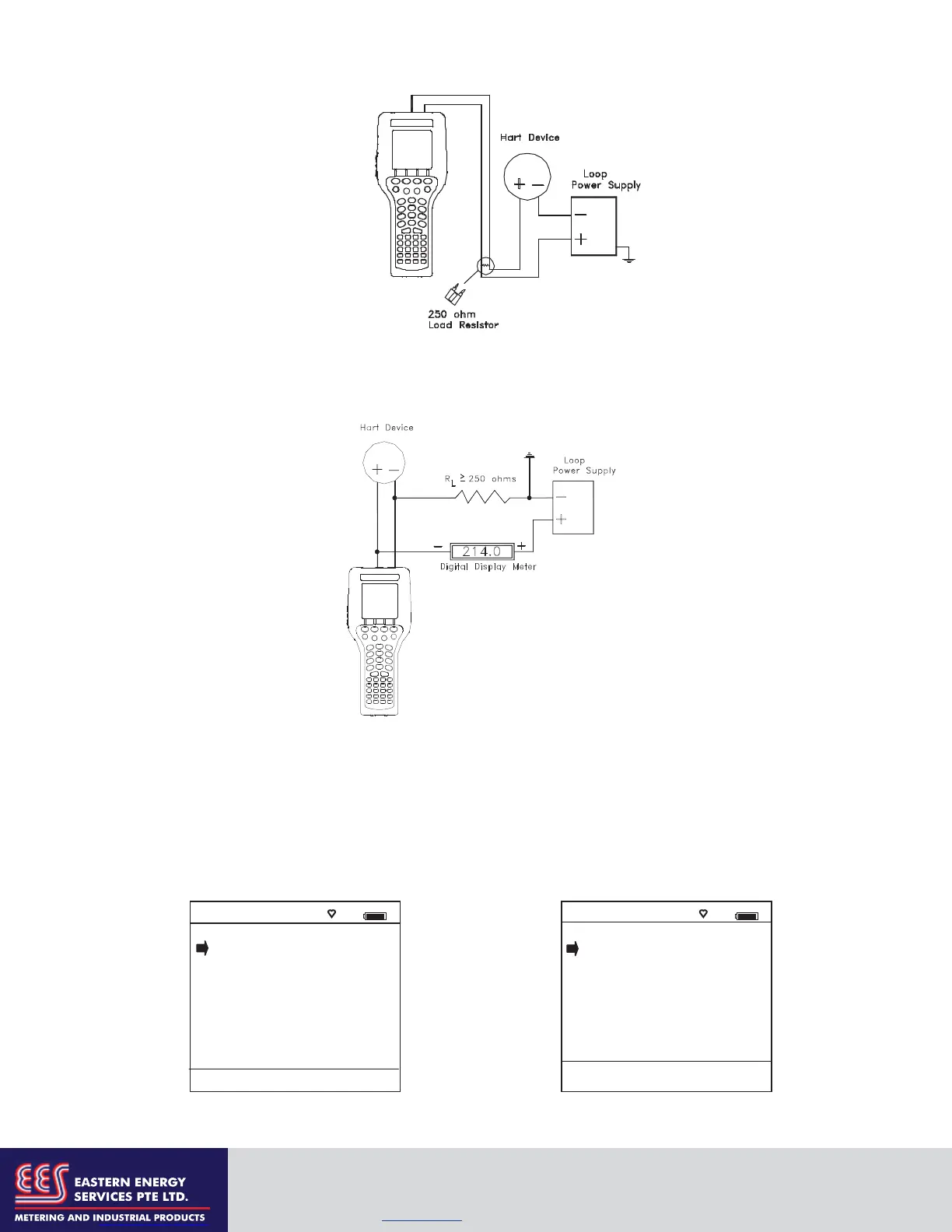
When connecting the 4150 / 4150X to a loop with a resistive load greater than 250 s, the HART jacks may
be connected across the loop + and – or to the HART device communication terminals. Refer to the
following diagram for connecting across the loop + and -.
HART
®
Communications
Initial Screens / Online Mode
Upon power up the 4150 / 4150X automatically detects if a field device is connected and attempts to
establish HART communications; this is the factory default “Auto” poll function. When a device with
address zero is found, the 4150 / 4150X provides feedback to the user and starts the initial HART display for
the connected device. See an example of Online Mode below.
Online #
3051 : PT-1012D
1 Device setup
2 Pres: 0.01 inH2O
3 AO: 4.001 mA
4 LRV: 0.00 inH2O
5 URV: 250.00 inH2O
Up Down Select Back
Connecting to communication terminals
Initial HART Screen / Online Mode
Main Navigation Screen
Auto Poll Launch; Device “0” found
Communicator #
1 Online Setup
2 Offline Menu
Device 0: *On-Line*
Rosemount
3051C
Fld Dev Rev 03
Dof Name 26060309
Up Down Select Cfg
EASTERN ENERGY SERVICES PTE LTD.
60 Kaki Bukit Place #02-19 Eunos Tech Park Singapore, SG 415979 Singapore
Telephone: +65-6748 6911 Fax: +65-6748 6912
Email: info@eesgroup.com Website: www.eesgroup.com


 To Next Page