COPYRIGHT © 2006 MERIT ENTERTAINMENT
PM0480-16 MEGATOUCH ION EVO WALLETTE OWNER’S MANUAL 20
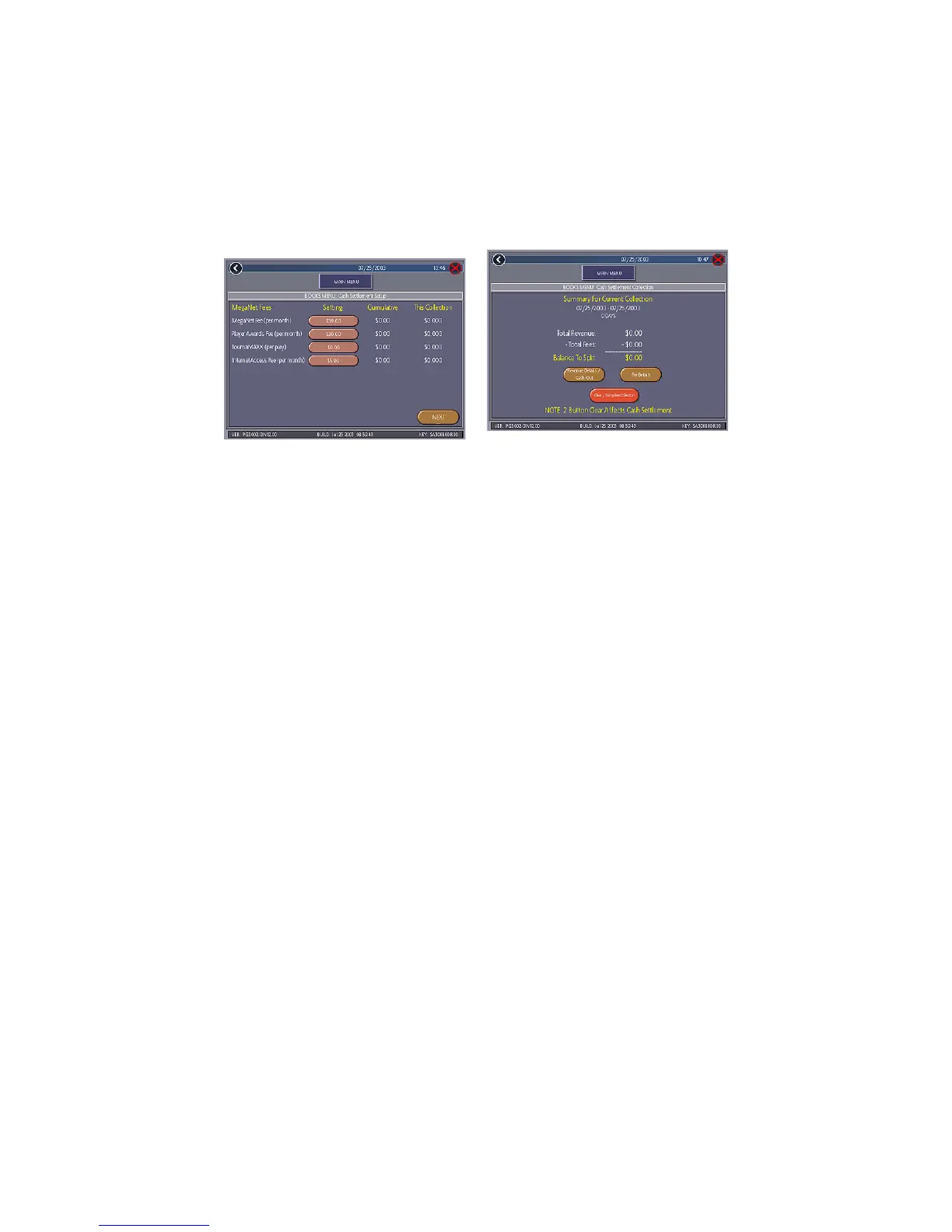
FIGURE 19 - BOOKS MENU:
CASH SETTLEMENT COLLECTION
To Enter This Screen, Touch “Cash
Settlement Collection” on the Books
Menu
FIGURE 18 - BOOKS MENU:
CASH SETTLEMENT SETUP SCREEN
Cash Settlement Collection
The Cash Settlement Collection Screens will
display the balance (total revenue minus to-
tal fees) to be split between the operator
and the location.
Touch Revenue Details/Cash Out or Fee
Details for breakdowns and Clear/Com-
plete Collection to finish. Cash Settle-
ment totals will reset once collection is com-
plete.
To Enter This Screen, Touch “Cash
Settlement Setup” on the
Books Menu and touch “NEXT”
Twice
The next screen allows you to set up the
fees. The amounts can be changed on
screen by touching the amount itself and
using the keypad to enter a dollar figure.
The other two columns display the cumula-
tive totals for each fee and the totals for the
current collection period. Fees are calcu-
lated on a prorated, per-day basis.
Touch the NEXT button to display more
groups of fees. After setting up the fees,
touch FINISH to save your changes.


 To Next Page