COPYRIGHT © 2000 MERIT INDUSTRIES, INC.
6 Scorpion™ DX Manual PM0075-03 Rev C
Linking Multiple DX Games
Up to 32 DX games can be networked together
within a location.
To connect your games, follow the instructions
below.
1. Using RS485 cable, connect one end to the com-
munications board of one game and connect the
other end to the communications board on another
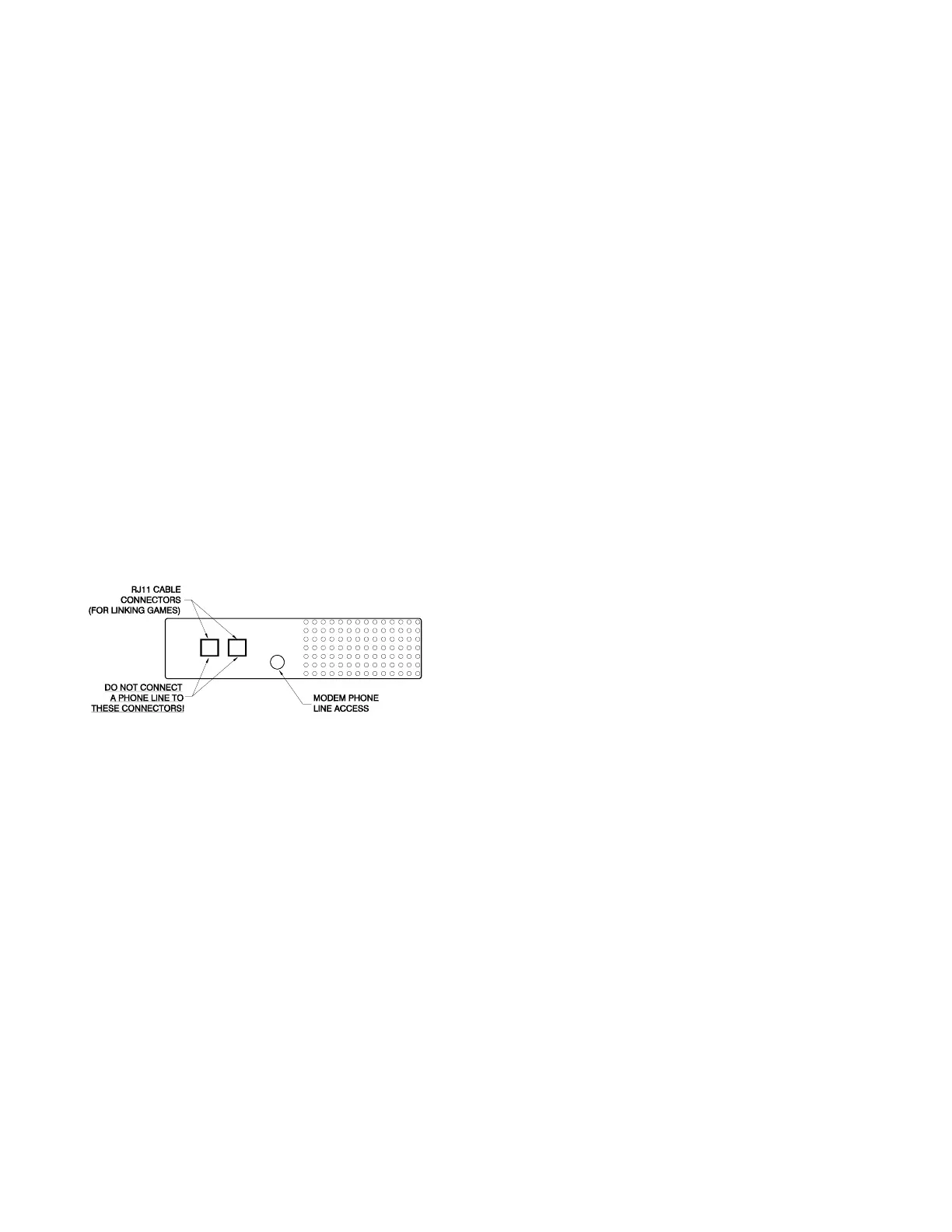
DX game. (RS485 CABLE IS NOT PHONE LINE.
DO NOT USE REGULAR PHONE LINE TO LINK
YOUR GAMES. YOU NEED TO USE SPECIAL
RS485 CABLE. ALSO, IF A LONGER CABLE IS
NEEDED, CONTACT MERIT INDUSTRIES OR
YOUR DISTRIBUTOR; DO NOT EXTEND THE
CABLE USING AN ADAPTER OR THE LINK WILL
NOT WORK! YOU MAY USE AN ADAPTER TO
EXTEND THE MODEM PHONE CORD, IF NEC-
ESSARY. (SEE THE PARTS LIST FOR CABLE
PART NUMBERS).
2. Continue linking games in this manner until all
games are connected in series; DO NOT connect
the games in a closed circuit (i.e. do not connect
the last game in the chain to the first game in the
chain).
NOTE: DO NOT CONNECT A PHONE LINE TO
THE COMMUNICATIONS BOARD JACKS ON
THE DX GAME. THIS WILL BURN OUT THE
BOARD!
Figure 6
Communications Board/Modem Access


 To Next Page