25
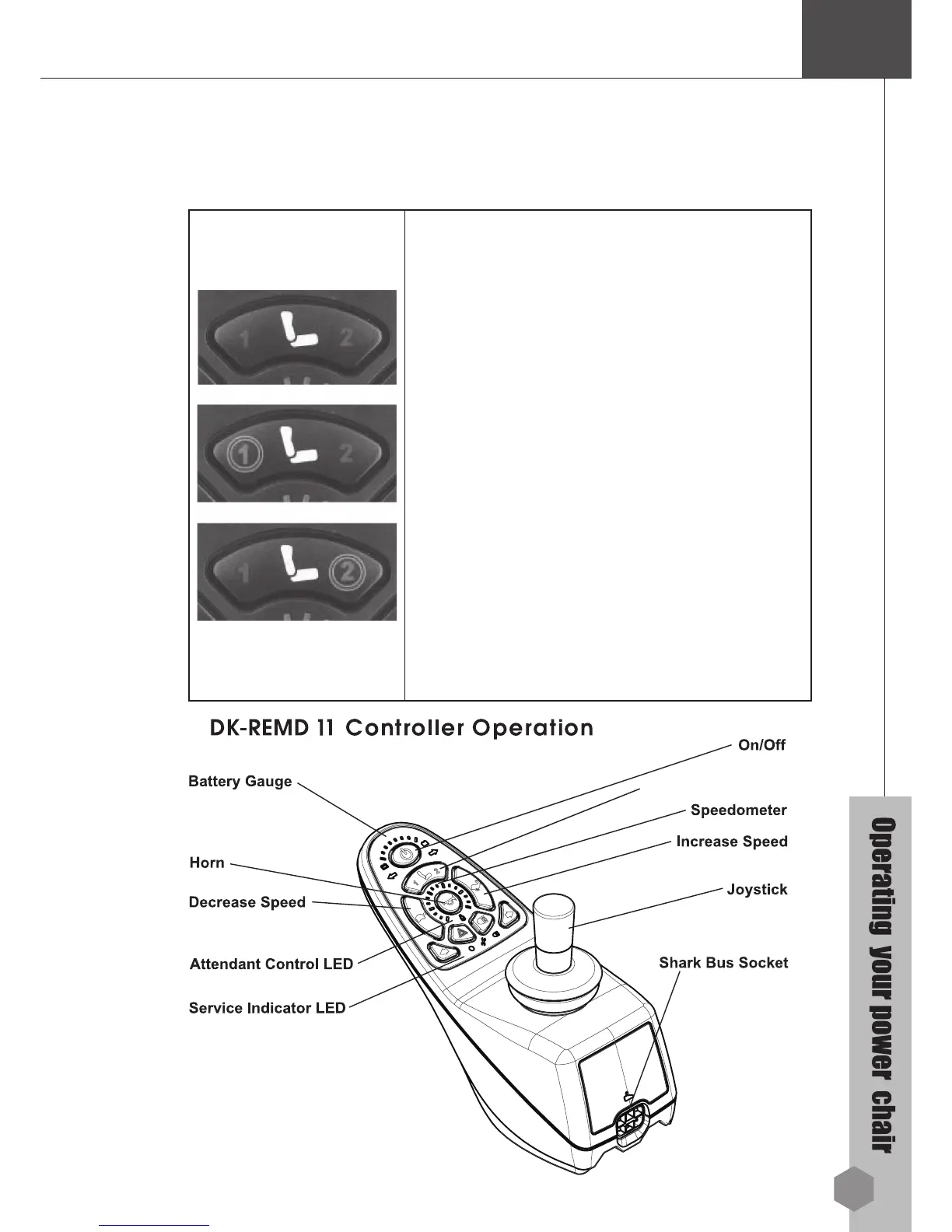
9. Using the Seat Function Button
(REMD11 & REMD21 Only)
Two seat functions are available for individual
adjustment and are accessed via the Seat
Function Button.
Press the Seat button once to toggle the control
unit from Drive mode to Seat mode. Seat
Function 1 will be active as noted by the amber
coloured “1” LED.
To adjust Seat Function 1, use the joystick
Forward/Reverse.
To access Seat Function 2, either press the Seat
Function Button again or move the joystick right.
The amber coloured “2” LED will light. Use the
joystick Forward/Reverse to set the Seat Function
2 adjustments. Moving the joystick left/right while
in Seat Mode toggles between Seat Function 1
and Seat Function 2.
Pressing the Seat Function Button again
(3
presses are a complete cycle) puts SHARK back
in Drive Mode. Use the joystick to control speed
and direction as normal.
Seat Function Button



 To Next Page