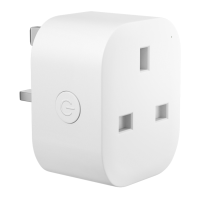
Wi-Fi connecting
Slowly alternating between amber
and green: Ready to pair
Solid green: Connected to home
Wi-Fi/ Successfully paired
Solid red: NO internet connection
OFF: Your receptacle is not powered
on/ The smart plug is not turned on.
• Installation Guide
Make sure your smart device is powered
on and covered by strong Wi-Fi signal.
Download the Meross app. (P4)
2.
3.
Launch the Meross app and log in to
your account, or if you are a new user,
tap Sign up to create a new account.
4. Tap the "+" icon, Meross app will find
3


 To Next Page