–
SETTING THE DATE & TIME
ñ
Youwillonlyneedtosetthedate& timetousetheLockOpeningRecordsFunction.
1. Safe mustbe inthe unlockedposition.
2. Input—*“ +—*“,and—PROG“ appears.
3. Input—055261“+—#“,and—DATE“ appearsfollowedbya six-digitnumber. -
ñ
The six-digitnumberrepresentsthe year,monthandday. -
ñ
Example:December31,2001 wouldbe enteredas—011231“. -
4. Slot#1 and#2 iswhere youwillenterthe year.
5. Slot#3 and#4 iswhere youwillenterthe month.
6. Slot#5 and#6 iswhere youwillenterthe day.
7. Input—#“ toconfirm the date setting andmove forwardtoanothersix-digitnumberwhichwillsetthe
clock.
ñ
Thissix-digitnumberrepresentsthe hour,minute andsecond.
ñ
W henadjusting the houryouwillneedtouse militarytime (24-hournotation).
ñ
Example:3:25:00pm wouldbe enteredas—152500“.
8. Slot#1 and#2 iswhere youwillenterthe hour.
9. Slot#3 and#4 iswhere youwillenterthe minutes. -
10.Slot#5 and#6 iswhere youwillenterthe seconds. -
11.Input—#“ toconfirm the clocksetting,and—GOOD“ appears. -
VIEW LOCK OPENING RECORDS(AUDIT TRAIL)
1. Safe mustbe inthe unlockedposition.
2. Input—*“ +—*“,and—PROG“ appears.
3. Input—162550“ +—#“,and—GOOD“ appearsfollowedbya six-digitnumber. -
ñ
One opening recordusestwoscreens. -
ñ
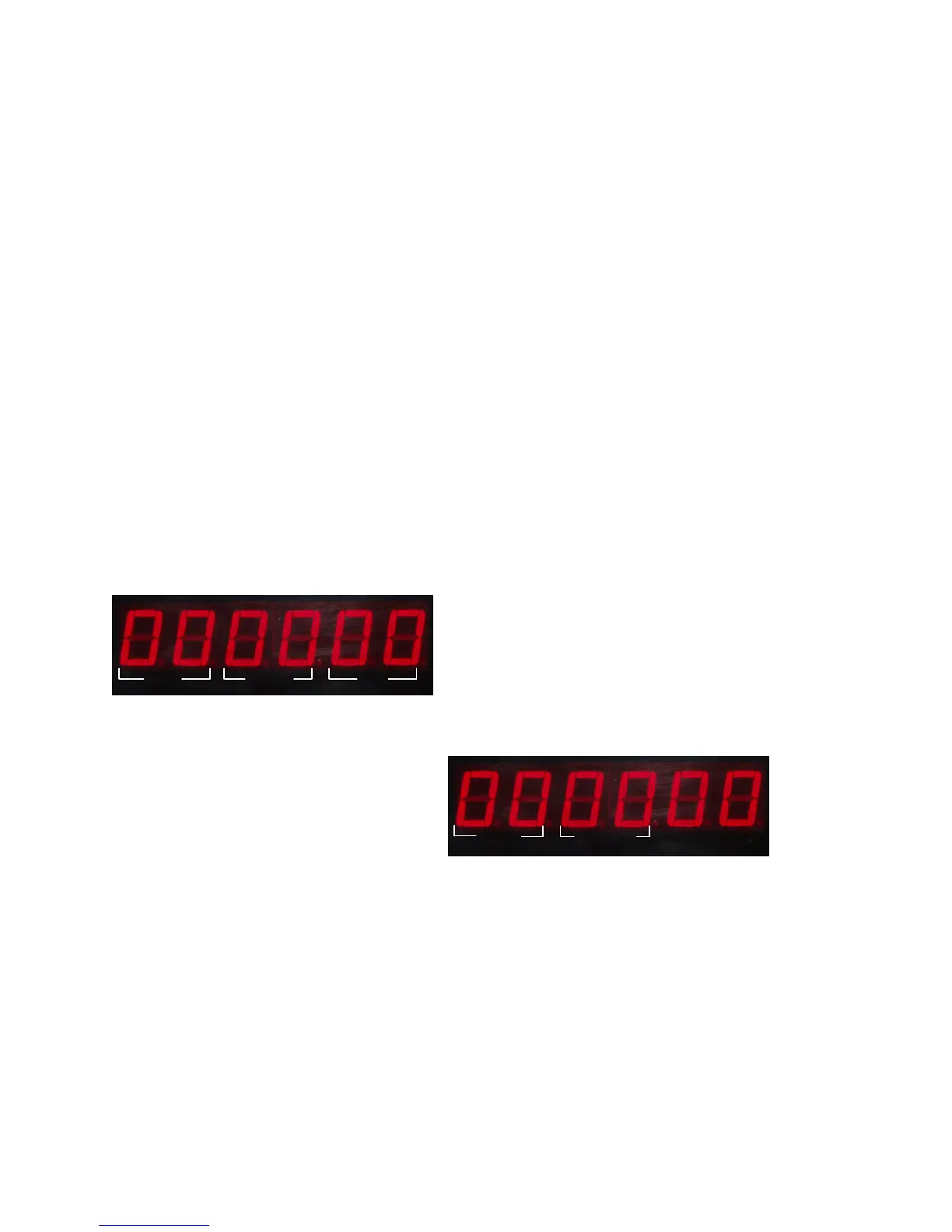
The firstscreendisplaysthe date thatthe safe wasopened. -
Year Month Day
ñ
The secondscreendisplaysthe time andmethod(usercode,card,override code,etc.)usedtoopen
the safe.
METHOD USED TO OPEN SAFE
ñ
Usercode:—1“ isdisplayed.
ñ
Override Code:—2“ isdisplayed.
ñ
UserCard:—5“ isdisplayed.
ñ
Override Card:—6“ isdisplayed.
Ex:—1530-2“ =Safe wasopenedat3:30pm
bythe override code.
4. How tonavigate throughthe opening records.
ñ
Press—2“ togobacktothe previousrecord.
ñ
Press—8“ toleaptothe nextrecord.
ñ
Press—6“ toshow the nextscreenofa specificrecord..
ñ
Press—4“ toshow the previousscreenofa specificrecord.
ñ
Press—5“ togotothe latestlock-opening record.
5. Input—*“,and—GOOD“ appearsandthe —LockOpening Records“ isnow closed.
IFYOU ARE HAVING ANY ISSUESW ITH YOUR ELECTRONIC LOCK,CHANGE YOUR
BATTERIESFIRST BEFORE CONTACTING TECHNICAL SUPPORT (SEE PAGE 1 FOR
CONTACT INFORMATION).
Page 5
Hour Minutes
Method
http://www.monomachines.com/
http://www.monomachines.com/


 To Next Page
 Loading...